Installing and connecting the device
4.2 Positioning the device
SIMATIC IPC MD-57A
Operating Instructions, 09/2023, A5E52775302-AA
41
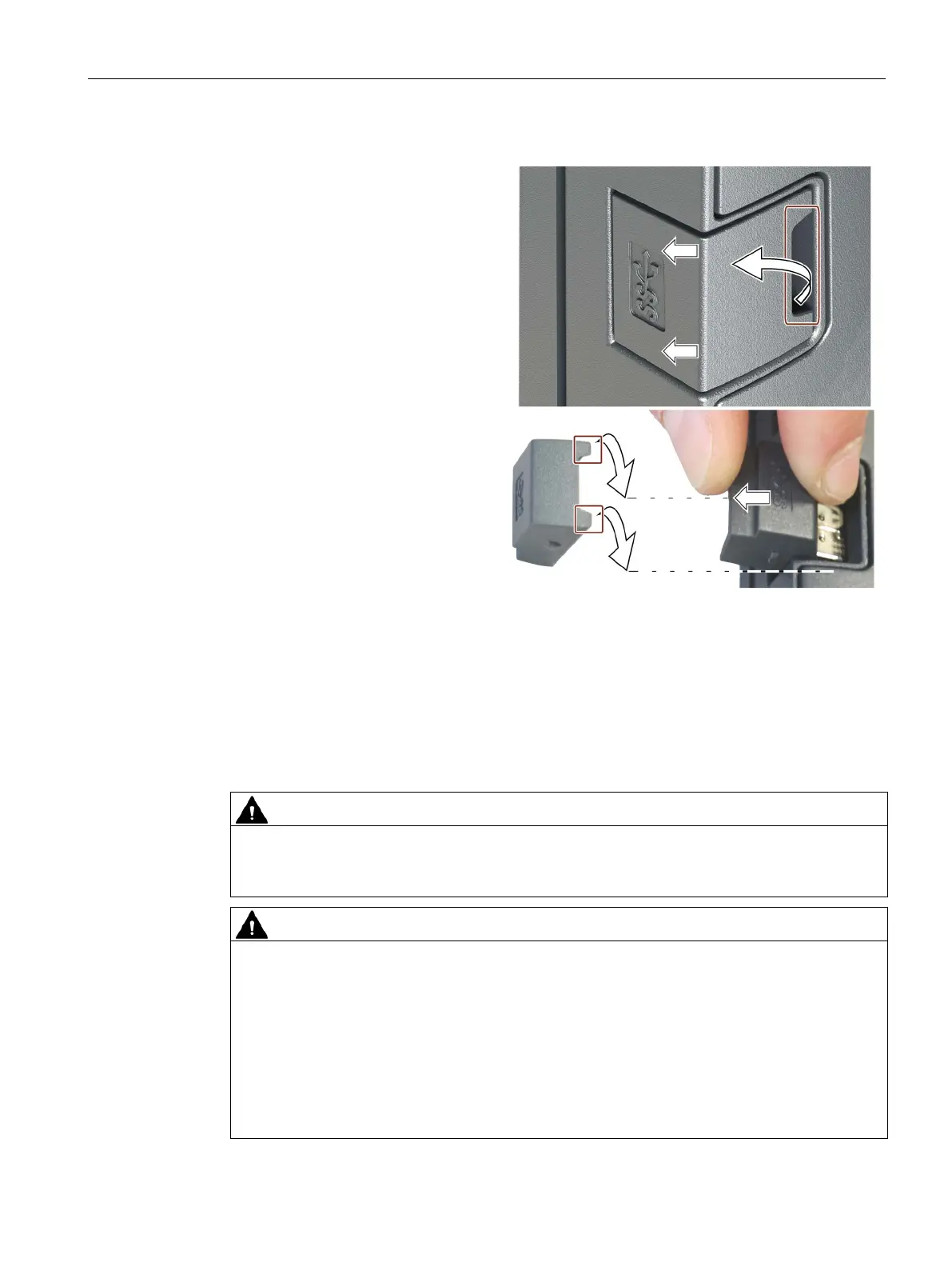
Removing the USB dongle
Remove the cover cap on the re-
cessed grip as shown.
Place the cover cap vertically as on
the device.
Turn the cover cap horizontally so
that the fork lugs point downwards
as marked in the figure.
Grasp the dongle with the fork lugs
of the cover cap and pull it out of
the
device.
Replace the cover cap. Please note
the following:
The cover cap snaps into place
on the enclosure.
The cover cap lies flat completely
in the enclosure, see step 1.
4.2 Positioning the device
Risk of fire
The outer housing is made of Magnesium. If it comes into contact with open flame, there is
a risk of fire / spreading fire.
Danger due to overheating of the device
The air inlets are located on the underside of the device, see section "Bottom view" in
section "Device view and interfaces (Page 13)".
If these air inlets are covered to a great extent, cooling is impaired, as well as if there is not
enough clearance for the air outlet, see section "Rear view". The device can overheat and be
damaged with consequences for people, machines and the plant.
Ensure that these ventilation openings are not covered.
Do not place the device on very soft surfaces, e.g. cushions or pillows.
Maintain a minimum distance of 15 cm to obstacles e.g. walls behind the device.


 To Next Page