Expanding and assigning parameters to the device
7.3 Expansion modules (FLEX MODULE)
SIMATIC IPC MD-57A
Operating Instructions, 09/2023, A5E52775302-AA
69
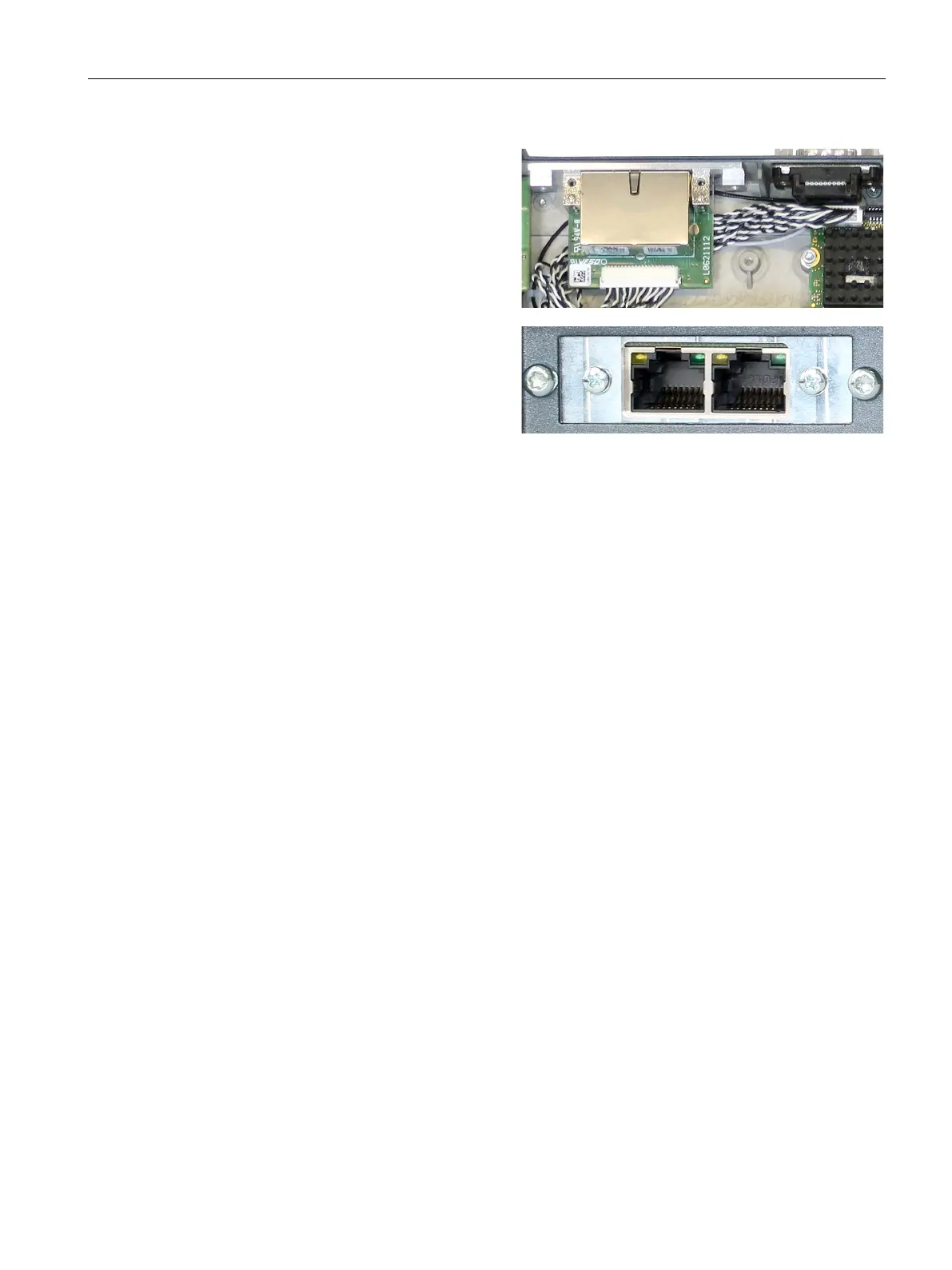
Place the interface board from the in-
side to the enclosure opening
- inter-
faces pointing outwards and hold it
with one hand.
Screw the interface board tight from
the outside (outer screws).
:
The two outer screws fasten the
adapter plate to the enclosure.
The inner screws fasten the
interface board to the adapter
Reconnect the battery and close the
device.
Procedure - Removal
Proceed in reverse order of installation.
Configuring BIOS setup
You may need to make settings in the BIOS Setup. For detailed information about installation,
please refer to the documentation provided with the specific expansion module.



 To Next Page