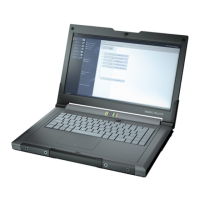
SIMATIC IPC MD-57A
Operating Instructions, 09/2023, A5E52775302-AA
3
Table of contents
1 Preface ................................................................................................................................................... 7
1.1 Security information ............................................................................................................ 8
1.2 Disclaimer for third-party software updates .......................................................................... 8
2 Product description ................................................................................................................................ 9
2.1 Important instructions and manuals for operating the device ................................................ 9
2.2 Product highlights .............................................................................................................. 10
2.3 Application areas ............................................................................................................... 11
2.4 Features ............................................................................................................................ 11
2.5 External design of the device.............................................................................................. 13
2.5.1 Device view and interfaces ................................................................................................. 13
2.5.2 Operator controls ............................................................................................................... 17
2.5.2.1 On/off button..................................................................................................................... 17
2.5.2.2 Touchpad and keys ............................................................................................................ 18
2.5.2.3 Keyboard ........................................................................................................................... 20
2.5.2.4 Hotkeys ............................................................................................................................. 21
2.5.2.5 Camera and fingerprint sensor ........................................................................................... 22
2.5.3 Status displays ................................................................................................................... 23
2.6 Accessories ........................................................................................................................ 24
3 Safety instructions ............................................................................................................................... 25
3.1 General safety instructions ................................................................................................. 25
3.2 Notes on ambient and environmental conditions ................................................................ 27
3.3 Notes on transport ............................................................................................................. 28
3.4 Notes on battery mode ...................................................................................................... 30
3.5 Information on I/O devices ................................................................................................. 34
3.6 Safety notices for WLAN and Bluetooth operation ............................................................... 34
3.7 Notes on device and system extensions .............................................................................. 36
4 Installing and connecting the device .................................................................................................. 37
4.1 Preparations ...................................................................................................................... 37
4.1.1 Checking delivery............................................................................................................... 37
4.1.2 Device identification data ................................................................................................... 37
4.1.3 Inserting a SIM card (no function) ...................................................................................... 38
4.1.4 Inserting and removing the USB dongle .............................................................................. 40
4.2 Positioning the device ........................................................................................................ 41
4.3 Connecting the device ....................................................................................................... 43
4.3.1 Connecting the power supply ............................................................................................. 43
4.3.2 Connect SIMATIC S7 or PROFIBUS ....................................................................................... 45
4.3.3 Connecting the device to systems and networks ................................................................. 45
4.3.4 Connecting peripheral devices ........................................................................................... 46



 To Next Page