EasyManua.ls Logo

Siemens SIMATIC Field PG M6 - User Manual

Siemens SIMATIC Field PG M6
120 pages
Print Icon
To Next Page IconTo Next Page
Loading...
___________________
___________________
___________________
___________________
___________________
___________________
___________________
___________________
___________________
___________________
___________________
___________________
SIMATIC
Programming device
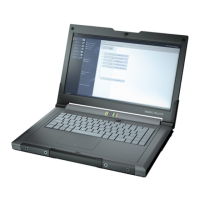
SIMATIC Field PG M6
Operating Instructions
12/2018
A5E43198909
-AA
Preface
1
Overview
2
Safety instructions
3
Installing and connecting the
device
4
Commissioning the device
5
Operating the device
6
Expanding the device
7
Maintaining and repairing the
device
8
Technical specifications
9
Technical support
A
Labels and symbols
B
Abbreviations
C

Table of Contents

Questions and Answers

  • A
    Angela NguyenAug 14, 2025
    What to do if Siemens Motherboard is not operational?
    • C
      christinehornAug 14, 2025
      If your Siemens Motherboard isn't turning on, first ensure it's getting power by checking the power supply, power cord, and power plug. Also, verify that the PG is not switched off. Press the power button to switch it on. Finally, check the battery and charge or install it if it's empty or missing.
  • A
    alicia90Aug 17, 2025
    Why is my USB device not responding on Siemens Motherboard?
    • J
      Joshua GutierrezAug 17, 2025
      If a USB device isn't responding on your Siemens Motherboard, enable USB Legacy Support in your BIOS settings for mouse and keyboard. For other devices, ensure you have the correct USB drivers installed for your operating system.
  • L
    Laura PerezAug 20, 2025
    What to do if Siemens Motherboard displays "No boot device available"?
    • J
      John StuartAug 20, 2025
      If you see a "No boot device available" message on your Siemens Motherboard, it indicates a wrong drive type entered in SETUP. Use the "Autodetect Fixed Disk" function to resolve this issue.
  • S
    Seth EatonAug 23, 2025
    How to enable clickpad on Siemens Motherboard?
    • C
      Catherine SimmonsAug 25, 2025
      If you can't move the mouse pointer with the clickpad on your Siemens Motherboard in Windows, the clickpad may be switched off. Turn it on using the hotkeys Fn + F4.
  • J
    Jason OrtizAug 27, 2025
    What does "Keyboard stuck key failure" mean on Siemens Motherboard?
    • S
      Shelia MatthewsAug 27, 2025
      If your Siemens Motherboard displays a "Keyboard stuck key failure" message, it means a key was blocked during the system's self-test. Inspect the keyboard and restart the system if needed.
  • R
    Raymond RogersAug 30, 2025
    How to set date and time on Siemens Motherboard?
    • C
      Christopher FreemanAug 31, 2025
      To correct the time and date on your Siemens Motherboard, press during the boot sequence to enter BIOS-Setup. Then, set the correct time and date in the setup menu.
  • T
    Timothy PerrySep 2, 2025
    Why Siemens Motherboard beeps when I press a key?
    • J
      Jacob HawkinsSep 3, 2025
      If you hear a beep when pressing a key on your Siemens Motherboard, but no character appears, the keyboard buffer may be full. Try pressing .
  • N
    Nicole HallSep 6, 2025
    Why is Siemens Motherboard time still wrong?
    • S
      Stacy JacksonSep 6, 2025
      If the time and date are still incorrect on your Siemens Motherboard even after setting them in BIOS, contact your technical support team because the backup battery might be dead.
  • J
    Juan FrazierSep 9, 2025
    How to type backslash on Siemens Motherboard?
    • D
      David ColeSep 9, 2025
      If the < \ > key is not available on your Siemens Motherboard, it may be due to an incorrect keyboard driver. If you have a German keyboard driver, use . With an international keyboard driver, use < \ >.

Summary

Preface

Security Information and Cyber Threats

Discusses Siemens' industrial security functions and cyber threat prevention.

Safety instructions

General Safety Instructions and Warnings

Provides essential safety precautions for device operation, repairs, and expansions.

Installing and connecting the device

Connecting the Device and Peripherals

Details procedures for connecting power supply, networks, and peripheral devices.

Commissioning the device

Operating System Commissioning

Guides through the initial startup and commissioning of the installed operating system.

Operating the device

Expanding the device

Maintaining and repairing the device

OS, Software, and Driver Installation

Guides on updating the operating system and installing software/drivers.

Restoring OS and Partitions

Details how to restore factory settings, OS, drivers, and software products.

Technical specifications

ESD (Electrostatic Discharge) Guidelines

Provides essential guidelines for handling electrostatically sensitive components.

BIOS Update Procedure

Details the process for checking, preparing, and performing a BIOS update.

Technical support

Troubleshooting Common Problems

Offers tips and solutions for locating and resolving common device issues.

Siemens SIMATIC Field PG M6 Specifications

General IconGeneral
BrandSiemens
ModelSIMATIC Field PG M6
CategoryMotherboard
LanguageEnglish

Related product manuals