Installing and connecting the device
4.1 Preparations
SIMATIC IPC MD-57A
Operating Instructions, 09/2023, A5E52775302-AA
39
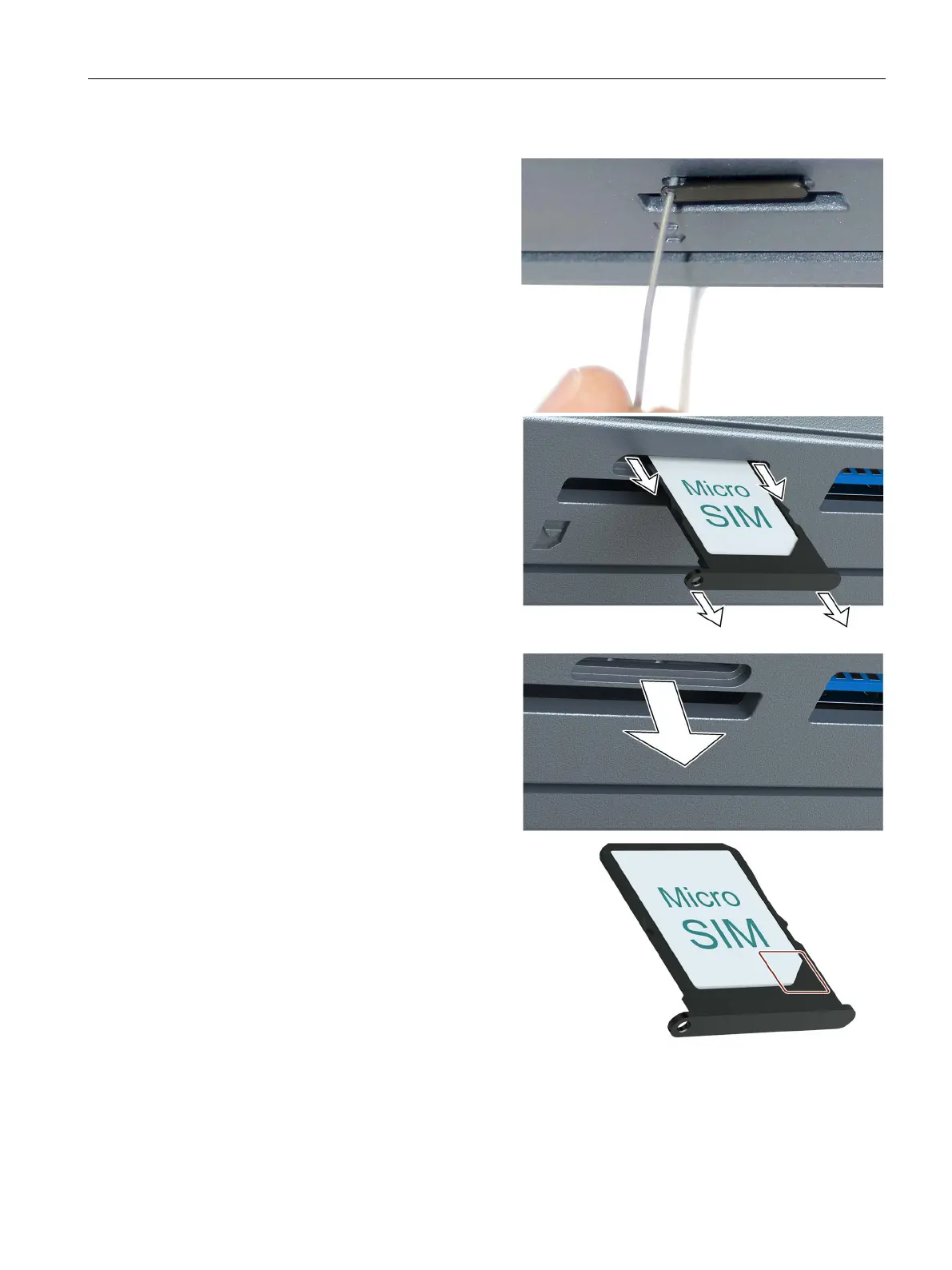
Procedure
Close the display and place the
device with the display facing down
(upside down) on a soft surface.
Insert a thin pin or wire into the
opening as shown until the SIM card
tray pops out.
Pull the SIM card tray out evenly on
the left and right without tilting.
Place the SIM card tray as it comes
out (upside down) on a solid surface.
Insert the SIM card from above into
the SIM card compartment as shown:
Do not touch the chip contacts of
the SIM card.
The label faces up, the chip
contacts are at the bottom.
The notch on the SIM card must
be aligned with the notch in the
card compartment, as marked in
the illustration.



 To Next Page