Expanding and assigning parameters to the device
7.4 Drives
SIMATIC IPC MD-57A
Operating Instructions, 09/2023, A5E52775302-AA
71
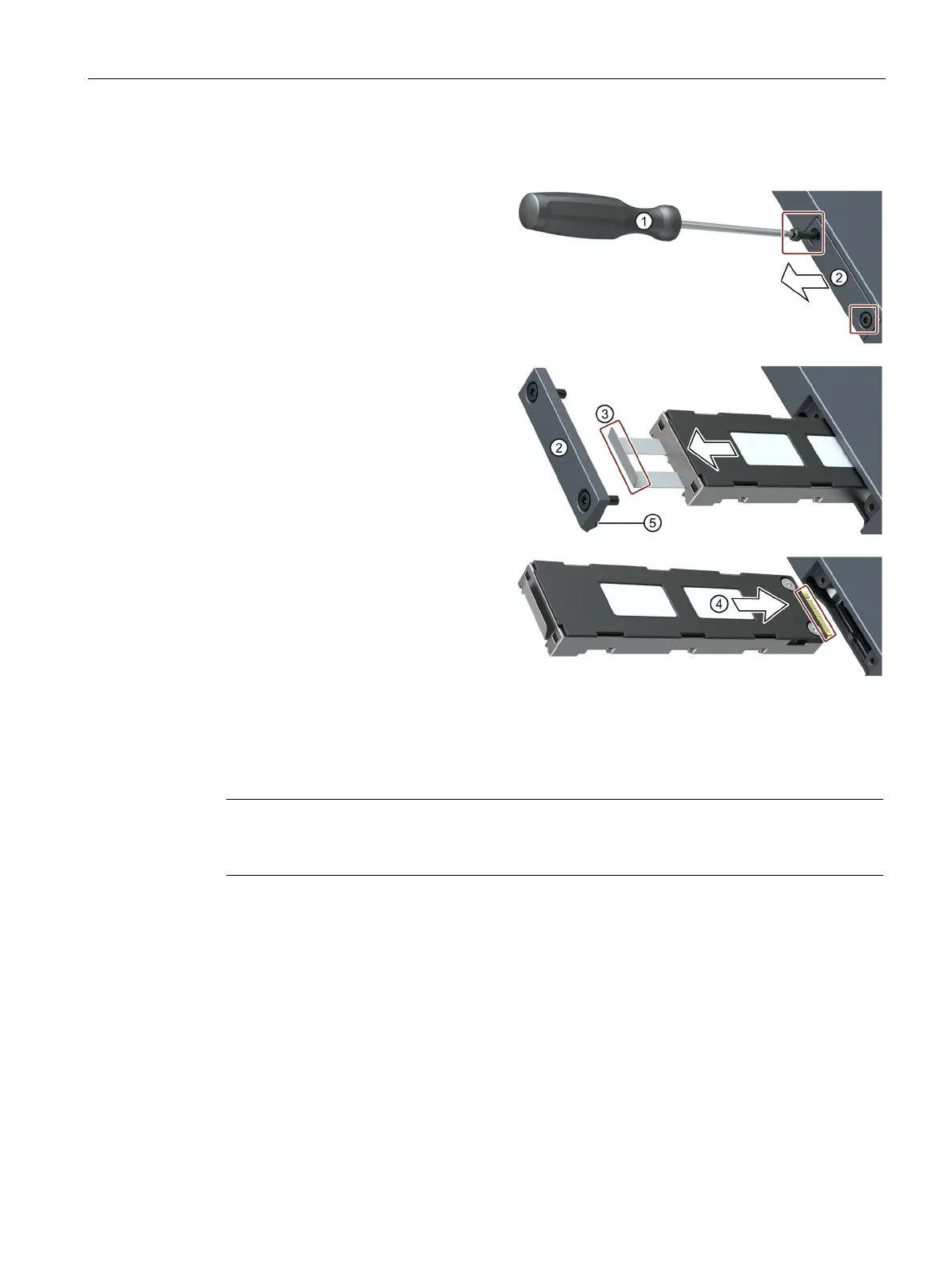
Procedure
Loosen the screws on the cover to
the slider slot with the screwdriver.
Pull out the Slider in the direction
of the arrow using the lug
③.
Push the new slider with the plug
contacts (see marking) into the
slide
-
in module until the slider audi-
bly clicks into place.
Carefully place the cover ② with
the pressure pad
⑤ onto the slider
and screw it tight with the screw-
driver ①.
Note
To ensure reliable operation of the devices with SIMATIC IPC Slider, the slider must be closed
with the cover.
See also
Switching the device on and off (Page 59)



 To Next Page