Expanding and assigning parameters to the device
7.4 Drives
SIMATIC IPC MD-57A
Operating Instructions, 09/2023, A5E52775302-AA
73
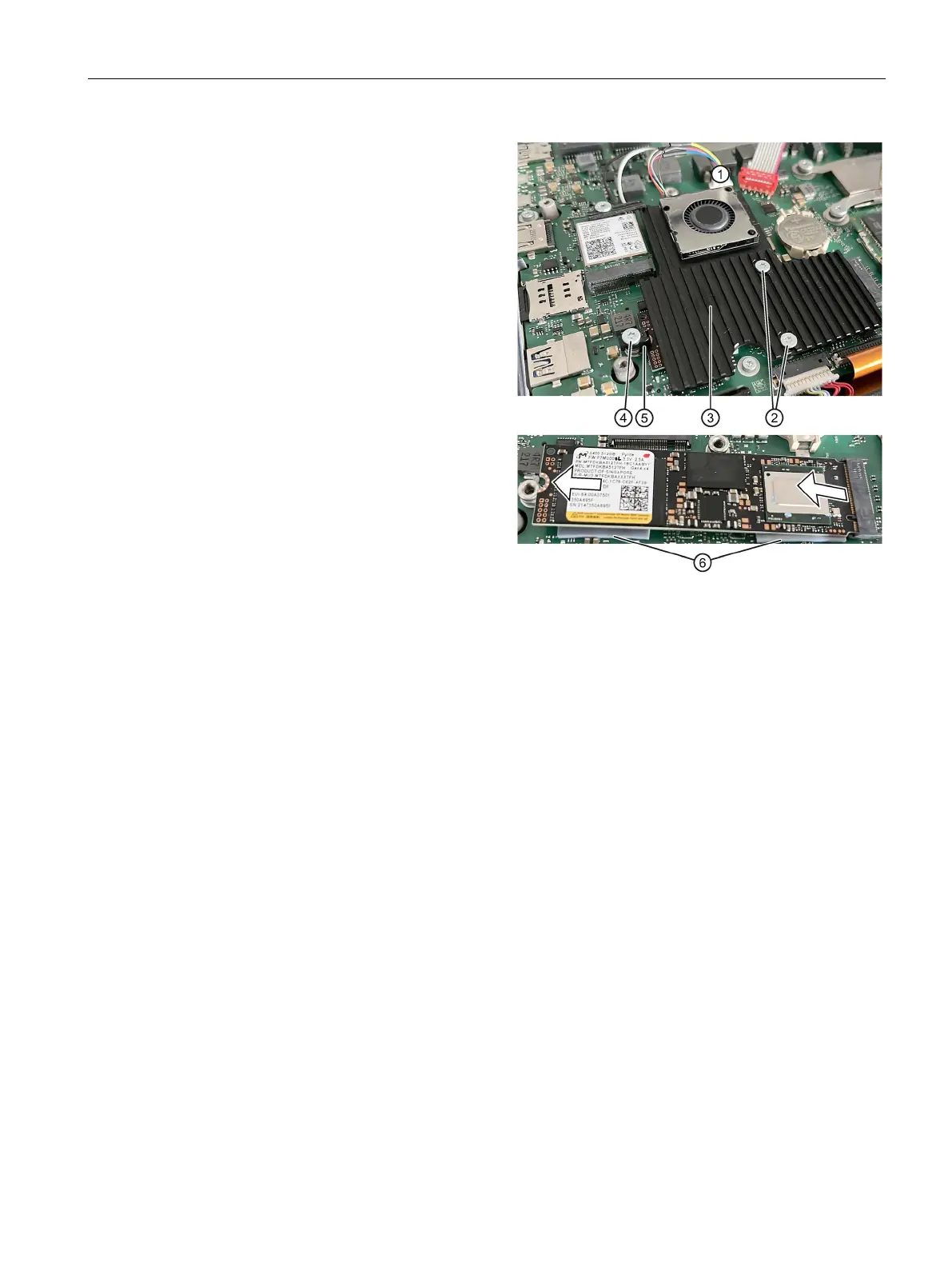
Loosen the two screws ② on the
heat sink.
Remove the heat sink ③ together
with its fan and put it aside.
Remove the fixing screw ④.
Take the black M.2 holder ⑤ from
the round recess and flip the M.2
module upwards by approx. 30°.
Pull the M.2 module in the 30° in-
clined position to the left out of the
slot, evenly without tilting.
⑥ on the
Place the new M.2 module in the
30° inclined position with the con-
nection contacts facing downwards
to the right.
:
The recess (coding) of the
contacts is against the
the slot.
The thermal pads ⑥ are
between the module and the
Push the module to the right as far
as it will go into the slot.
: Push evenly, without using
too much force and without tilting.
Place the M.2 holder ⑤ at the
round recess and insert the fixing
screw ④ through it.
Screw the fixing screw ④ back into
the thread until the M.2 module lies
firmly and parallel over the mother-
board.
Replace the heat sink ③ together
with its fan and fasten it with the
two screws ②.
Plug in the fan connector ① as
shown above.
Reconnect the battery and close the
device.



 To Next Page