Maintaining and repairing the device
8.3 Removing and installing hardware
SIMATIC IPC MD-57A
80 Operating Instructions, 09/2023, A5E52775302-AA
Requirement
• You have noted the current firmware/BIOS settings as the configuration data of the device
is deleted when the battery is replaced.
• The device is opened and de-energized, see section "Opening the device and switching off
the power (Page 63)".
• Location of the backup battery, see section "Internal design of the device (overview)
(Page 65)".
• You have observed the local regulations relating to the disposal of used batteries.
Procedure
The lithium battery may only be replaced with an identical battery or with a type
recommended by the manufacturer (type CR-2032).
Danger of explosion and the release of harmful substances!
Do not throw lithium batteries into an open fire, do not solder, or open the cell body, do not
short-circuit, or reverse polarity, do not heat up above 100 °C, follow the disposal
instructions, and protect against direct exposure to sunlight, humidity, and condensation.
Danger of explosion
Batteries must be disposed of in accordance with local regulations.
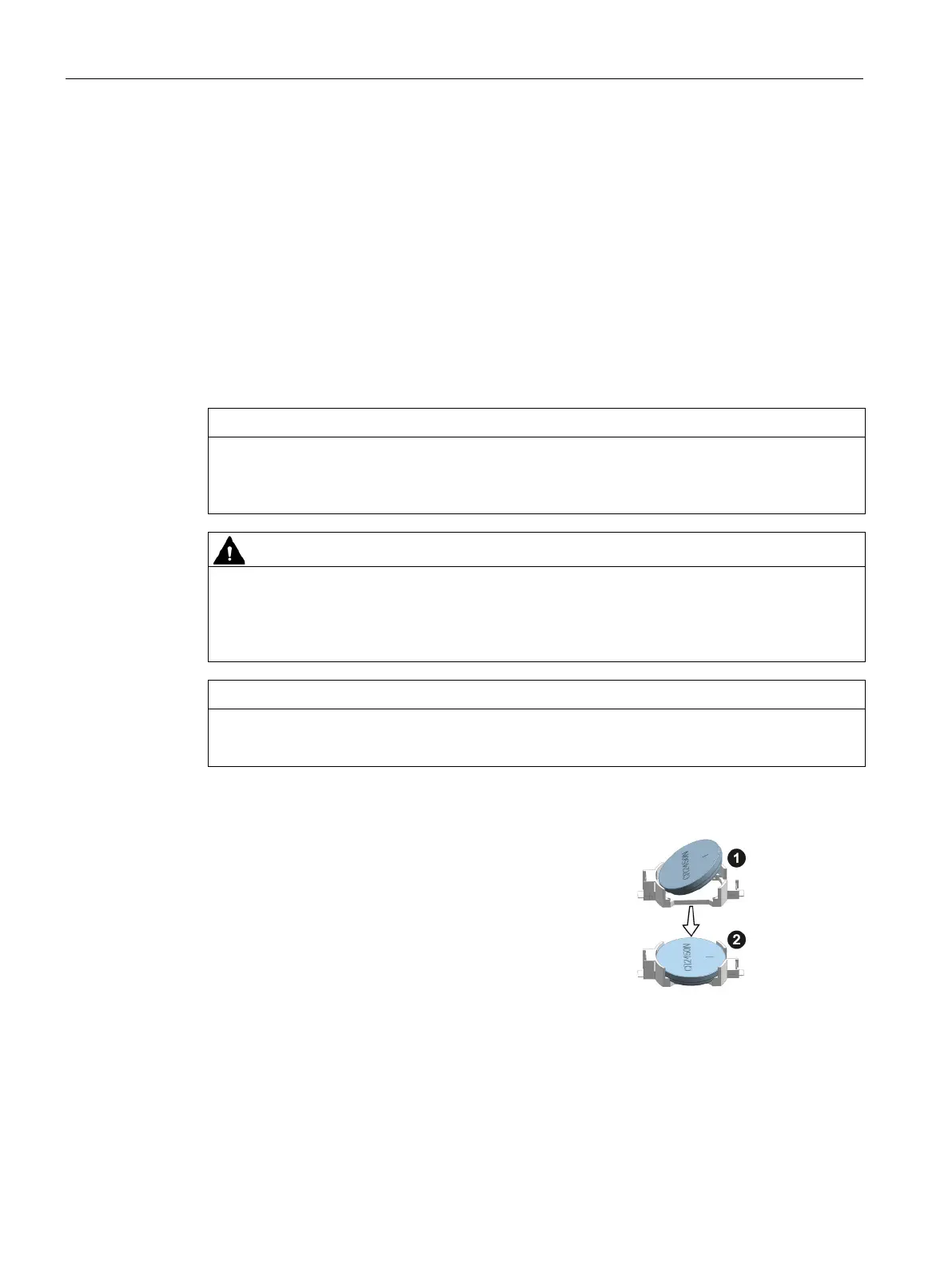
Remove the battery from socket as
shown.
Place the new battery below the two con-
tacts (1) and press it into the base (2)
while applying slight pressure.
Reconnect the battery and close the de-
vice.
Check the firmware/BIOS settings.



 To Next Page