Setting Up and Operating the SIMATIC Rack PC 840
3-11
SIMATIC Rack PC 840 Manual
A5E00104826-03
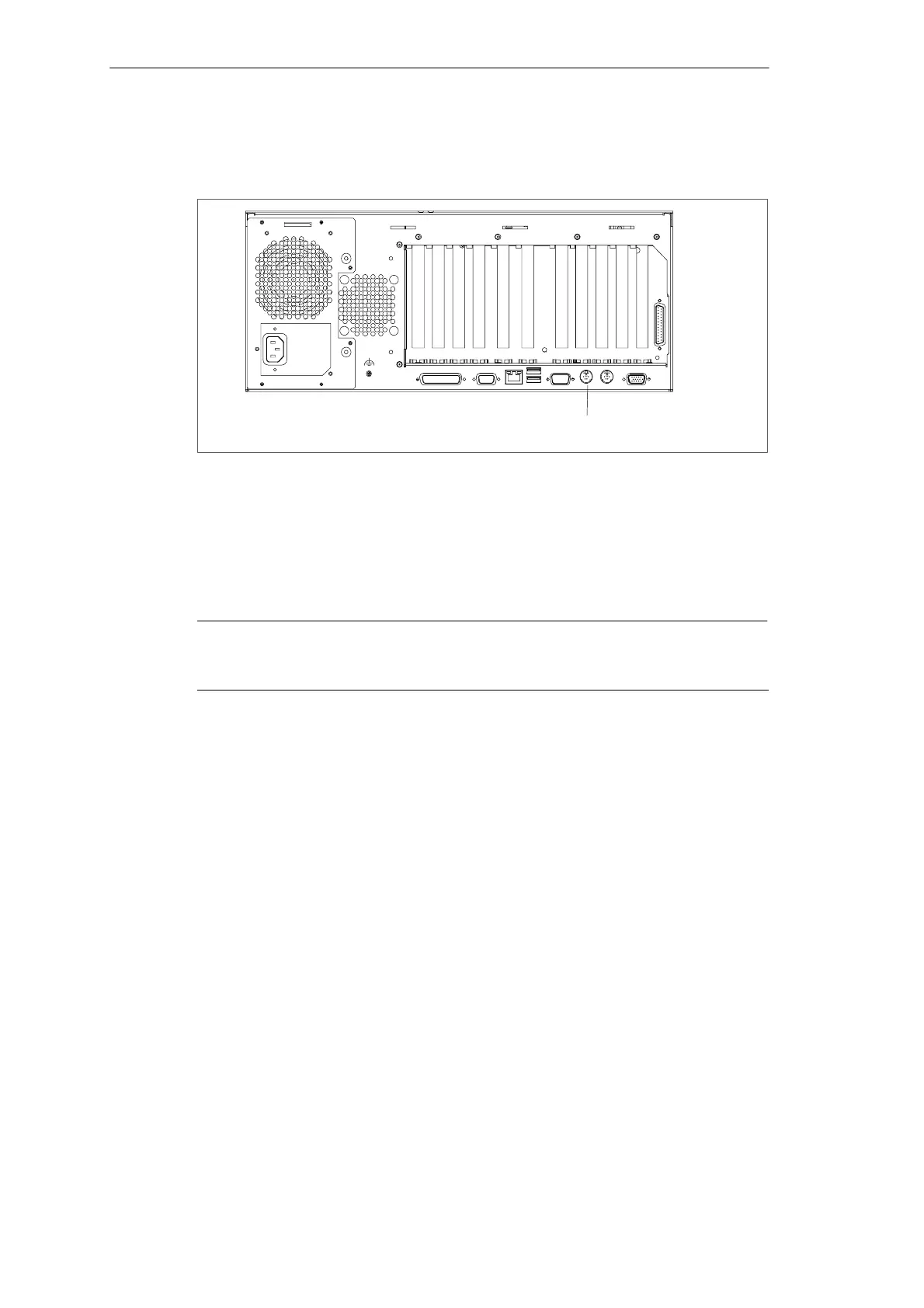
Connecting a PS/2 Keyboard
A PS/2 keyboard of your choice can be connected to the Rack PC.
PS/2 keyboard connection
Figure 3-7 Connecting a PS/2 Keyboard
To connect the keyboard, proceed as follows:
1. Separate the Rack PC from the mains.
2. Insert the plug of the PS/2 keyboard.
3. Reconnect the Rack PC to the mains.
Notice
It is recommended that a keyboard with straight keyboard connector is used, so
that the connector does not obscure adjacent ports.
Connecting a USB Keyboard
You can find out how to connect a USB keyboard in Connecting USB devices.












 To Next Page