SIGLENT
68 SDG2000X User Manual
Set the modulating waveform frequency. Frequency
range: 1mHz~1MHz (internal source only).
To Set Pulse Width/Duty Deviation
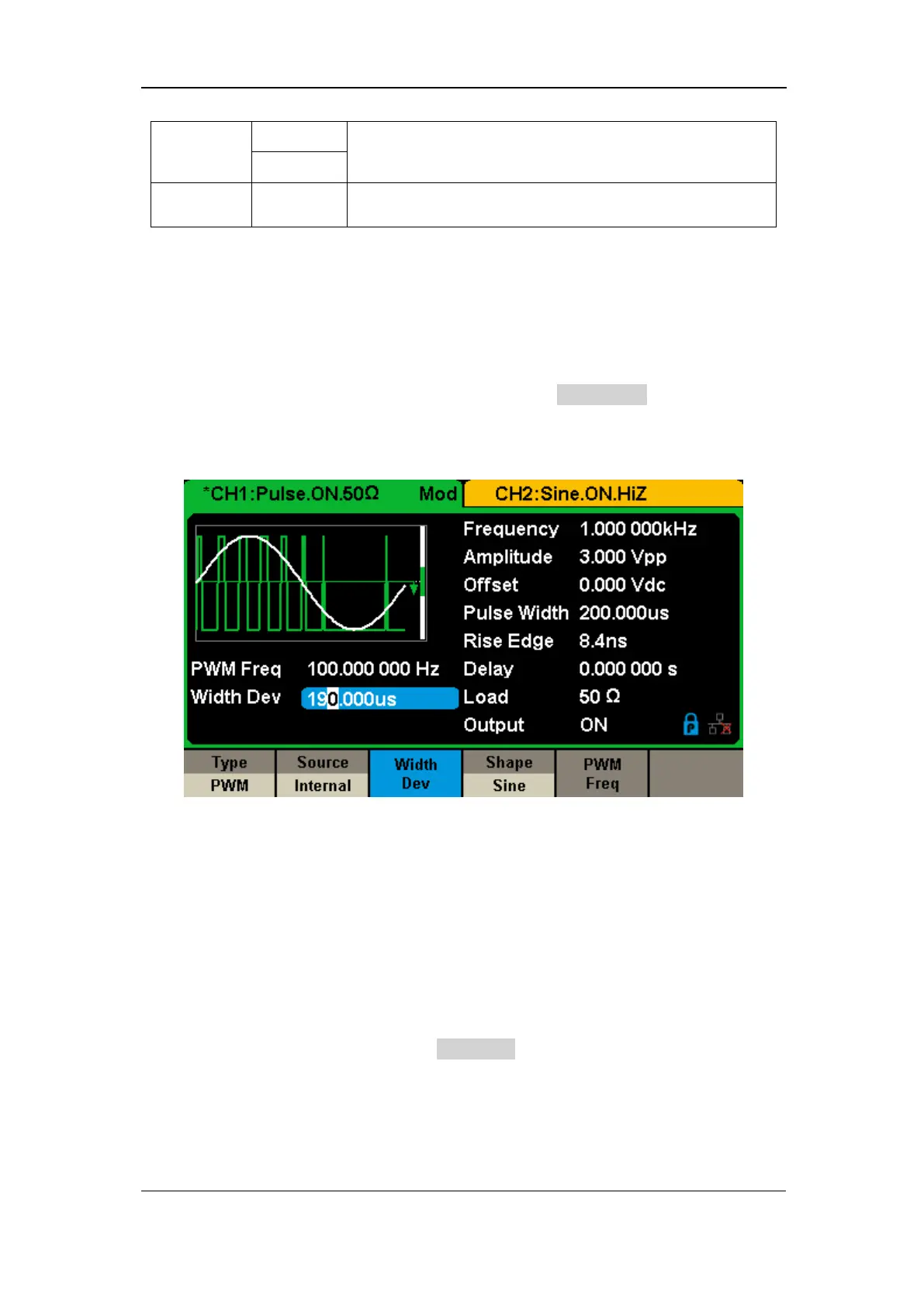
Width Deviation represents the variation of the modulated waveform pulse
width relative to the original pulse width. Press Width Dev to highlight the
parameter, and use the numeric keyboard or arrow keys and knob to input the
desired value, as shown in the Figure 2-32.
Figure 2-32 Width Deviation Setting Interface
The width deviation cannot exceed the current pulse width.
The width deviation is limited by the minimum pulse width and current
edge time setting.
Duty Deviation represents the variation (%) of the modulated waveform duty
relative to the original duty. Press Duty Dev to highlight the parameter, and
then use the numeric keyboard or arrow keys and knob to input the desired
value, as shown in the Figure 2-33.



 To Next Page