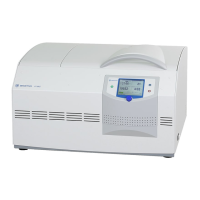
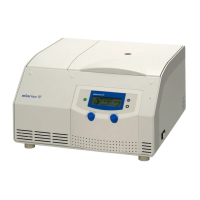
Laboratory centrifuge Sigma 1-14
Version 08/2012, Rev. 3.14 of 11/08/2017 • sb
Translation of the original operating manual, part no. 0700002
Pos: 108 /100 Sig ma/100 BA Ze ntrifugen Sigma (St andardmo dule)/061 Betrieb_ Spincontrol Basic /Spincontr ol Basic /061-0 030 Spincontrol Basic----------------------------------------- @ 27\mod_14053203 47920_68.doc x @ 193781 @ 2 @ 1
6.3 Control System "Spincontrol Basic"
Pos: 109 /100 Sig ma/110 BA Ze ntrifugen Sigma (Proj ekte)/1-1 4_1-14K/061 Betrieb/Spincontr ol Basic/06 1-0030-0010 Bedi enoberfläche 1- 14 @ 28\mod _14053208232 96_68.docx @ 195503 @ 3 @ 1
6.3.1 User interface
1 Display
2 Select key
3 Arrow keys
4 Lid key
5 Start/Stop key
Fig. 8: User interface
The centrifuge is started directly via the user interface. When the centrifuge
is switched on, all segments will be illuminated for a short time. It is now
ready for operation.
Pos: 110 /010 Uni versalmodule/ Leerzeile @ 0\mod_12 02116244500 _0.docx @ 114 @ @ 1
Pos: 111 /100 Sig ma/110 BA Ze ntrifugen Sigma (Proj ekte)/1-1 4_1-14K/061 Betrieb/Spincontr ol Basic/061-0 030-0020 Displ ay 1-14 @ 28\mod_14053208 25270_68.doc x @ 195531 @ 3 @ 1
6.3.2 Display
The centrifuge display has the following display fields:
1 Speed / RCF field
2 Field for
acceleration /
deceleration curves
and run mode
3 Time field
Fig. 9: Display, completely active
Pos: 112 /010 Uni versalmodule/ Seitenwechsel @ 0\mod_12 02116244312_0 .docx @ 105 @ @ 1



 To Next Page