87
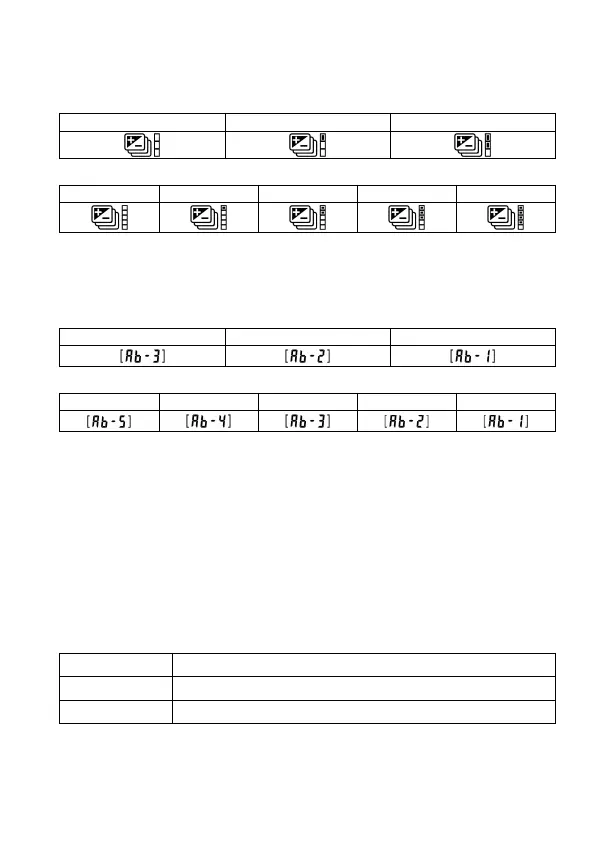
Auto bracketing icon will change as follows depending on the frame
number.
When three frames are taken
When five frames are taken
At the Number of shots remaining section on the Sub-Monitor, the
number of shots in Auto Bracketing is displayed in a reducing order
(alternately displayed with the counter display).
When three frames are taken
When five frames are taken
Auto Bracketing mode can be used in combination with Exposure
Compensation.
You can take pictures with Auto Bracketing mode based on a compensated
exposure, which you set. To do so, please set both the Auto Bracketing
mode and Exposure Compensation mode as desired. The combined value
(Exposure Compensation and Auto Bracketing) will be indicated on the
viewfinder display.
Example: When Exposure Compensation is +1.7 with Auto Bracketing
amount of 1.0, and the number of frames is three:
+1.7 (Exposure compensation +1.7 & no shift value)
+0.7 (Exposure compensation +1.7 & shift value -1.0)
+2.7 (Exposure compensation +1.7 & shift value +1.0)



 To Next Page