110
WARNING !!
z When [Capture Setting Display] is set to [
] and Function Display or
Quick Set Menu are on, the color LCD monitor will be turned off if one of the
Capture Setting buttons is pressed.
CUSTOMIZE THE DIAL
It is possible to switch the functions of the dials and reverse their rotation
direction for exposure settings.
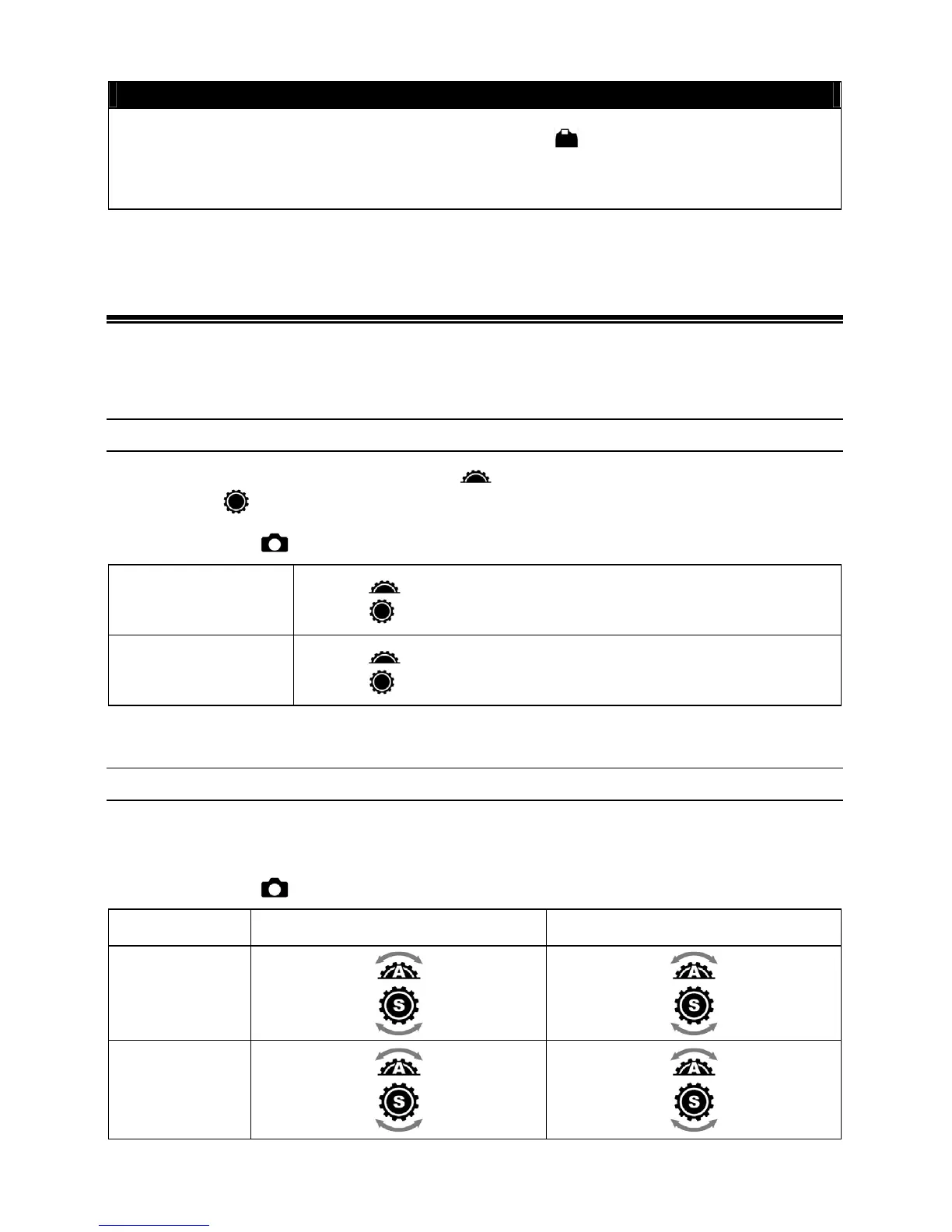
SWITCH A/S DIAL
In manual exposure mode, A-dial ( ) is used for setting aperture value
and S-dial (
) for shutter speed. These allocations can be switched.
Please set from [
Capture Settings] (P.2 8 ) → [Switch A/S Dial].
Original
(Default)
A-dial (
) : aperture value
S-dial (
): shutter speed
Switch
-dial ( ): shutter speed
S-dial (
): aperture value
DIAL REVERSE SETTING
It is possible to reverse the rotation direction of dials when setting up the aperture
value and shutter speed.
Please set from [
Capture Settings] (P.2 8 ) → [Dial Reverse Setting].
Aperture Value Shutter Speed
Original
(Default)
Open
Stop down Slow Fast
Reverse Stop down Open Fast Slow



 To Next Page