32
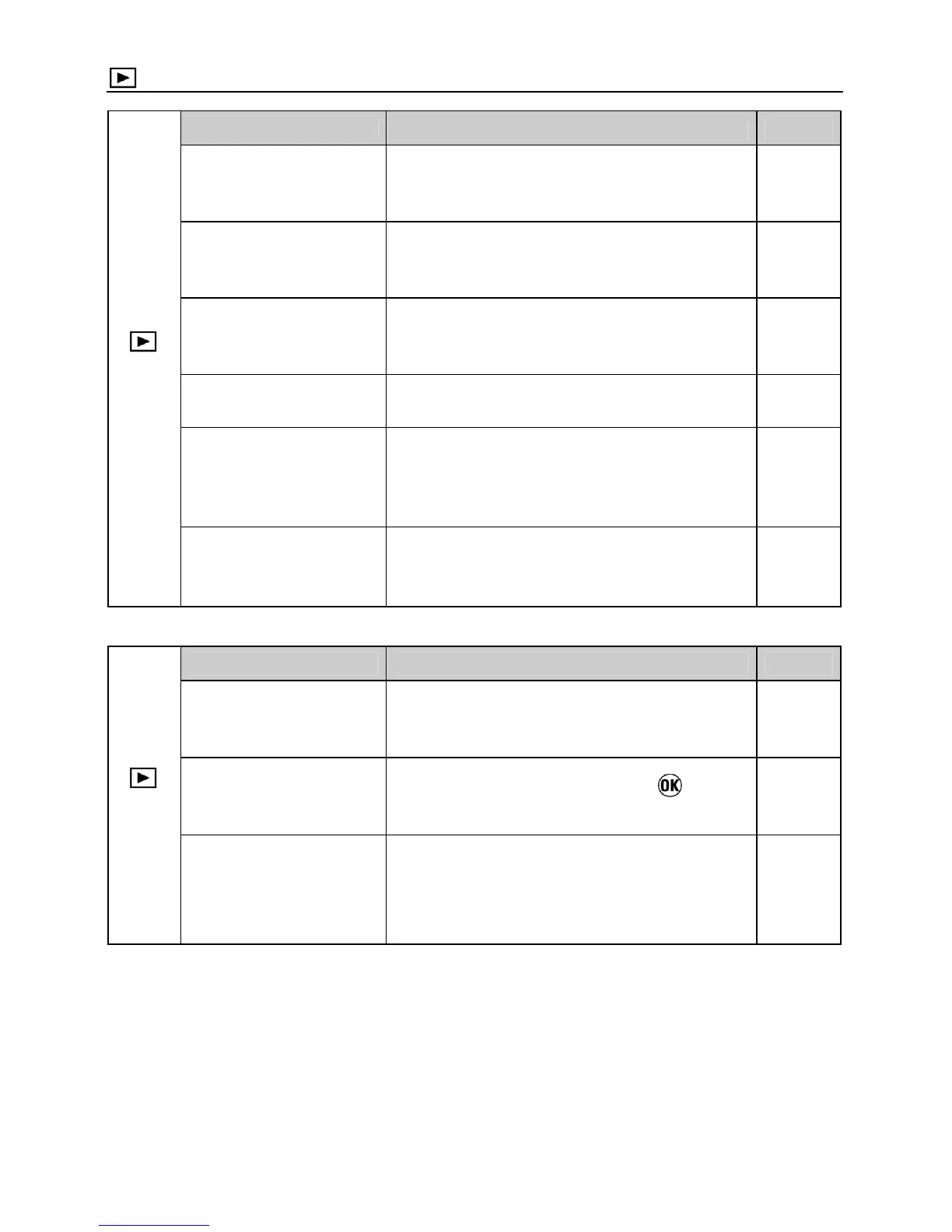
Playback Menu
(1)
Menu Item Description Page
Lock
Lock the image, or unlock the locked
image.
98
Mark
Mark the image, or unmark the marked
image.
100
Rotate
Rotate the image to the desired
position for display.
102
Delete
Delete the image.
96
Slideshow
Start the slideshow (playback images
automatically) or change the slideshow
settings.
105
DPOF
Select the images and set the quantity
for printing.
107
(2)
Menu Item Description Page
Exposure Warning
Sets whether or not the over-exposure
warning is shown on images.
94
OK Shortcut
Sets the function that the
button
will perform during image review.
104
Applied Rotate
Sets whether or not vertically orientated
images are automatically rotated and
displayed vertically.
—



 To Next Page