You can also switch the outputs manually.
NOTE
Manual switching disabled
You can switch the output depending on identification media or completed
reactions (see
I/O configuration and protection functions [}68]
). Outputs
controlled by the IO configuration cannot be switched manually.
ü WaveNet Manager opened via LSM (see
Best Practice: From the LSM
software [}37]
)
ü RouterNode supplied with power.
ü RouterNode connected to WaveNet (see
Add RouterNode to WaveNet
[}53]
).
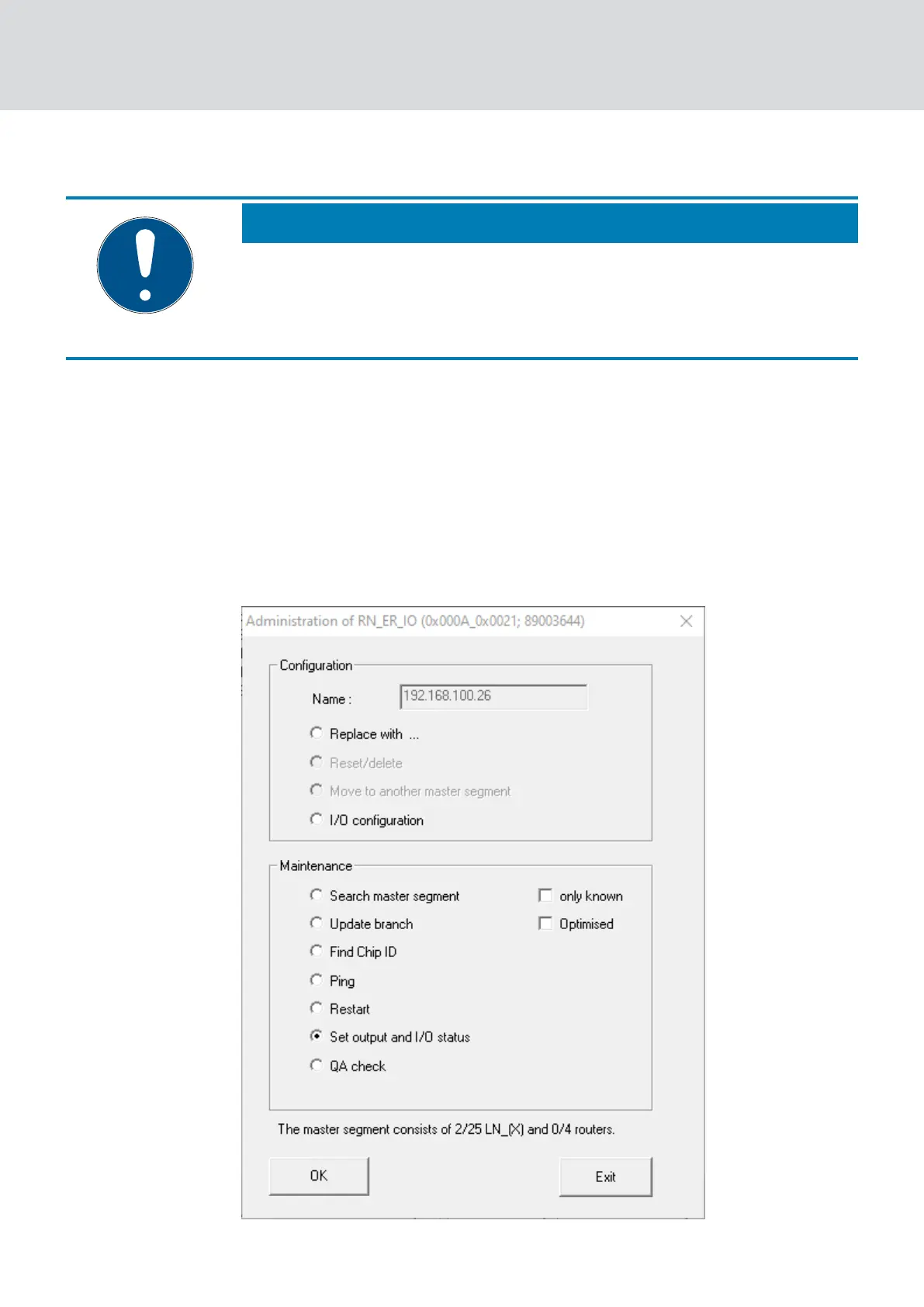
1. Click with the right mouse button on the entry of the RouterNode whose
IO status you want to read out.
9 The window "Administration" opens.
WaveNet (Manual)
5. WaveNet Manager
180 / 210



 To Next Page