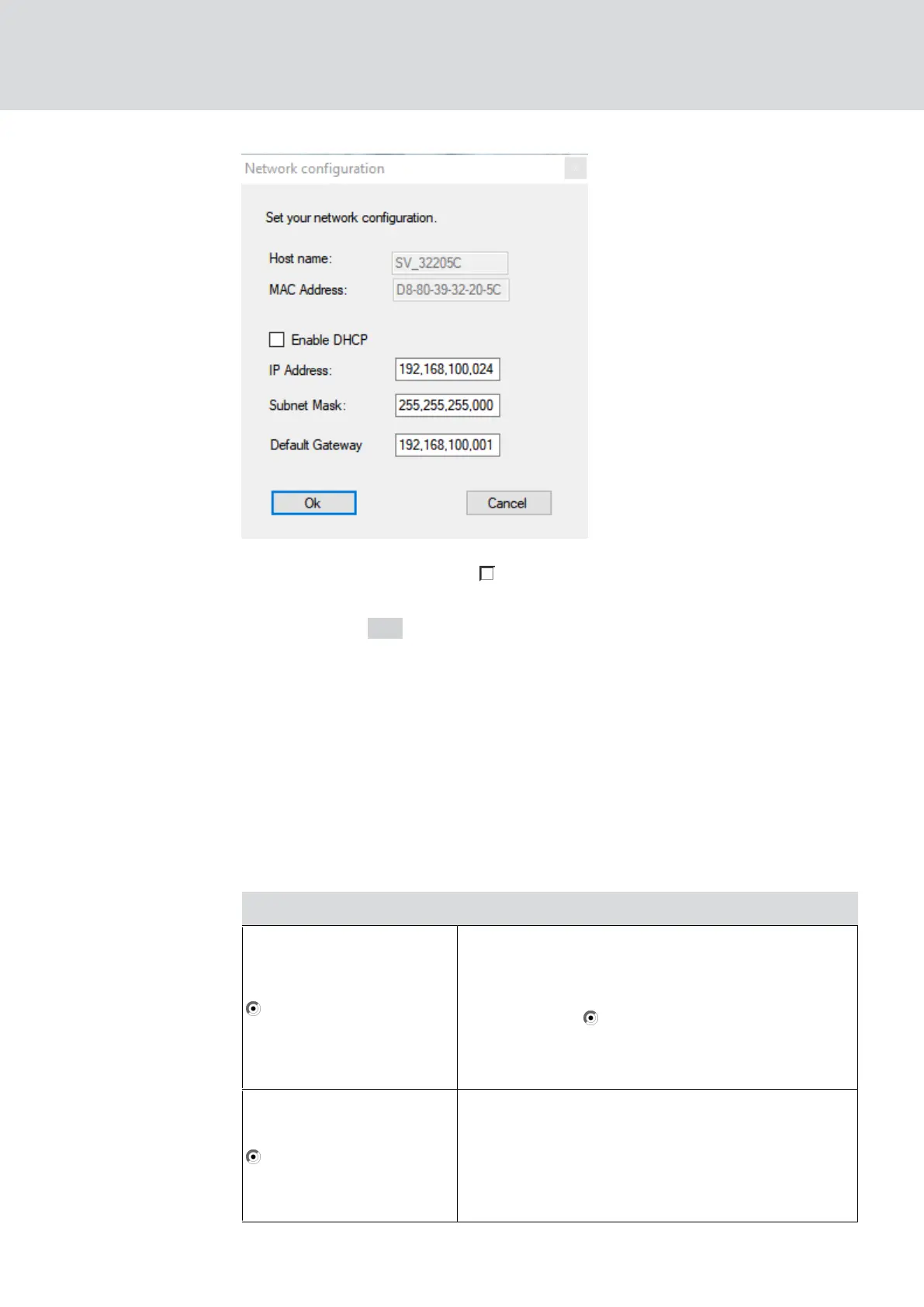
5. Deactivate the checkbox Enable DHCP.
6. Enter a new IP address, if necessary.
7. Click on the OK button.
9 The "Network configuration" window closes.
9 RouterNode will restart.
8. Close the information window about the restart.
9. Close the OAM tool.
9 IP address is set.
5.4.3.3 Add RouterNode to WaveNet
If you want to use RouterNodes in your WaveNet, you must first import the
RouterNodes into your WaveNet topology in the WaveNet Manager.
Option Application situation
Find IP or USB router
Use this option if you have many RouterNodes
with Ethernet interface connected to the same
network. They must be on the same subnet,
otherwise use
Add: IP or USB router.
With this option, you do not have to determine
each IP and then enter it manually.
Find Chip ID
Use this option to add RouterNodes without an
Ethernet interface (see
Transmission paths
[}13]
). Routers without an Ethernet interface
do not have an IP address and can therefore
only be found and added using the chip ID.
WaveNet (Manual)
5. WaveNet Manager
53 / 210



 To Next Page