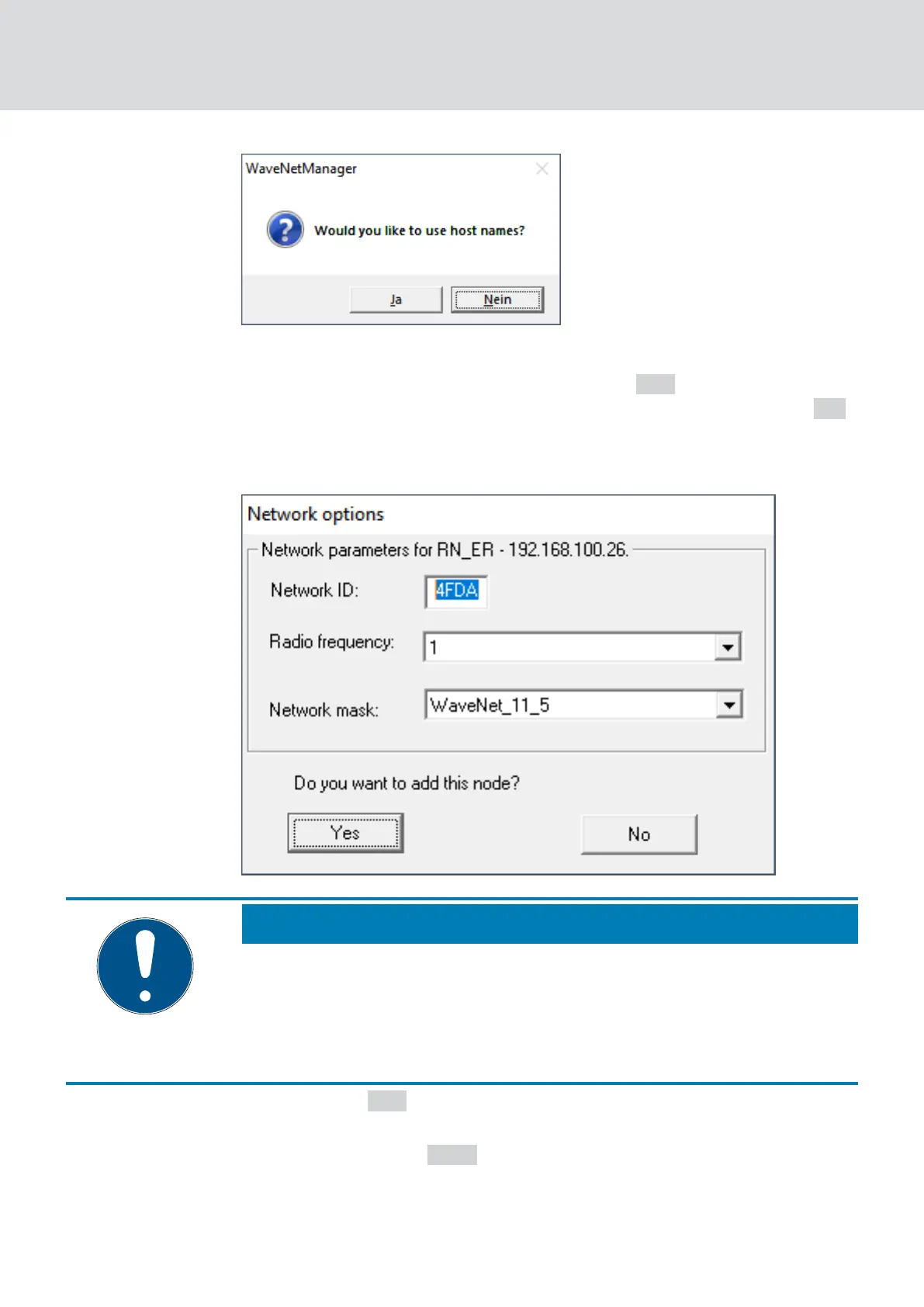
4. If the router is connected via DHCP and you have a working name resol-
ution in the network, confirm with the button
Yes to use the host name.
If you have connected the router using a static IP address, click the
No .
9 The window "Use host names?" closes.
9 The window "Network options" opens.
NOTE
Setting network parameters
If you set up a new WaveNet and add your first RouterNode, you can set
network options here (see
Addressing [}42]
and
Radio channel [}43]
).
After setting up your WaveNet, you can no longer change these settings
without resetting your WaveNet devices.
5. Click on the Yes button.
9 The "Network options" window closes.
6. Click on the button Save .
9 RouterNode is added and listed. All other unconfigured RouterNodes
are automatically added.
WaveNet (Manual)
5. WaveNet Manager
55 / 210



 To Next Page