Multiple LockNodes: Search by RouterNode
Alternatively, you can also use a RouterNode to search for accessible
LockNodes and then select the LockNodes you want to assign to this
RouterNode from a list of LockNodes.
ü WaveNet Manager opened via LSM (see
Best Practice: From the LSM
software [}37]
)
ü RouterNodes and LockNodes connected to power.
ü RouterNodes connected to WaveNet (for testing, see
Testing
accessibility (WaveNet) [}174]
).
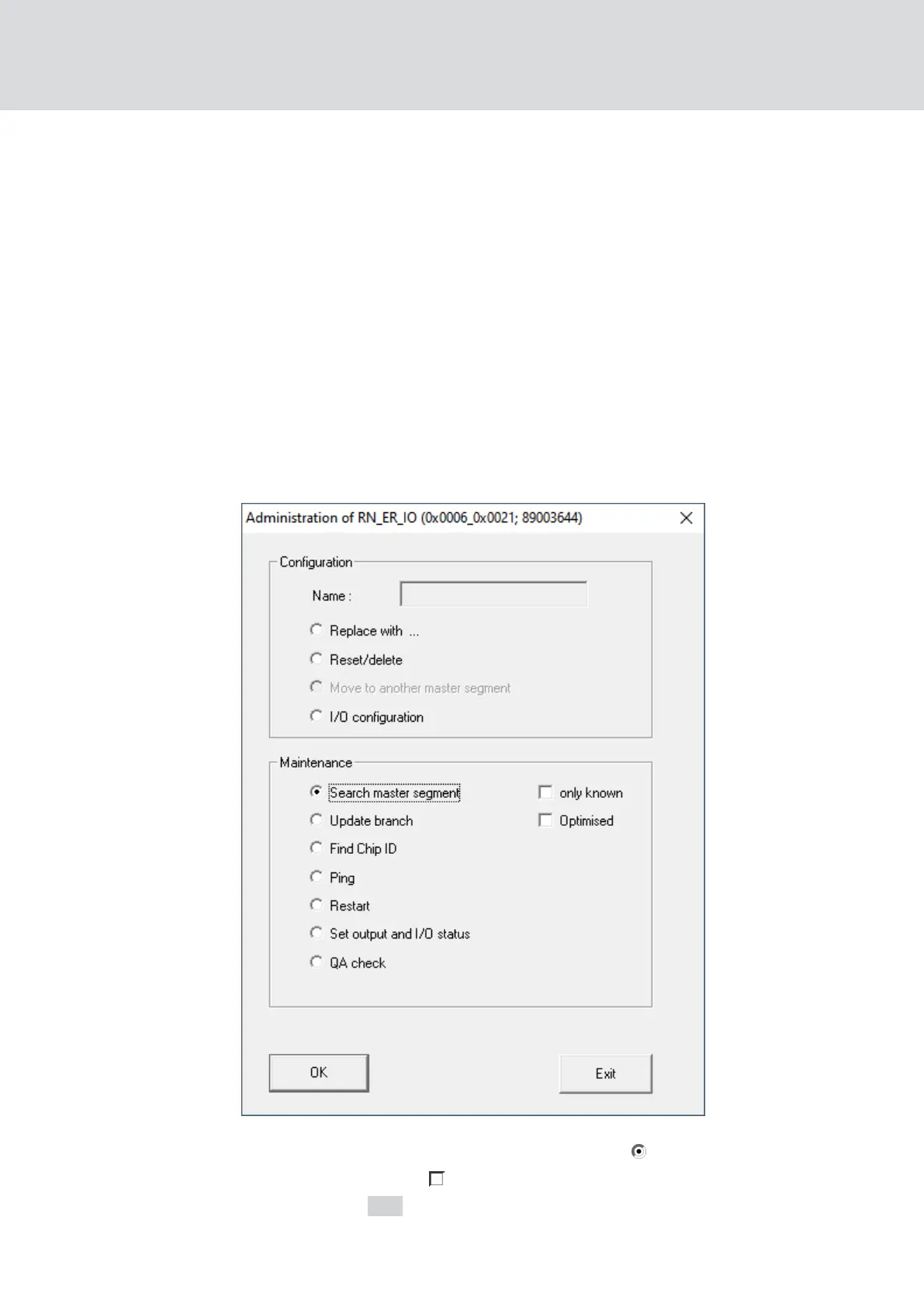
1. Right-click on the RouterNode you want to use to search for new
LockNodes.
9 The window "Administration" opens.
2. In the area "Maintenance" select the option Search master segment.
3. Make sure that the only known is disabled.
4. Click on the OK button.
9 The window "Administration" closes.
WaveNet (Manual)
5. WaveNet Manager
61 / 210



 To Next Page