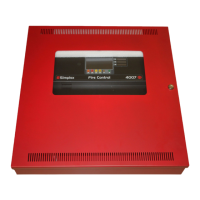
Figure 8: Cabinet dimensions for semi-flush mounting
4.5 Removing and replacing the plastic PCB cover
A plastic cover provides protection from High Voltage present on the 4004R Printed Circuit Board (PCB). This cover must be removed to
wire circuits, perform certain service operations, and to gain access to the Program Switch, used to place the panel into programming
mode.
1. Disconnect the 4004R from all power sources, AC and battery, before removing the plastic cover.
2. Use a Phillips screwdriver to remove the three screws that secure the cover to the PCB.
3. Always replace the PCB cover before reapplying power to the panel.
Figure 9: Plastic PCB cover and label location
4.6 Installing labels
The sheet containing eight labels on the next page, Figure 10, ships with the 4004R. The sheet has one blank label, two for preaction/
deluge, three for agent release and two for combo agent release with preaction/deluge.
The blank labels provide a means of assigning facility-specific zone names to the LEDs, so that the LEDs are associated using a more
descriptive name than Zone 1, Zone 2, and so on.
Install one of these labels in the field after the appropriate application type is chosen.
To install the label, complete the following steps
1. Separate the appropriate label from the sheet.
2. Remove the plastic PCB cover and slide the label into the slot located on the top of the keypad. See Figure 9.
page 16 579-354 Rev. X
4004R Fire Alarm installation, programming, and operating instructions



 To Next Page