Table 16: Programming Supervisory Operation
Method Description
Text-based
programming
The eleventh prompt, shown below, asks you to set the Supervisory Option.
[11] SUPERVISORY OPERATION:
d*1 = LED and piezo only
2 = LED, piezo, and NAC2
3 = LED, piezo, and relay 3
4 = LED, piezo, NAC2, and relay 3
(d=default, *=current setting)
Select Number(X=exit):
Enter the number corresponding to the value you want to select and press the carriage return.
Front panel
programming
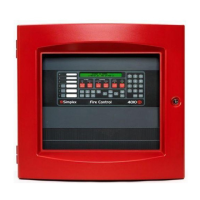
Use the RESET key to scroll through the selections. When the desired choice is illuminated, press the ACK key to
save the selection in memory and move to the next step.
6.13 Saving and making changes
When you are finished programming the panel, set the Program Switch, located as shown in Figure 30, to the OFF position. This
automatically saves the changes you have made to the 4004R's programming and places the panel in fire alarm mode.
6.13.1 Making changes to an existing program
Edits to an existing program can be made at any time. To do this, follow these steps:
1. Place Program Switch in ON position. Panel is now in programming mode and does not function as a fire alarm panel.
2. Move to the general programming option (for example, the application type or initiating circuit style) that you want to change by
pressing the ACK button. Each time you press this button, the LED that is lit in the left column moves down one. Use Front panel
programming as a guide to the meaning of the LEDs.
3. When the appropriate LED in the left column is illuminated, press the RESET key to move through LEDs on the right side of the
display, which represent the specific selections for that option.
When you are finished making changes, turn the Program Switch to the OFF position to return to fire alarm mode.
page 51 579-354 Rev. X
4004R Fire Alarm installation, programming, and operating instructions



 To Next Page