NANYTE BEAM Manual
NANYTE BEAM Manual BM-001-A3 / V1.1a Page 22 of 33
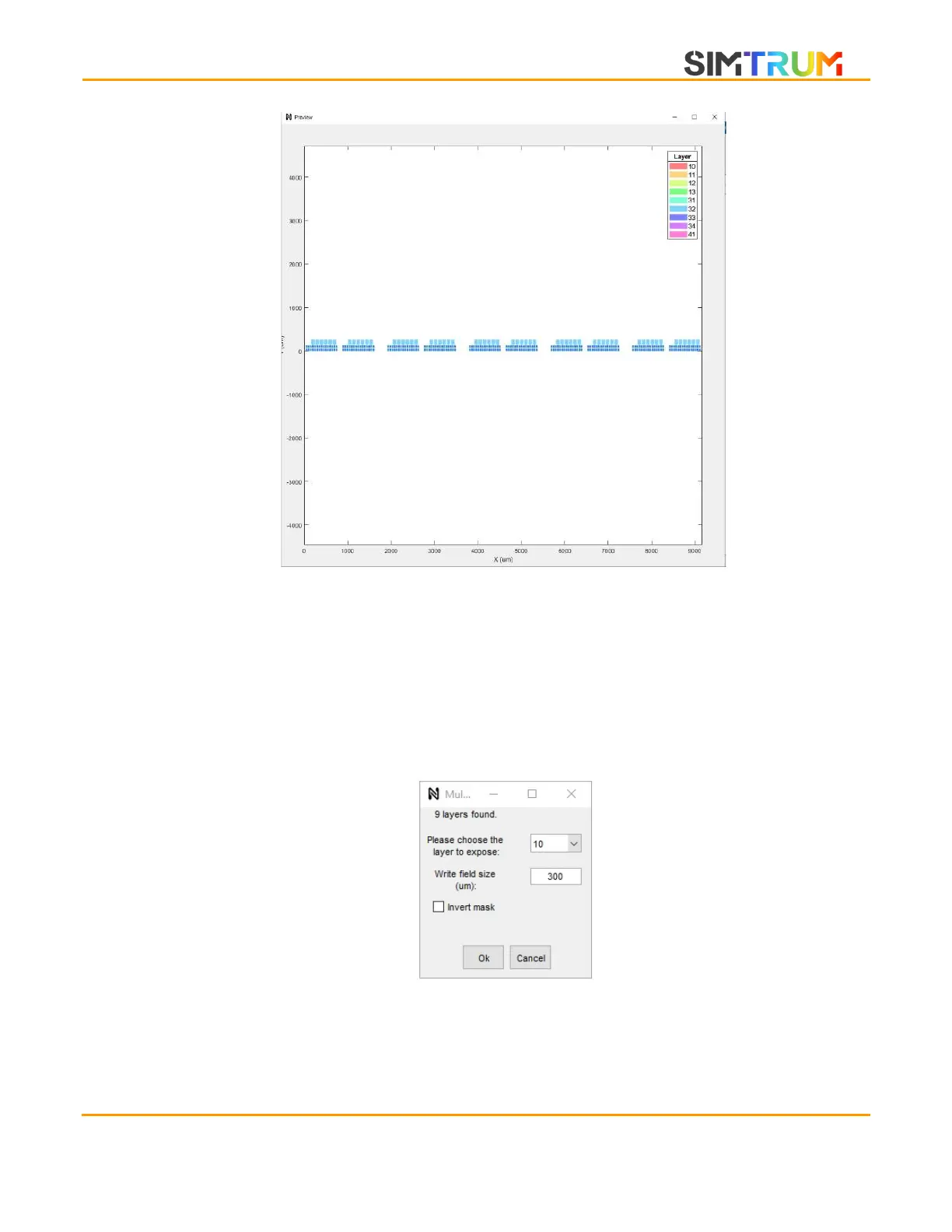
3. A GDS preview window will appear for the loaded GDS file. Since a GDS file can contain
multiple layers, a layer must be chosen for the exposure. To navigate in the GDS preview
window, the same mouse actions for the Main control preview window can be used. To
help with the visualization, the patterns are color-coded and the legend is located on the
top right corner of the window. For GDS with many layers, it may be useful to hide some
layers. You can click on the legend color to hide that particular layer.
4. Simultaneously, a popup window will appear. Select the layer to expose and also a
preferred write field size. A tradeoff exists. Larger write field sizes allow the patterns to
be exposed quicker, while a smaller write field size allow for better exposure homogeneity.
www.simtrum.com


 To Next Page