NANYTE BEAM Manual
NANYTE BEAM Manual BM-001-A3 / V1.1a Page 21 of 33
We suggest visiting the MicroChemicals website to see their entire range of photoresists.
After spin coating, it is usual to have a soft-bake. For resist-related processes, please refer to the
product’s datasheet instead.
Loading
NOTE: Before placing the sample, please check that the back surface of the sample is clean; it is
not unusual to have resist stains on the back of the sample, due to resist residue on the spin
coater chuck. Resist residues are especially detrimental for small samples, causing them to be
tilted. In the worst case, the autofocus can stop functioning.
Use the ‘W’ or ‘up’ keys to move the sample stage towards you. Try to place samples close to the
center of the stage. After placing the sample, move the stage away from you so that the sample
is under the objectives.
From here on, there are three main methods to start the patterning. Using GDS/DXF, image files,
or by drawing on the software.
Load GDS
NANYTE XPLORER does not allow design and editing of GDS files. For that purpose, we
recommend using the open-source GDS editor KLayout
https://www.klayout.de/
1. On the main window, select Load File. A windows explorer file selection window will pop
up. Files are filtered, so only compatible files will appear. Select the desired file and click
open.
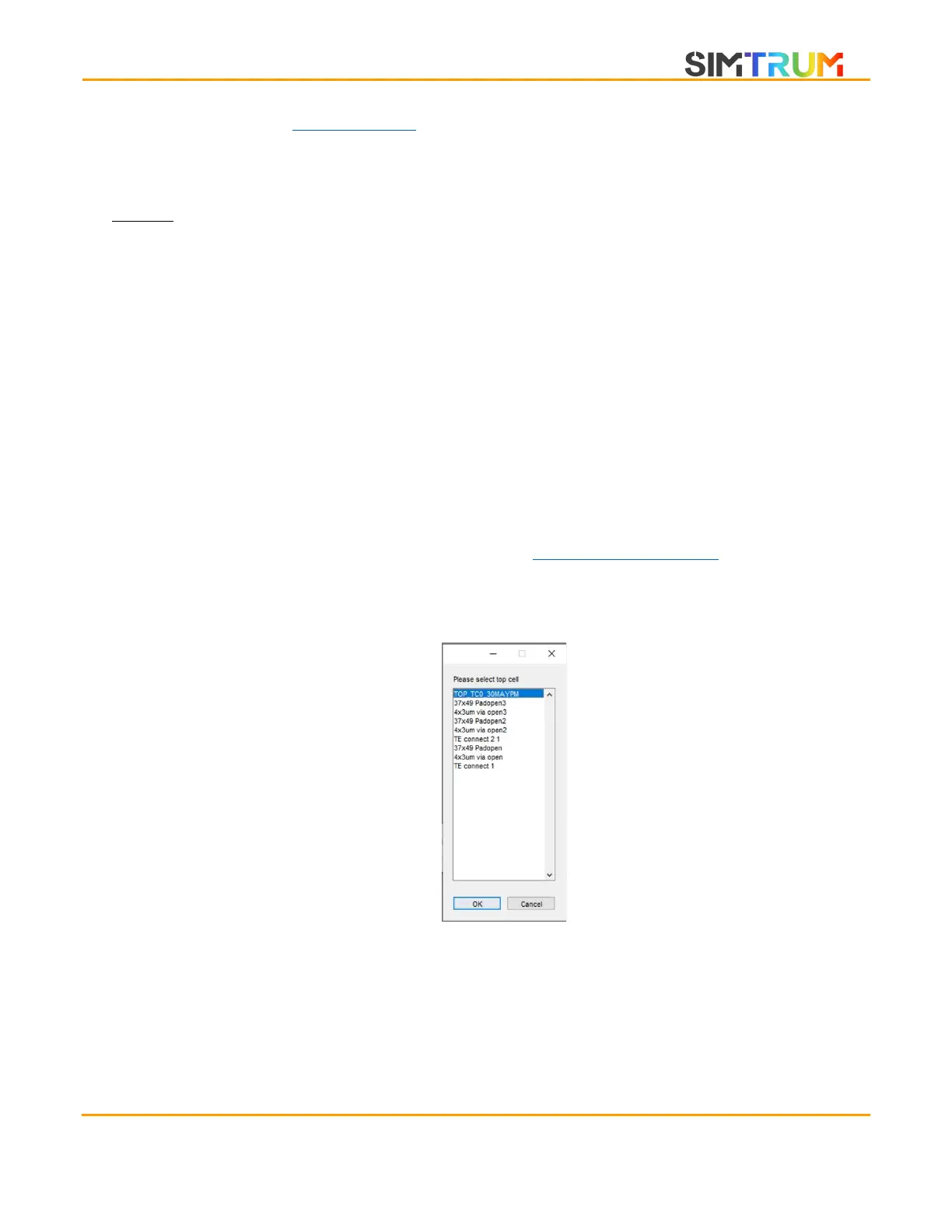
2. For GDS files, there are cell references and structure references. Therefore, it is important
to choose the correct top cell. Although top cells are ranked in this menu by how many
references it has to other cells, it may not pick the correct top cell. Once confirmed, click
the Ok button. If in doubt, you can choose the most likely cell and look at the preview.
Reload the file if the chosen top cell is wrong.
www.simtrum.com


 To Next Page