NANYTE BEAM Manual
NANYTE BEAM Manual BM-001-A3 / V1.1a Page 14 of 33
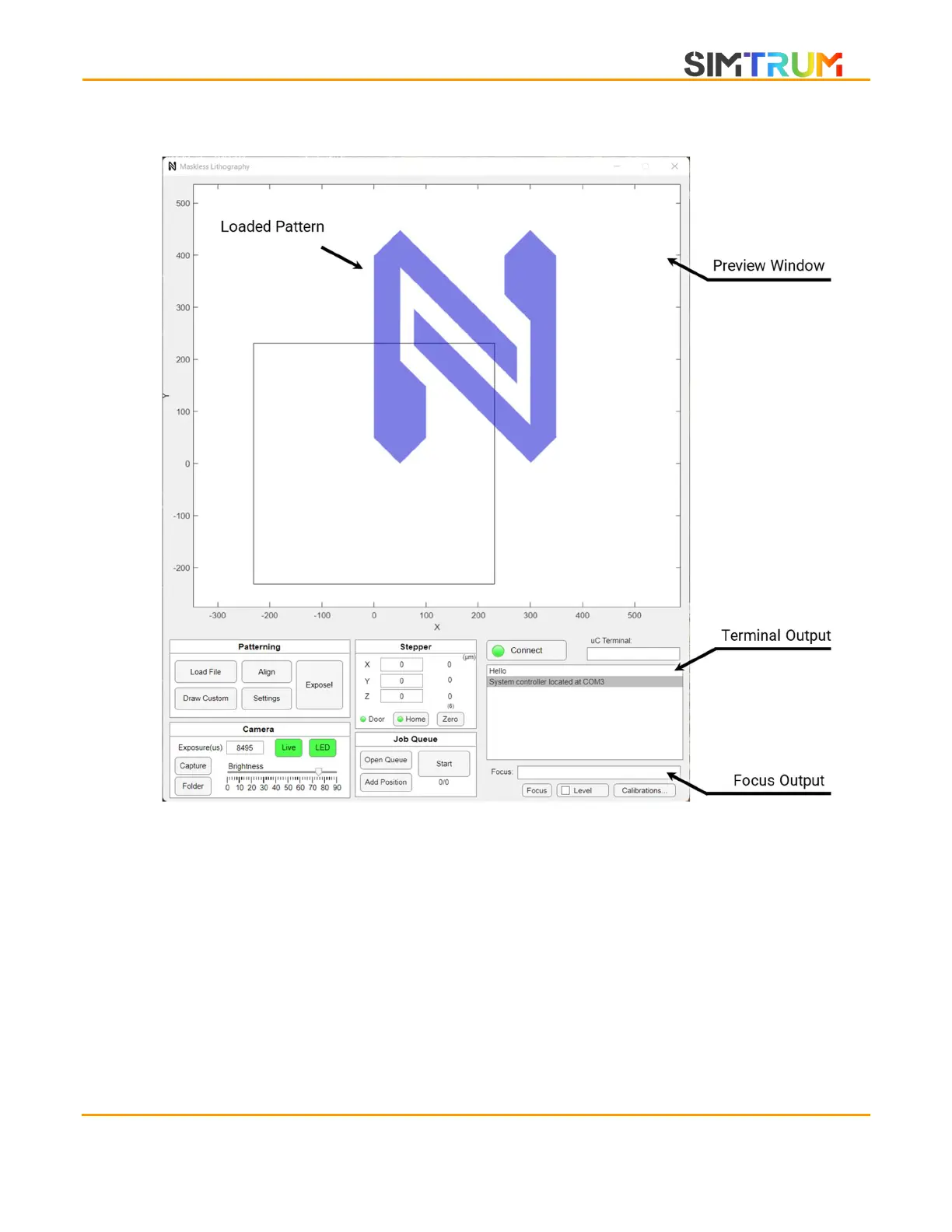
XPLORER Main Window
Preview window
Acts as a minimap of the entire sample stage. Loaded patterns and exposed areas can be
viewed. The black box shows the region that the BEAM ENGINE is currently at. The live video
stream on the camera window also corresponds to the same area.
To navigate, left-click and drag to translate the viewing area.
To zoom, use the mouse scroll wheel when the cursor is within the preview window.
To reset to default zoom, double left click.
To move the beam engine (black box), right-click anywhere on the preview axis. This is
useful for checking if the entire exposure is within the substrate.
In alignment mode, use ctrl-left click on alignment features to display on the camera
stream for alignment.
www.simtrum.com


 To Next Page