63 98 650 D 3439
28 D 3439.201.07.10.23 10.2017
5Installation and startup Dentsply Sirona
5.4Commissioning Operating Instructions (valid for USA) Sirona Dental CAD/CAM System
5.4.7.6
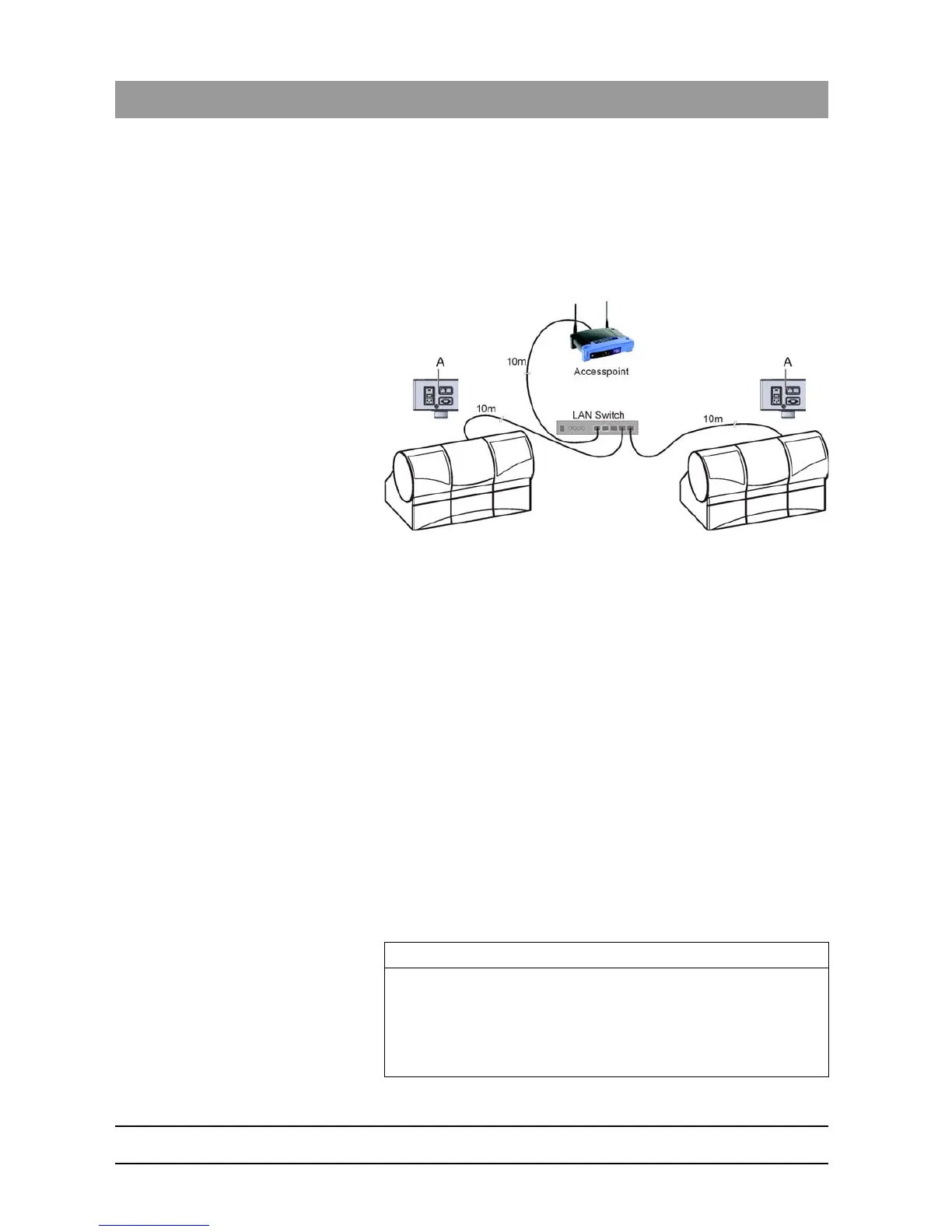
Operating several milling and grinding units over one access point
To operate several MC/MC X or MC XL milling and grinding units over
one access point, you need the following additional components:
● 1x LAN switch (e.g. Netgear ProSave 5 Port Gigabit Switch, Model
GS105)
● 1x LAN network cable (10m, Sirona Order No.: 61 51 521).
LAN switch, connection example with 2 milling and grinding units
1. Connect the LAN port A of the milling and grinding units with the LAN
switch using the included 10m LAN network cable.
2. Connect the access point with the LAN switch using the additional 10
m LAN network cable.
Now, all milling and grinding units connected to the LAN switch can
be operated via WLAN.
5.4.7.7
Connecting to the PC via the wireless interface (optional)
The CEREC acquisition unit has one of the following wireless modules
installed:
● Höft & Wessel HW 8614/F2
– Installation kit: 62 79 694
– Retrofit kit: 62 79 702
or
● CEREC Radio Device
– Installation kit: 65 42 521
– Retrofit kit: 65 43 073
IMPORTANT
Acquisition units and milling and grinding units can only work with one
wireless module system or the other. This means that any additional
acquisition or milling and grinding units that are acquired by existing
customers, which need to be connected wirelessly to existing systems,
will require the existing systems to be retrofitted in order to work with the
new CEREC Radio Device.















 To Next Page