63 98 650 D 3439
D 3439.201.07.10.23 10.2017
33
Dentsply Sirona 5Installation and startup
Operating Instructions (valid for USA) Sirona Dental CAD/CAM System
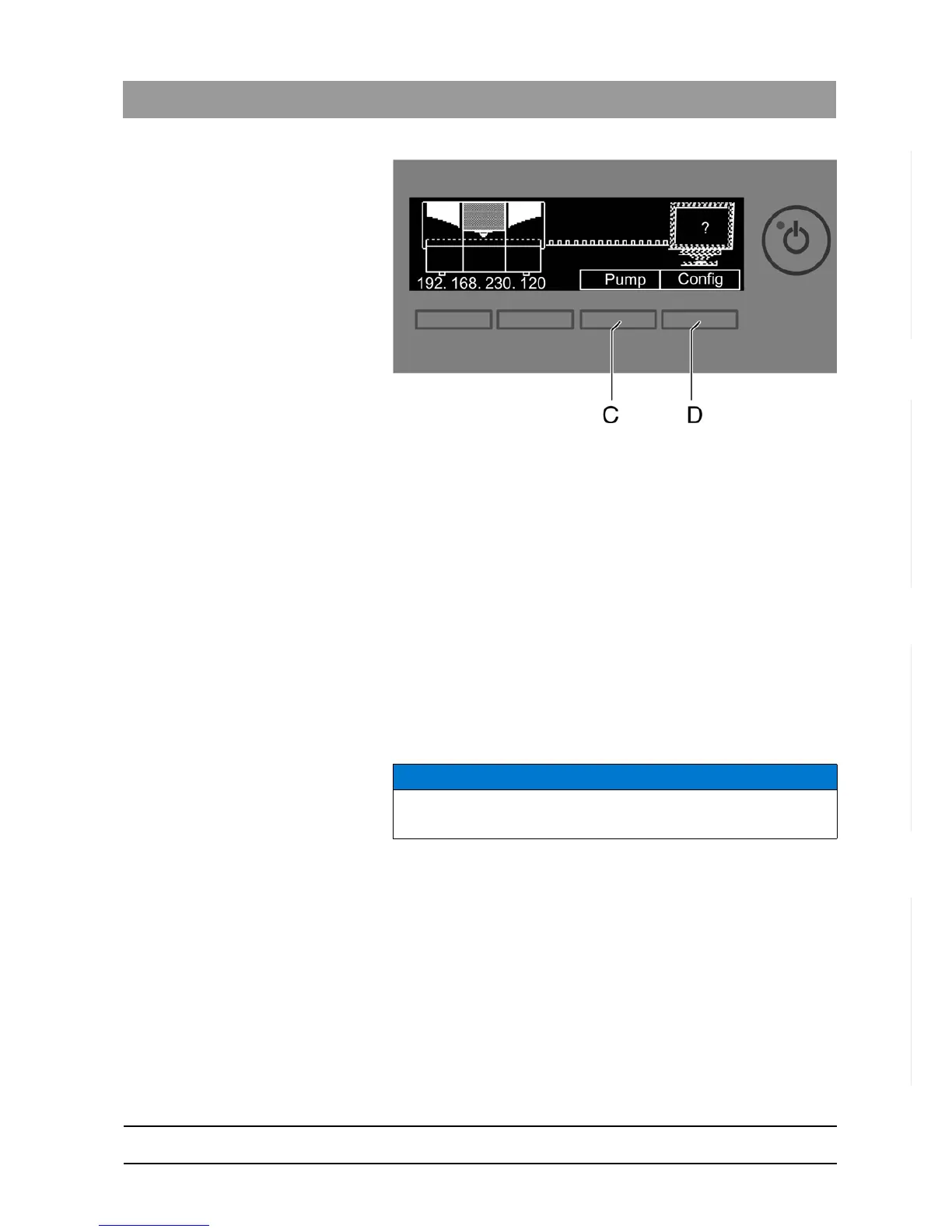
Power-up display
When the milling and grinding unit is switched on, the display shows a
picture of the milling and grinding unit trying to contact the PC.
You can start or stop the water pump by pressing the
"Pump"
button (C).
This enables you to drain the water circuit without connecting to the PC
(e.g. prior to transport) or fill the water circuit during startup.
You can call up the IP address by pressing the
"Config"
button (D). You
can configure the milling and grinding unit in the network with this
address.
Switching the unit off
✔ The unit has finished the machining operation.
➢ Briefly press the ON/OFF button on the front panel.
When you let go of the button, the unit switches off.
5.5
Repacking
✔ The water tank is empty.
✔ The main switch on the back side of the unit is set to the 0 (OFF)
position.
1. Disconnect the power cable and the connecting cable from the back
side of the unit and stow them away.
2. Stow away the calibration tools in the drawer.
3. Check the unit for completeness according to the scope of supply!
4. Pack the unit securely.
5.6
Scope of supply
The detailed scope of supply is specified in the document "Checklist
CEREC MC/MC X".
NOTICE
Repack only drained units!
Drain the unit! See "Removing water from the unit“.















 To Next Page