63 98 650 D 3439
48 D 3439.201.07.10.23 10.2017
7Service Dentsply Sirona
7.2Changing filter bags and HEPA filters Operating Instructions (valid for USA) Sirona Dental CAD/CAM System
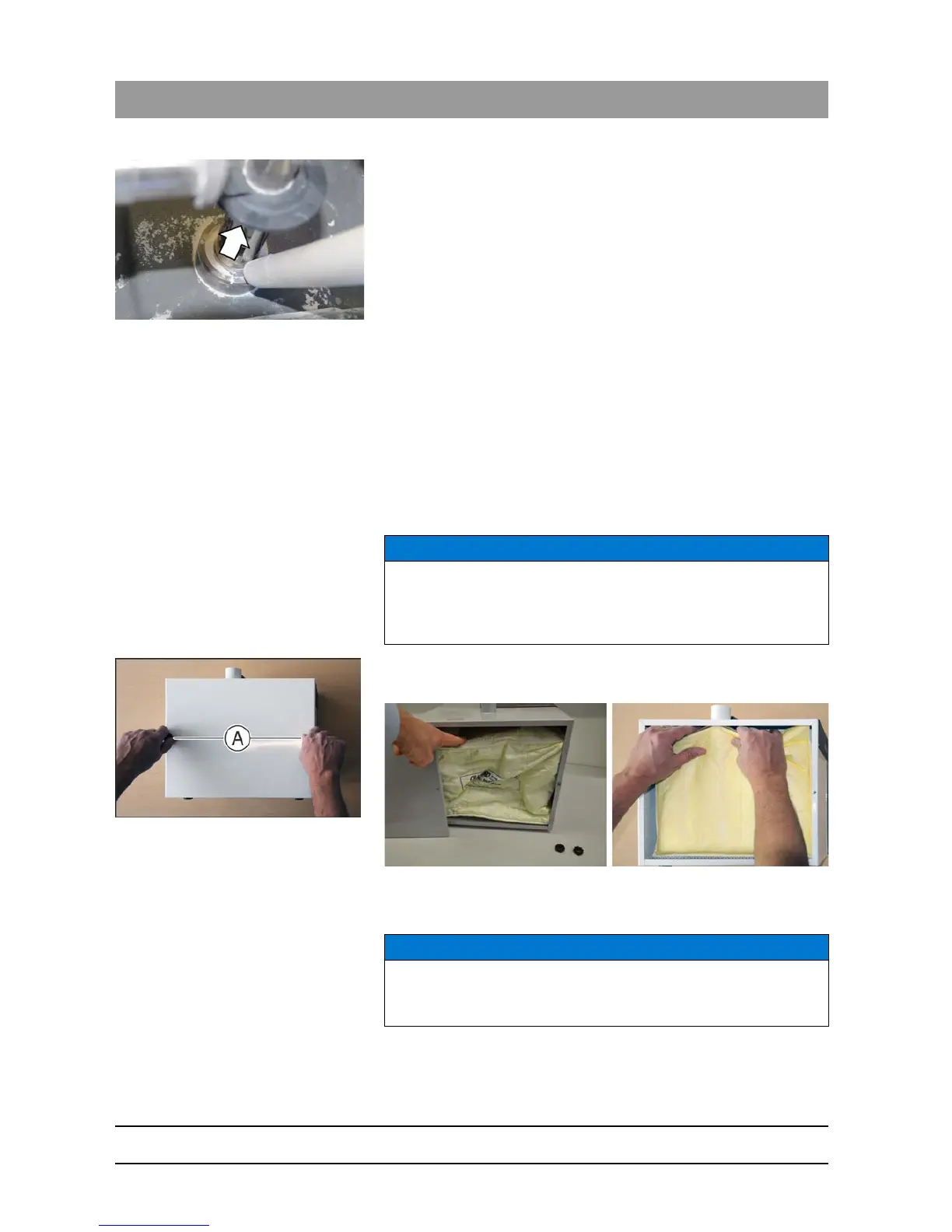
5. Sucking up as much dust as possible from the workpiece axis is
recommended. You must also always remove the dust from the
bottom of the impact pane of the block axis (see arrow).
6. Once the chamber has been cleaned using the suction device you
should complete the wet cleaning process lasting 30 seconds as
programmed in the software 2 to 3 times as required in order to
remove any accumulated material. This function is in the
"Device
configuration …"
area of the CEREC SW / CEREC Premium SW
software if you click on the
"Service"
button and then on
"Start a
cleaning process."
. Alternatively, you can also wet grind a normal
restoration with the same effect.
7. You can remove any zirconium oxide deposits in the lower part of the
workpiece axis with a nylon brush between the wet cleaning
processes.
7.2
Changing filter bags and HEPA filters
Changing filter bags
If there is a significant fall in suction power, the filter bag could be full and
will need replacing.
1. Loosen the two knurled nuts on the maintenance cover.
2. Remove the lid.
3. Remove the filter bag from the nozzle and put a new filter bag on.
4. Put the maintenance cover on and screw it down with the two knurled
nuts.
NOTICE
We recommended replacing the filter bag for the CEREC suction device
after approx. 120 restoration units. This number may differ depending
on the amount of zirconium oxide materials milled and suctioned.
NOTICE
Do not jam the filter bag
Make sure that the cap is sealed properly and the filter bag is not
jammed.



 To Next Page