63 98 650 D 3439
D 3439.201.07.10.23 10.2017
49
Dentsply Sirona 7Service
Operating Instructions (valid for USA) Sirona Dental CAD/CAM System
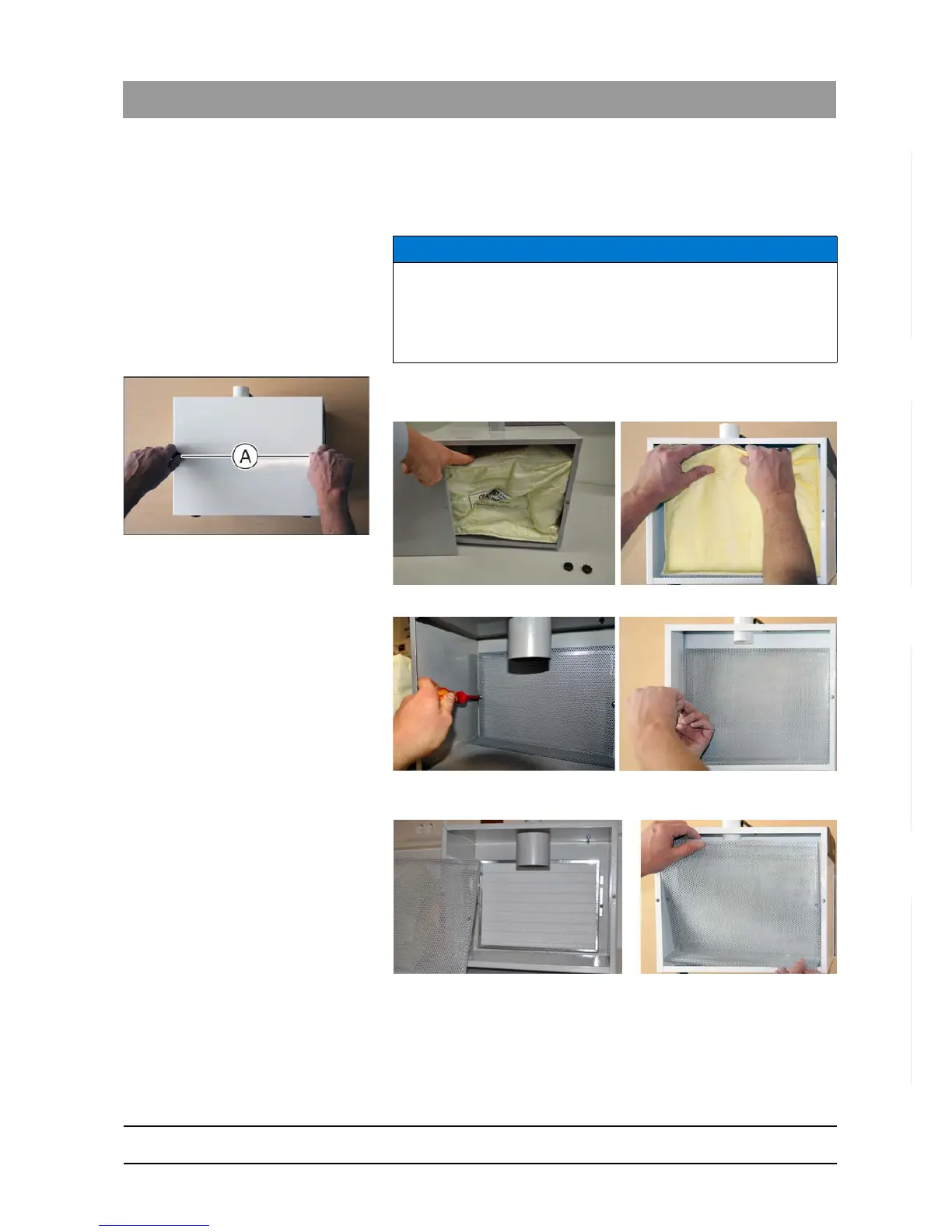
Changing HEPA filters
Replace the HEPA filter if suction power is still weak after replacing the
filter bag. The HEPA filter is located behind the filter bag.
1. Loosen the two knurled nuts on the maintenance cover.
2. Remove the lid.
3. Remove the filter bag from the nozzle.
4. Then release and remove the two Phillips screws on the perforated
sheet on the inside of the suction system.
5. Take the perforated sheet out.
NOTICE
We recommend replacing the HEPA filter for the CEREC suction device
once the filter bag has been replaced around 3 to 4 times. This number
may differ depending on the amount of zirconium oxide materials milled
and suctioned.















 To Next Page