63 98 650 D 3439
D 3439.201.07.10.23 10.2017
35
Dentsply Sirona 6Operation
Operating Instructions (valid for USA) Sirona Dental CAD/CAM System
6
Operation
6.1
Configuration (CEREC MC/MC X)
In the
"Devices"
area of the
"CEREC SW"
software, various settings can
be subsequently modified.
1. Click the
"Configuration"
button in the system menu.
2. Click on the
"Devices"
button.
3. Click on the unit that you wish to configure.
Bar code reader
If a bar code reader is used, e. g. for in inCoris ZI, the corresponding box
must be activated. The bar code reader will then always be used to read
a bar code.
Extraction Unit
If a suction device is connected, and the check mark is set, the dry milling
process is automatically started when processing zirconium oxide. To
deactivate dry milling, you can remove the check mark once again.
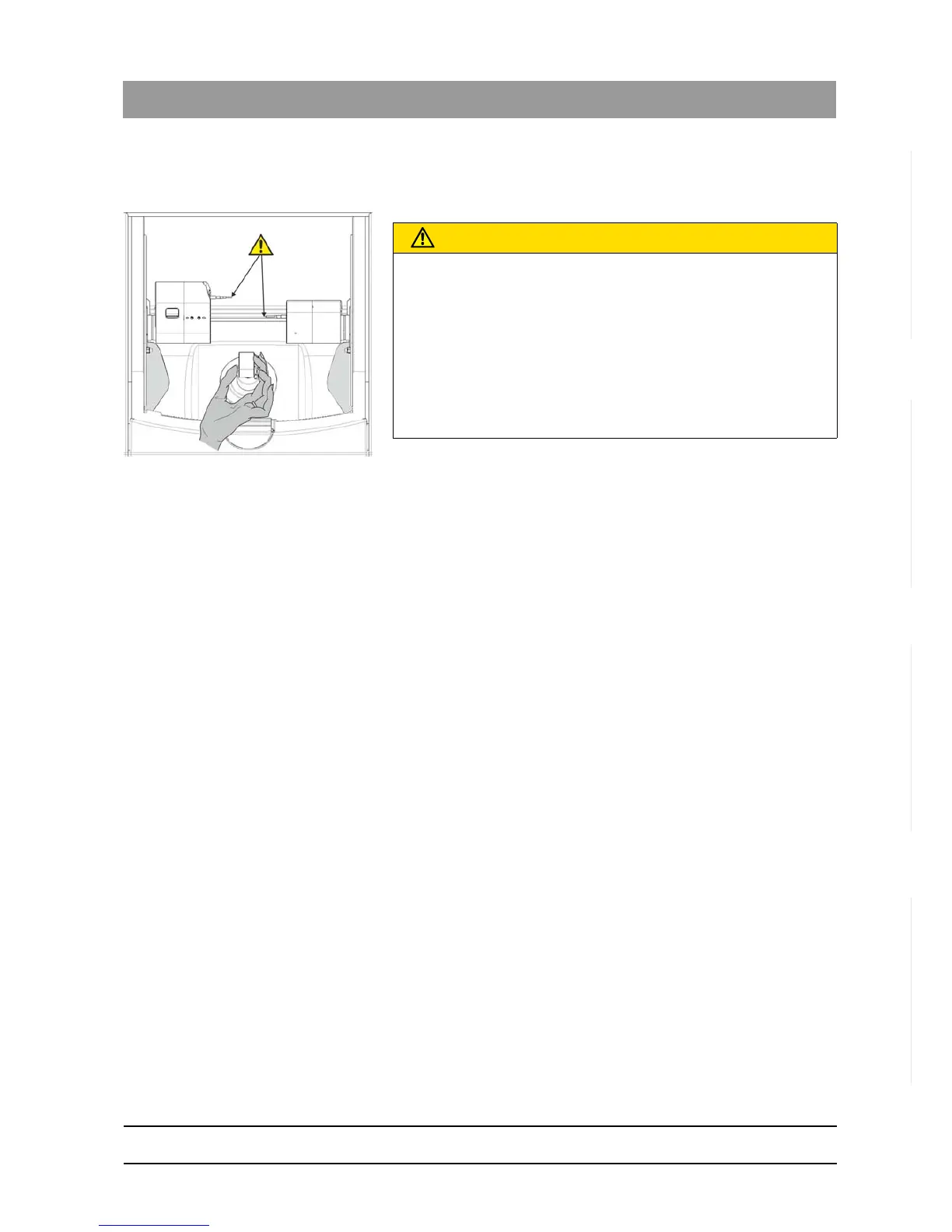
CAUTION
Risk of injury on calibration pins/instruments
If you reach into the processing chamber (e.g.: when inserting/removing
a ceramic block, changing instruments, or inserting/removing a
calibration phantom), you may injure your hand on the calibration pins/
instruments.
Be careful not to brush against the calibration pins/instruments with your
hand.
Always insert your hand in the processing chamber underneath the
calibration pins/instruments.















 To Next Page