63 98 650 D 3439
D 3439.201.07.10.23 10.2017
37
Dentsply Sirona 6Operation
Operating Instructions (valid for USA) Sirona Dental CAD/CAM System
Inserting the calibration pins and phantom
1. Press the catch of the processing chamber door and open the door.
2. Loosen the instruments with the torque wrench and remove them.
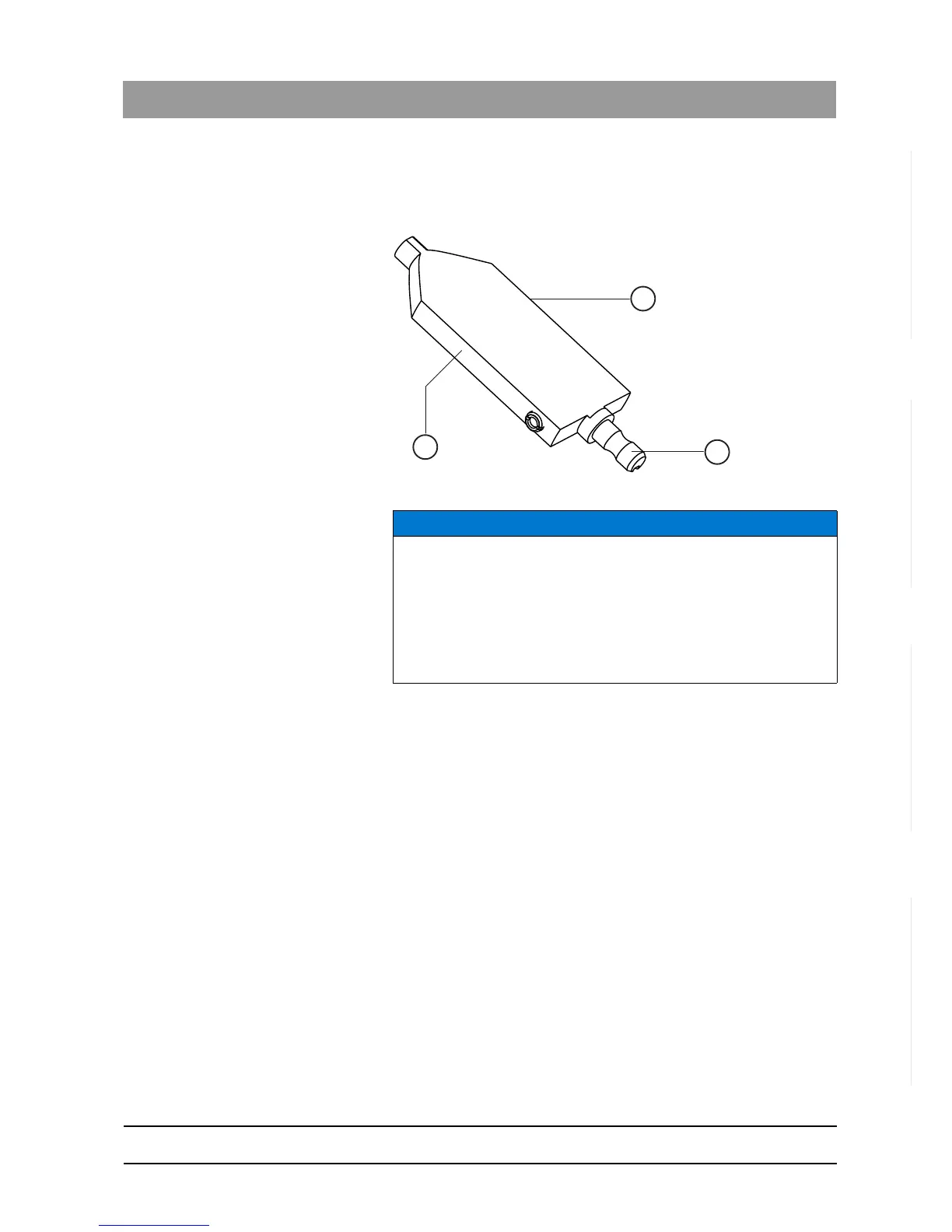
Calibration phantom
3. To insert the calibration phantom into the block fixing, grasp it by its
narrow surfaces B.
4. Clamp the calibration phantom with the ball pressure screw. Use the
block clamp tool for this purpose.
5. Insert the calibration pins in the motor mount by hand. Tighten the
corresponding chuck with the torque wrench until a clicking sound
can be heard.
6. Close the processing chamber door.
Performing a calibration
➢ Confirm your selection in the
"Calibrate milling unit"
window with the
"Start"
button.
The automatic calibration begins and takes approx. 14 minutes.
Wait until the calibration has been completed.
NOTICE
Grasp the calibration phantom correctly
Grasping the calibration phantom by its wide surfaces may cause
calibration errors.
➢ Always grasp the calibration phantom by its clamping shank (A)
when removing it from the storage box.
➢ Always grasp the calibration phantom by its narrow surfaces B when
inserting it into the block fixing.















 To Next Page