63 98 650 D 3439
D 3439.201.07.10.23 10.2017
55
Dentsply Sirona 7Service
Operating Instructions (valid for USA) Sirona Dental CAD/CAM System
4. Click on the
"Start"
button.
The motors travel to the change position for the instruments.
The dialog box for changing the instruments opens.
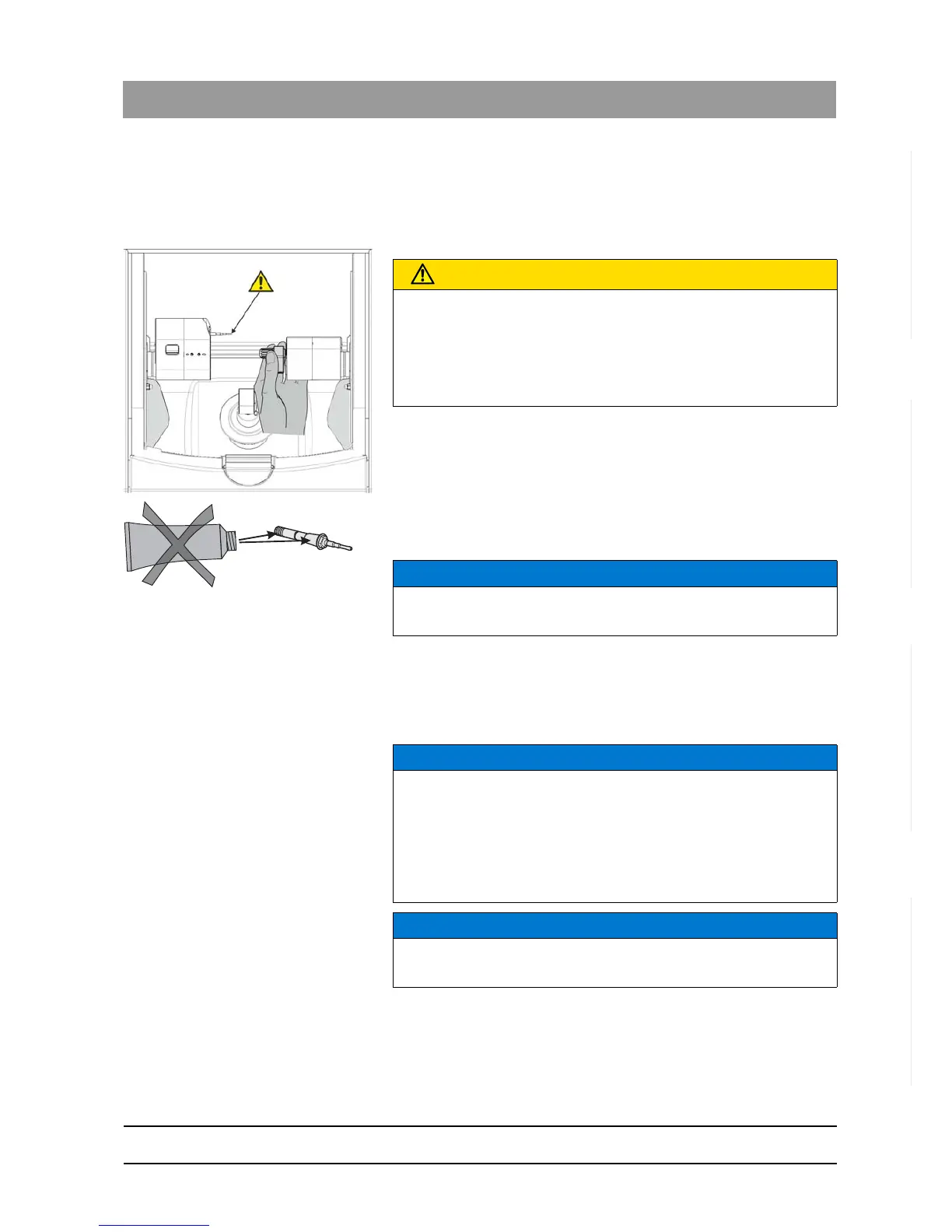
5. Press the catch of the processing chamber door and open the door.
6. Loosen the worn-out or defective instrument with the torque wrench
and pull it out manually.
7. NOTICE! Do not grease the instrument! Insert the new instrument
into the motor mount by hand. Tighten the corresponding chuck with
the torque wrench until a clicking sound can be heard.
8. Close the processing chamber door.
9. Select the instrument(s) you have inserted on the PC monitor and
click
"Start"
.
You can also select the instruments on the milling and grinding unit
(up/down arrow) and confirm with
"Start"
.
CAUTION
Risk of injury on instruments
If you put your hand in the processing chamber, you could injure it on
the instruments.
Be careful not to brush against the instruments with your hand.
Apply the torque wrench as shown.
NOTICE
Incorrect milling or grinding results
Interchanging instruments leads to faulty milling or grinding results.
NOTICE
Cleaning cooling water nozzles
The cooling water nozzles in the processing chamber always must be
kept free of lime and processing dust deposits. The corresponding
cooling water jet must always strike the instrument accurately!
✔ The cooling water nozzles are dirty.
➢ Clean the nozzles with a cleaning wire and a syringe.
NOTICE
Use only suitable instruments!
Do not use any instruments from CEREC 2 or CEREC 3 units.




 To Next Page