EasyManua.ls Logo

Sirona PerioScan - User Manual

Sirona PerioScan
98 pages
Print Icon
To Next Page IconTo Next Page
Loading...
êáçpÅ~å
léÉê~íáåÖ=fåëíêìÅíáçåë=
kçíáÅÉ=ÇÛìíáäáë~íáçå
båÖäáëÜ=L=cê~å´~áë
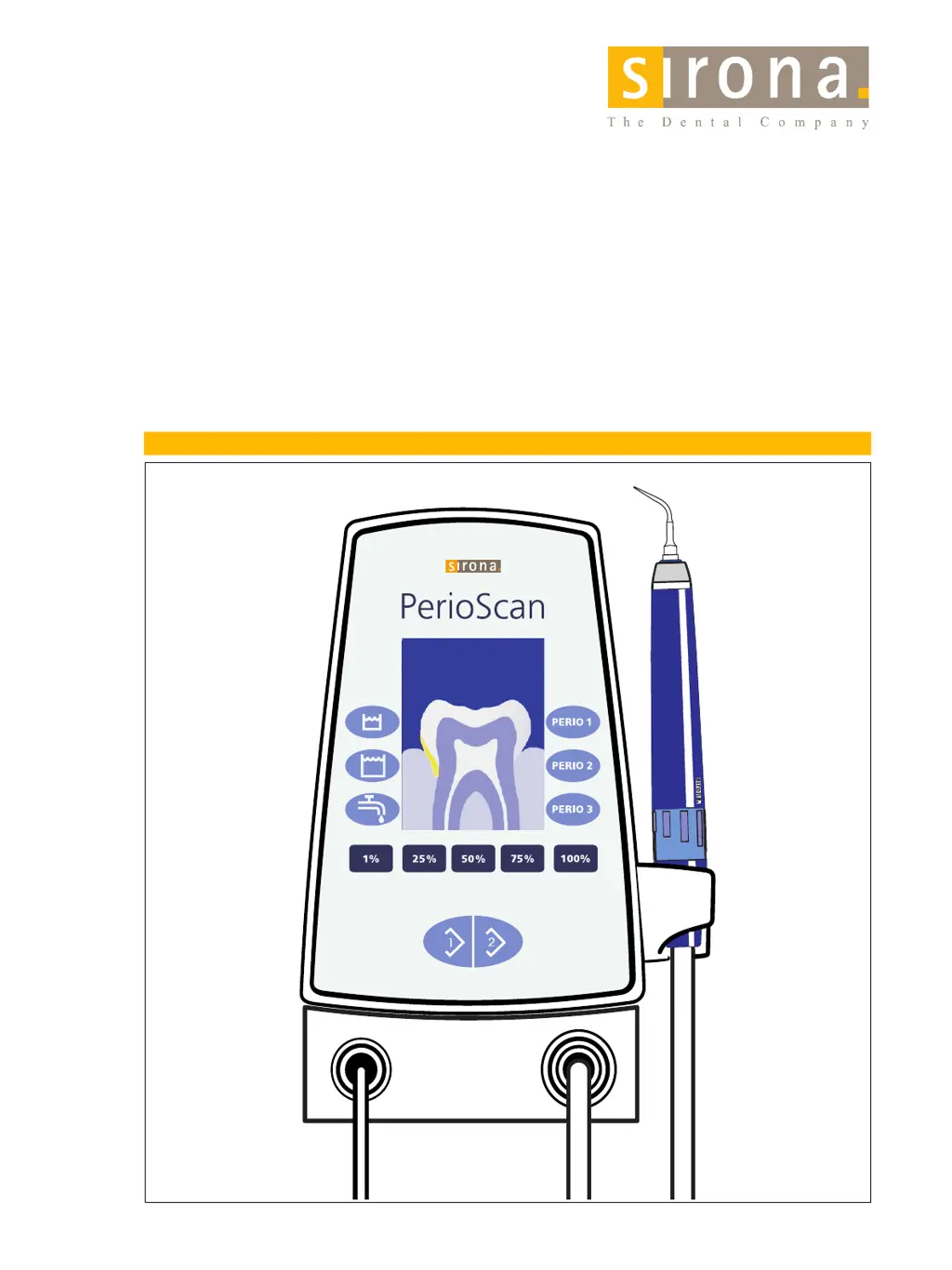
PERIO 1
PERIO 2
PERIO 3
75%
100%
50%
25%
1%
INITIAL
RECALL
PerioScan
PERIO 1
PERIO 2
PERIO 3
75% 100%50%25%1%
12
Software
V02.06.05

Table of Contents

Other manuals for Sirona PerioScan

Questions and Answers

  • K
    Kenneth MillerNov 23, 2025
    What to do if my Sirona Medical Equipment has no water?
    • J
      johnstonmauriceNov 23, 2025
      If your Sirona Medical Equipment isn't dispensing water, there could be several reasons: * The same water line might have been selected twice, deactivating it. Try pressing the desired water line once to activate it. * The spray ring on the handpiece might be closed. Turn the spray ring to open it. * The filter on the external water connection could be clogged. Replace the filter. * The tip might be clogged. Clean it with cleaning wires or replace it. * The wrong water line might be selected. Activate the correct one. * The external water supply might be shut off. Turn it on. * The bottle might be clogged or pushing itself up. Replace the bottle. If these steps don't resolve the issue, the spray water cartridge or hose may be defective (replace them), or there might be a un...
  • R
    Roger JacksonAug 25, 2025
    Why is the handpiece power low on my Sirona Medical Equipment?
    • B
      bobbyhenryAug 26, 2025
      If you're experiencing low handpiece power with your Sirona Medical Equipment, consider these potential causes: * The tip might be worn. Check its length with a tip gauge and replace it if necessary. * The power setting might be set too low. Check and correct the power setting. * Only flushing might be activated on the foot switch. Actuate both foot pedals simultaneously. If these steps don't resolve the issue, the handpiece might be defective (replace it), the foot switch or hose might not be connected properly (check and reconnect them), or there might be a more complex unit issue.
  • W
    William GillAug 27, 2025
    How to fix no light on Sirona Medical Equipment?
    • Y
      Yolanda GarnerAug 27, 2025
      If there is no light on your Sirona Medical Equipment, try the following: * If the start screen remains after removing the handpiece, ensure the unit is switched on without actuating the foot switch. * Check that the hose is properly plugged in and reconnect if necessary. If the issue persists, the foot switch might be defective (replace it), or there could be a microswitch issue in the holder.
  • M
    Mrs. Jessica OlsonAug 27, 2025
    What to do if the keyboard is not responding on my Sirona Medical Equipment?
    • C
      Carlos McleanAug 27, 2025
      If the keyboard on your Sirona Medical Equipment is not responding, consider these points: * If you're trying to save PERIO keys, make the desired settings and then press the PERIO key longer until the illumination starts flashing. * For setting intermediate power values, keep the power keys pressed longer. * If PERIO keys are not assigned, press the 1 key and switch the unit on again. If the problem persists, there may be an issue with the connecting cable, membrane keyboard, or display board.
  • W
    williamtannerAug 28, 2025
    Why is there no display on my Sirona Medical Equipment?
    • M
      Michael BurkeAug 28, 2025
      If there is no display on your Sirona Medical Equipment, it could be due to several unit-related issues, such as a defective display cable, primary fuse, board pair, transformer, or display board.
  • L
    Linda CastanedaSep 15, 2025
    What to do if Sirona Dental equipment displays 'Foot switch defective'?
    • W
      Wendy SheltonSep 16, 2025
      If your Sirona dental equipment displays a 'Foot switch defective' message, it could indicate a problem with the foot switch itself or the board pair. If the foot switch is not responding, replace it. In either case, you may need to inform a service engineer.
  • R
    Rebecca Rangel MDSep 13, 2025
    Why is there 'No boost function' on my Sirona Dental equipment?
    • Q
      qjosephSep 13, 2025
      If your Sirona dental equipment is showing a 'No boost function' error, here are a few things to check: * Verify the power setting. No power boost is needed for 1–4% due to the endo function. * If the power is at 100%, no further power boost is possible. * The boost function may have been deactivated; reactivate it by pressing keys 1 and 2 simultaneously.
  • C
    Chelsea WalkerSep 14, 2025
    Why is there no or incomplete tank illumination on my Sirona Dental equipment?
    • M
      Ms. Natasha LopezSep 14, 2025
      If you're experiencing no or incomplete tank illumination on your Sirona dental equipment, it might be due to: * A fixed water supply being selected. * No tank being selected. Ensure that the tank illumination complies with the operating instructions. If the issue persists, it could indicate a unit malfunction, and you should contact a service engineer.
  • D
    Drew WilliamsSep 6, 2025
    What to do if Sirona Medical Equipment fails immediately after switch-on?
    • R
      rwardSep 6, 2025
      If your Sirona Medical Equipment fails immediately after being switched on, this may indicate a defective board connecting cable.
  • P
    Patty JonesSep 3, 2025
    How to activate detection function on Sirona Medical Equipment?
    • A
      Austin TurnerSep 4, 2025
      If there is no detection on your Sirona Medical Equipment, ensure that the detection function is activated with key 1.

Summary

Warning and Safety Information

Intended Use

Specifies the device's intended applications in dental procedures.

General Safety Information

Provides crucial safety guidelines for operating the PerioScan unit.

Highlighting of Warning and Safety Information

Explains warning symbols and proper disposal procedures for the device.

Technical Description

Model Designation and Specifications

Details the PerioScan model, voltage, output, and water requirements.

Operating and Storage Conditions

Outlines environmental conditions for operation and storage, including protection classes.

Controls and Functional Elements

Unit Components Overview

Identifies and describes the main switches, sockets, handpiece, and foot switch.

Installing and Connecting the Unit

Checking the Scope of Supply

Lists all components included in the PerioScan package.

Attaching Warning Labels

Instructions on correctly applying safety and laser warning labels to the unit.

Initial Startup Procedure

Step-by-step guide for connecting the unit, handpiece, and foot switch.

Filling Cooling;Rinsing Media Tanks

Details on how to fill the tanks with approved rinsing media.

Operation

Switching the Unit On

How to power on the unit and prepare it for operation.

Manual Adjustment

Adjusting rinsing medium supply and power settings.

Changing the Abrasive Power

Details on increasing/decreasing abrasive power in increments.

Program Preselection

Using pre-programmed PERIO settings for different applications.

Reprogramming

How to customize PERIO key settings for specific needs.

Reset to Factory Settings

Procedure to restore default unit settings.

Starting the PerioSonic Ultrasonic Handpiece

Operating the handpiece with foot switch modes.

Deactivating the Boost Function

How to turn off the boost function for continuous operation.

Power Setting for Different Tips

Maximum power levels for various instrument tips.

Checking the Water Flow Rate on the Hose

Procedure to check minimum water flow rate on the hose.

Detection Mode (Calculus Detection)

Function of the Detection Mode

Explains how the detection mode works, including visual and audible feedback.

Patient Communication System

Describes how to use images for patient communication during treatment.

Function Keys

Details the usage of function keys for mode selection and control.

Signal Mode

Explains the signal mode for detection feedback and volume adjustment.

Detection Software Upgrade

Instructions on how to update the PerioScan's detection software.

Demonstration Mode for Sales Reps

How to activate a demonstration mode for showcasing the PerioScan's features.

Cleaning and Care

Disinfecting the Surfaces

Procedures for disinfecting and cleaning the external surfaces of the unit.

Foot Switch and Medicament Protection

Guidelines for cleaning the foot switch and protecting against medicaments.

Cleaning and Disinfecting Rinsing Media Tanks

Details on cleaning and thermally disinfecting the media tanks.

Cleaning and Care of the PerioSonic Handpiece

Methods for cleaning the handpiece, water channel, and light guides.

Disinfection

Guidelines for external spray and wipe disinfection of the handpiece.

Sterilizing

Detailed steps for autoclaving the handpiece and tips according to safety standards.

Cleaning the Water Filter

Instructions on how to clean or replace the filter insert in the water supply hose.

Sanitation of Waterlines

Weekly Sanitation Procedure

Step-by-step guide for combating biofilm formation in waterlines using MicroCLEAR.

Decalcification

Monthly Decalcification Process

Describes the monthly rinsing procedure to remove mineral deposits from water lines.

Other Display Messages

Service Indicator and Troubleshooting

Explains the "Service" display and initial troubleshooting steps.

Troubleshooting

Troubleshooting: Display Errors and Actions

Lists display errors, their descriptions, and corrective actions.

Troubleshooting: No Display Errors and Actions

Lists malfunctions without display errors and their corrective actions.

Troubleshooting: Keyboard;Foot Switch Errors

Covers issues with keyboard, foot switch, and connectivity problems.

ESD (Electrostatic Discharge)

ESD Protective Measures

Guidelines to prevent damage from electrostatic discharge to the unit.

About the Physics of Electrostatic Charges

Explanation of how static electricity builds up and its effects.

Electromagnetic Compatibility

Electromagnetic Emission

Details the unit's compliance with standards for electromagnetic emissions.

Interference Immunity

Specifies the unit's immunity levels to various electromagnetic interference tests.

Working Clearances for HF Devices

Recommends minimum distances for portable/mobile HF devices to prevent interference.

Spare Parts List

General Spare Parts

Lists general spare parts for the PerioScan unit with order numbers.

Instrument Tips for PerioSonic

Catalog of available instrument tips for the PerioSonic handpiece.

Key Combinations

Signal Mode and Detection Function Control

Explains key combinations for signal mode and activating/deactivating detection.

Patient Communication and Reset Operations

Details key combinations for patient communication, reset, and boost function.

Learning Program and Demo Mode

How to use key combinations for learning program and demonstration mode.

Sirona PerioScan Specifications

General IconGeneral
BrandSirona
ModelPerioScan
CategoryDental equipment
LanguageEnglish

Related product manuals