SITA Messtechnik GmbH - Operating Instructions SITA ConSpector
Storage and display concept of measuring data and profiles
• The SITA ConSpector functions as storage for
the measuring data. All measuring data are
saved under the corresponding measuring pro-
file in the SITA ConSpector.
• The software SITA-ProcessLog is used as display
for the measuring data stored in the SITA Con-
Spector.
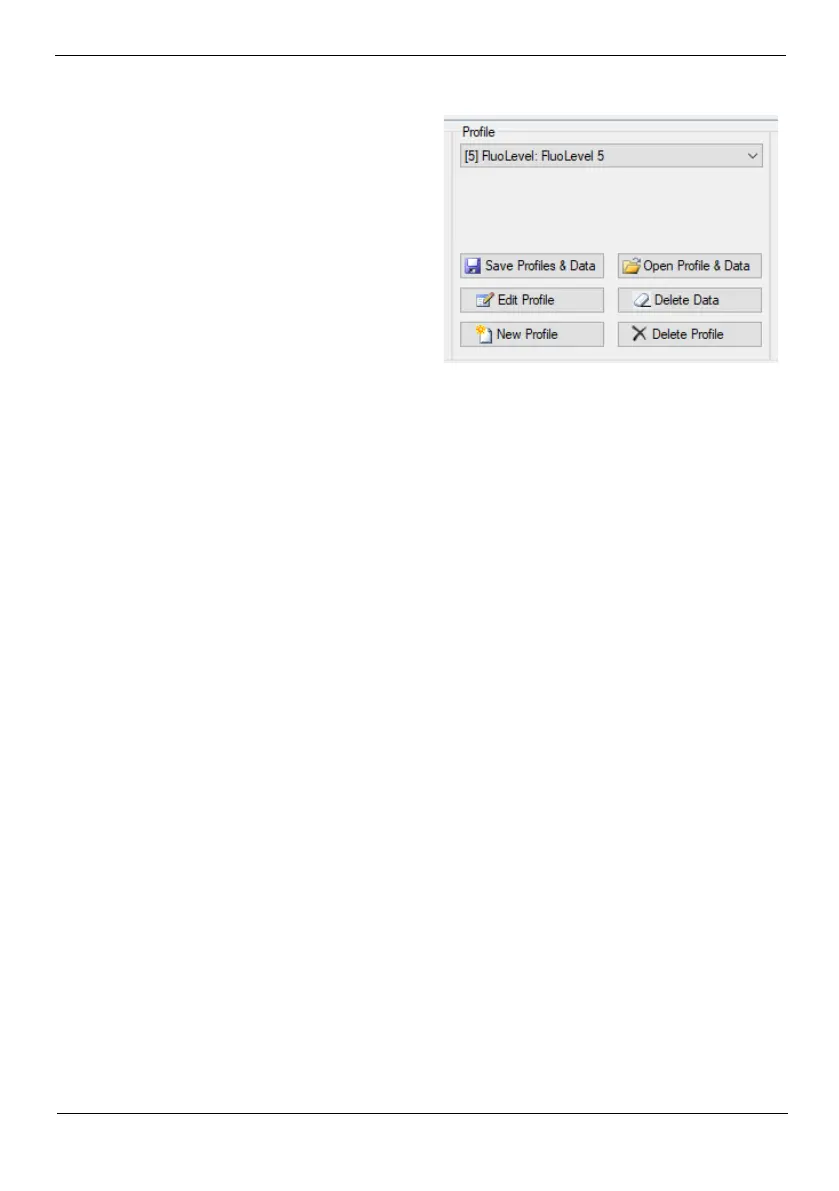
• With the SITA-ProcessLog it is possible to save
a copy of all profiles and the measuring data of
the SITA ConSpector as well as added com-
ments on the computer (Save profiles & data).
• If profiles and data are deleted from the SITA ConSpector, they are also no longer availlable in
the SITA ProcessLog software. With Open profiles & data you can open a previously created
copy (Save profiles & data). However, if data was once deleted from the measuring device. It is
not possible to restore them from an image in the software on the PC.
• Comments can only be created in the software on the PC. This function is not available on the
Handheld SITA ConSpector itself. Comments can only be saved as an image (Save Profiles &
Data) or by data export e.g. to MS-Excel. Comments are not saved on the unit. They will be lost
without (Save Profiles & Data) or data export when closing the software.


 To Next Page