MK32E User Manual V1.1
94
2023 SIYI Technology, All Rights Reserved
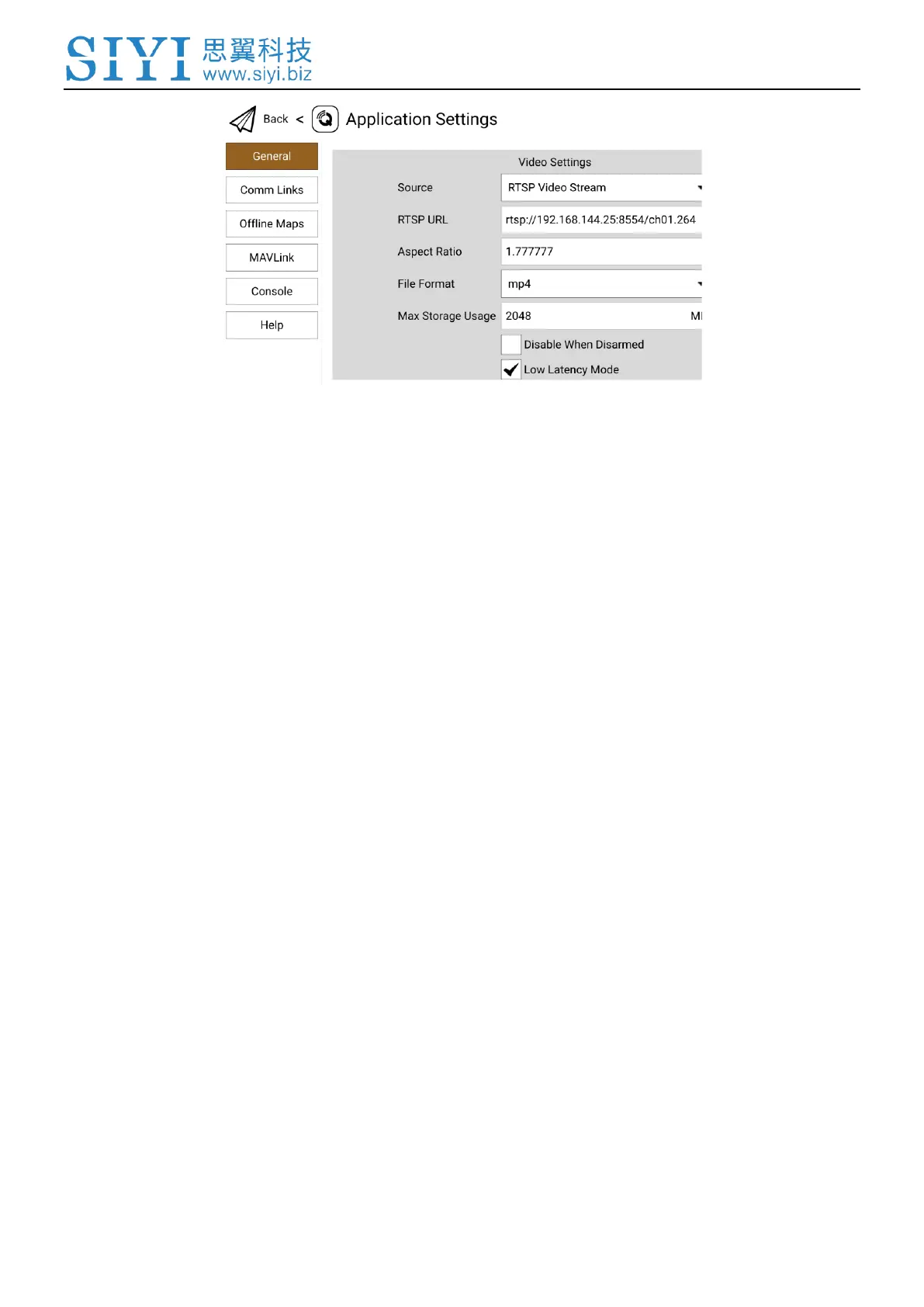
3. Configure “Source” as “RTSP Video Stream”. Then input the copied RTSP
address of your IP camera/pd after “RTSP URL”.
4. Go back to QGC home page to check image display.
6.3 Using HDMI Cameras / Pods
If you use SIYI air unit HDMI input converter to connect the air unit with your
HDMI camera, please refer to the steps below for acquiring image transmission.
Steps
Let’s take QGroundControl as an example.
1. Open QGC, go to “General” page and slide to “Video Settings”.
2. Configure “Source” as “RTSP Video Stream”. Then input SIYI HDMI converter’s
RTSP address after “RTSP URL”.
3. Go back to QGC home page to check image display.



 To Next Page