MK32E User Manual V1.1
97
2023 SIYI Technology, All Rights Reserved
6.6 Solutions to No Image
If MK32E ground unit failed to display image, please try to follow the steps below
to investigate possible reasons.
1. Confirm if the ground unit is bound with the air unit and confirm if the camera is
well connected to the air unit
⚫ Ground unit and air unit status indicator is green.
2. Open “SIYI FPV” app and check if the IP address of the camera, the gimbal, or
the HDMI converter is input correctly. For third-party IP cameras, please refer
to their camera settings for detail IP addresses.
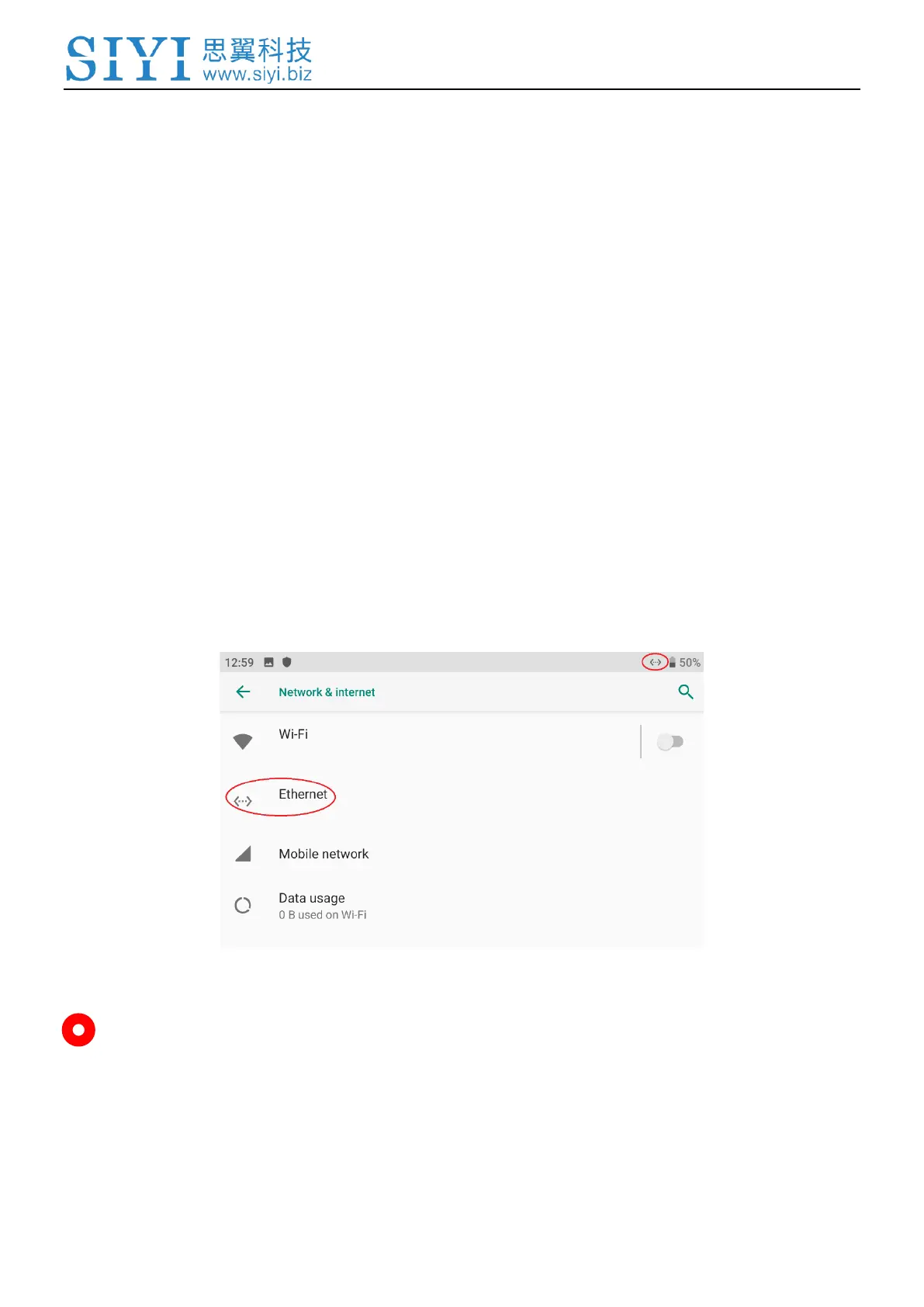
3. In the main menu of the ground unit Android system, check if the Ethernet icon
exists. If not, please enable Ethernet function.
Mark
If you have done investigation by following all steps above, but the reason is still not
located, please contact your dealer or SIYI immediately.


 To Next Page