MK32E User Manual V1.1
87
2023 SIYI Technology, All Rights Reserved
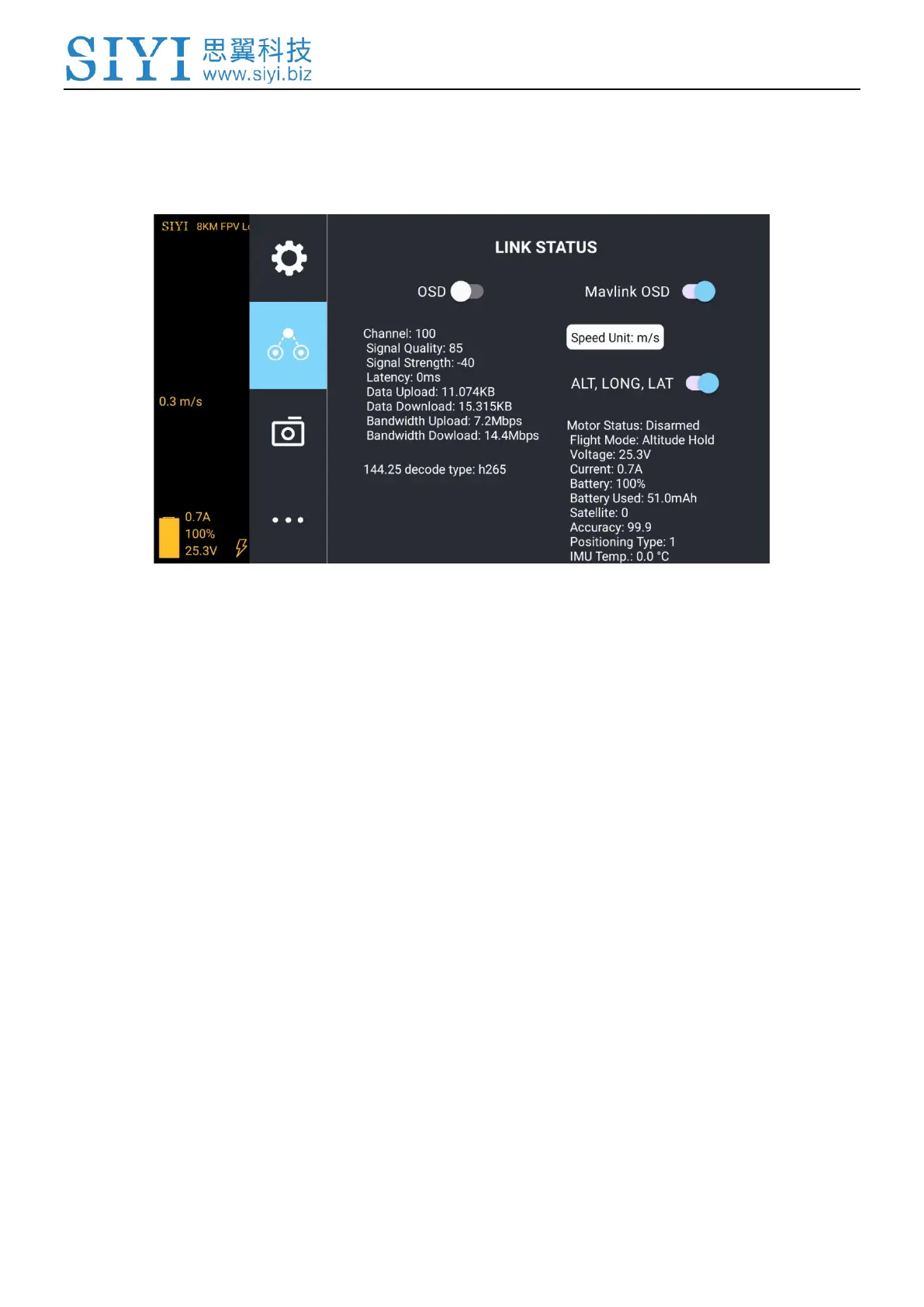
5.2 Link Status
Display the link status directly over the FPV image.
About Link Status
OSD: Enable / disable standard OSD information.
Mavlink OSD: Enable / disable Mavlink OSD information.
Speed Unit: Switch speed unit between meter per seconds and kilometer per hour.
Longitude and Latitude: Enable / disable information.
5.3 Gimbal Camera
Configure the basic functions for SIYI gimbal cameras and cameras.



 To Next Page