MK32E User Manual V1.1
26
2023 SIYI Technology, All Rights Reserved
2.1.4 Change System Language
MK32E Android system supports almost all available languages, which can be
switched in system settings easily.
Mark
The factory language of MK32E Android system is “Chinese (Simplified)”.
Steps
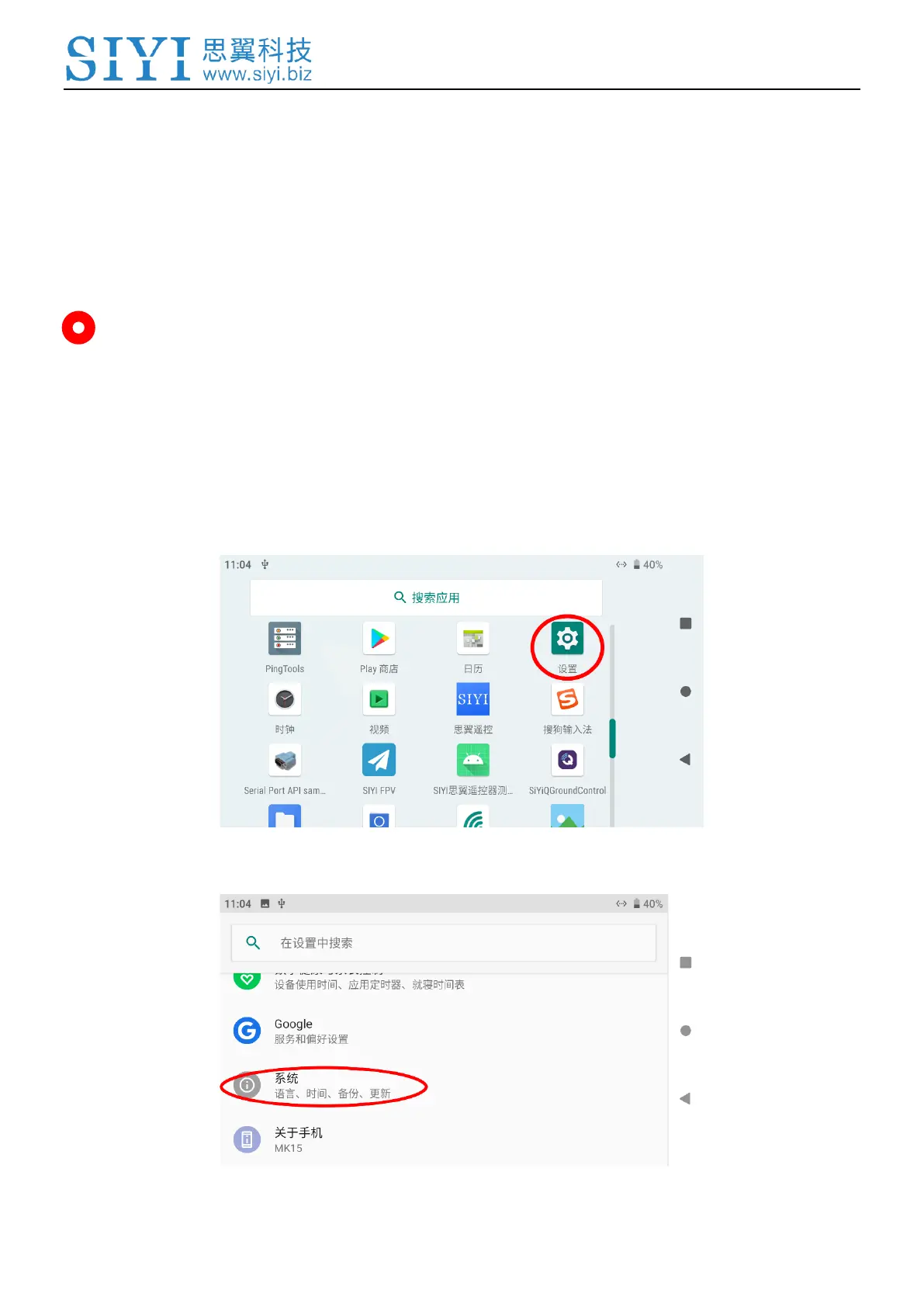
1. Go to Android system settings.
2. Slide down to find “System (Language, Time, Backup, Update)” and enter.



 To Next Page