MK32E User Manual V1.1
72
2023 SIYI Technology, All Rights Reserved
4.5 Communication with GCS through LAN by UDP (Taking
Windows QGC as an Example)
Let’s take QGroundControl as an example.
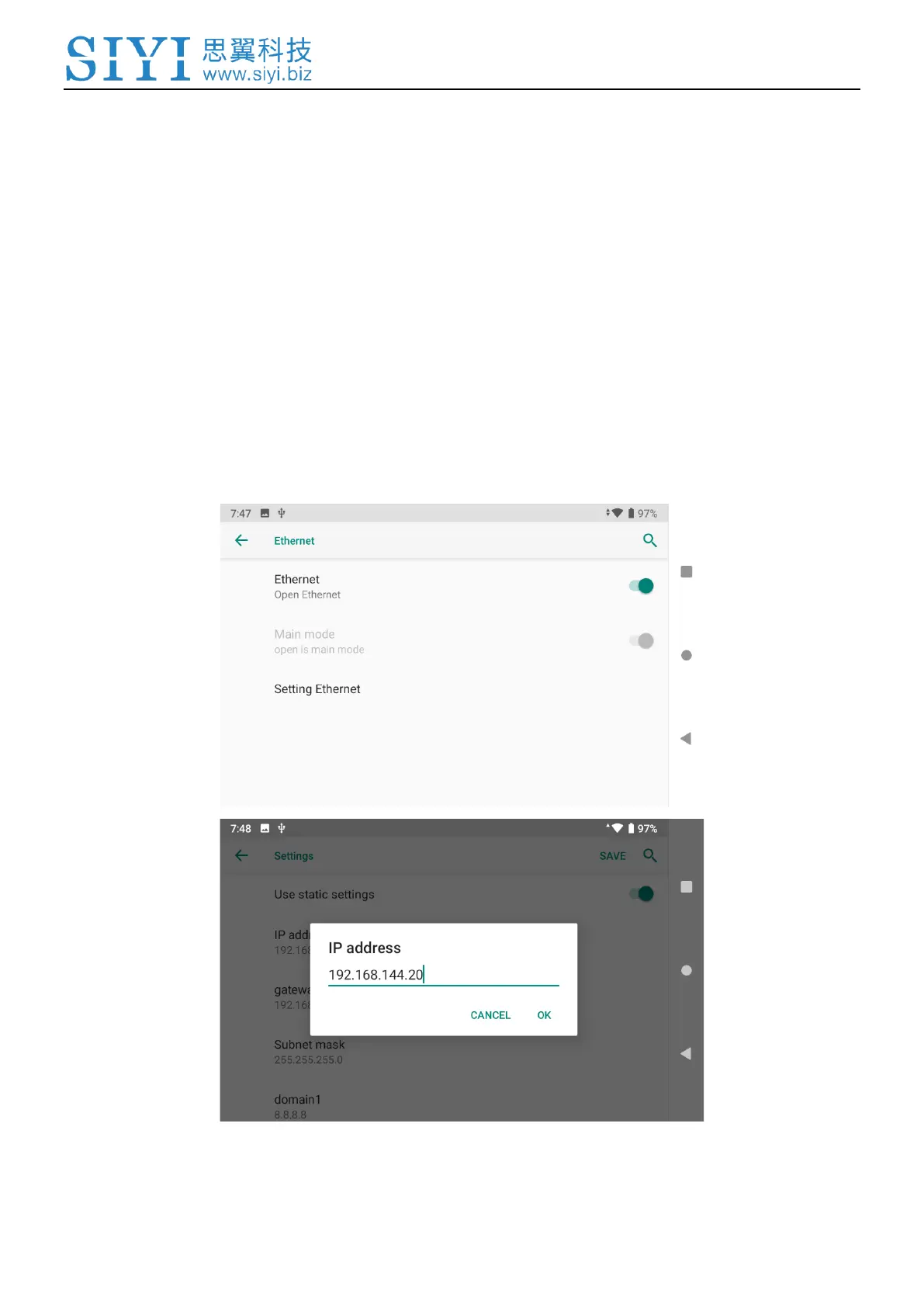
1. Configuring MK32E ground unit’s Android static IP addresses is necessary
before establishing the connection to avoid IP addresses conflict with the
Windows computer. Open Android settings on MK32E ground unit, go to
“Network & Internet – Ethernet – Setting Ethernet”. Change the IP addresses to
“192.168.144.19”.



 To Next Page