MK32E User Manual V1.1
73
2023 SIYI Technology, All Rights Reserved
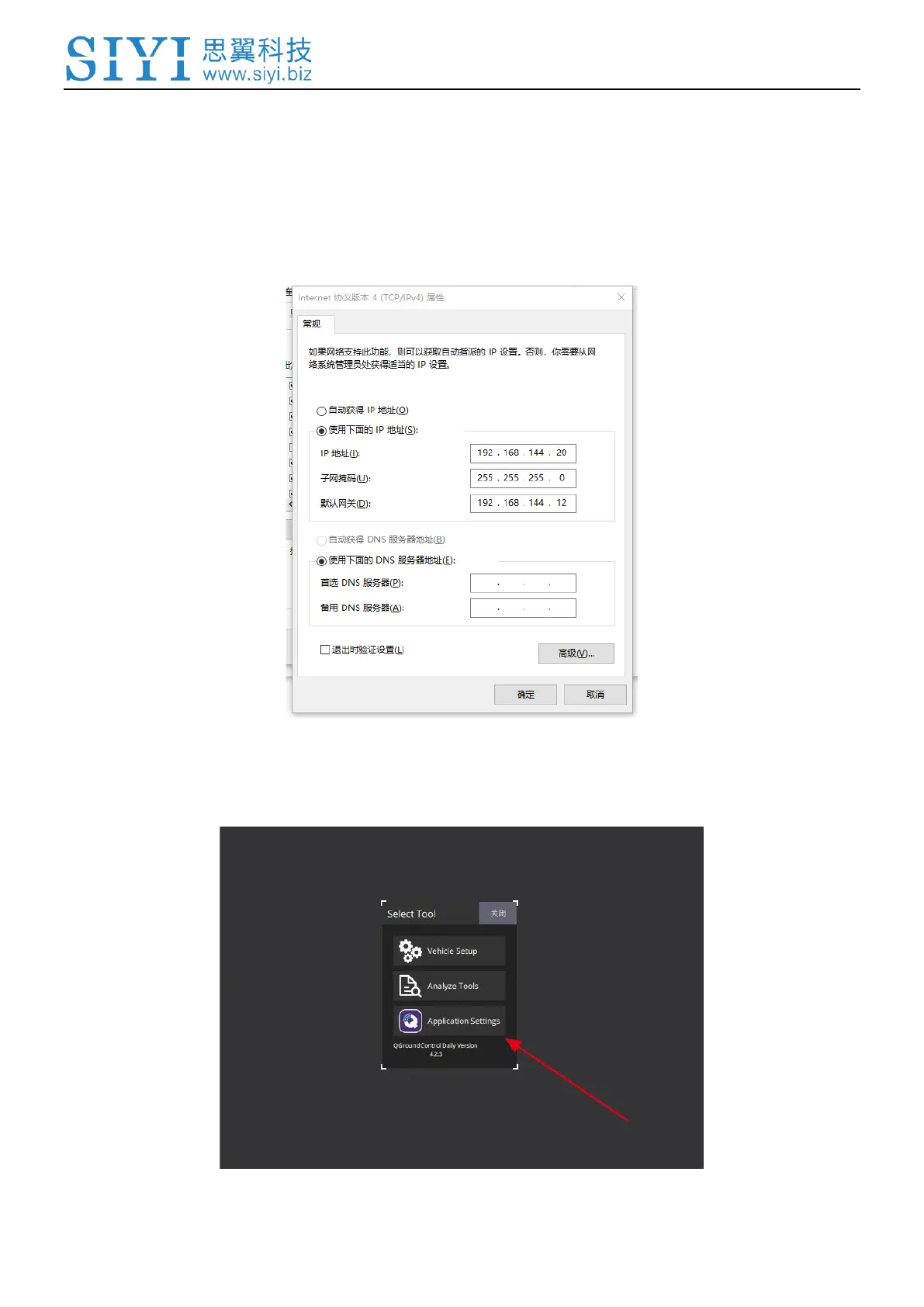
2. Connect MK32E ground unit’s bottom LAN port to a Windows computer’s RJ45
port. Then go to Ethernet settings in Windows settings.
3. Go to “Internet Protocol Version 4 (TCP/IPv4)” and change IP addresses as
below. Then confirm.
4. Run Windows QGC and go to “Application Settings” in QGC, click “Comm
Links” and “Add” a new connection.



 To Next Page