MK32E User Manual V1.1
74
2023 SIYI Technology, All Rights Reserved
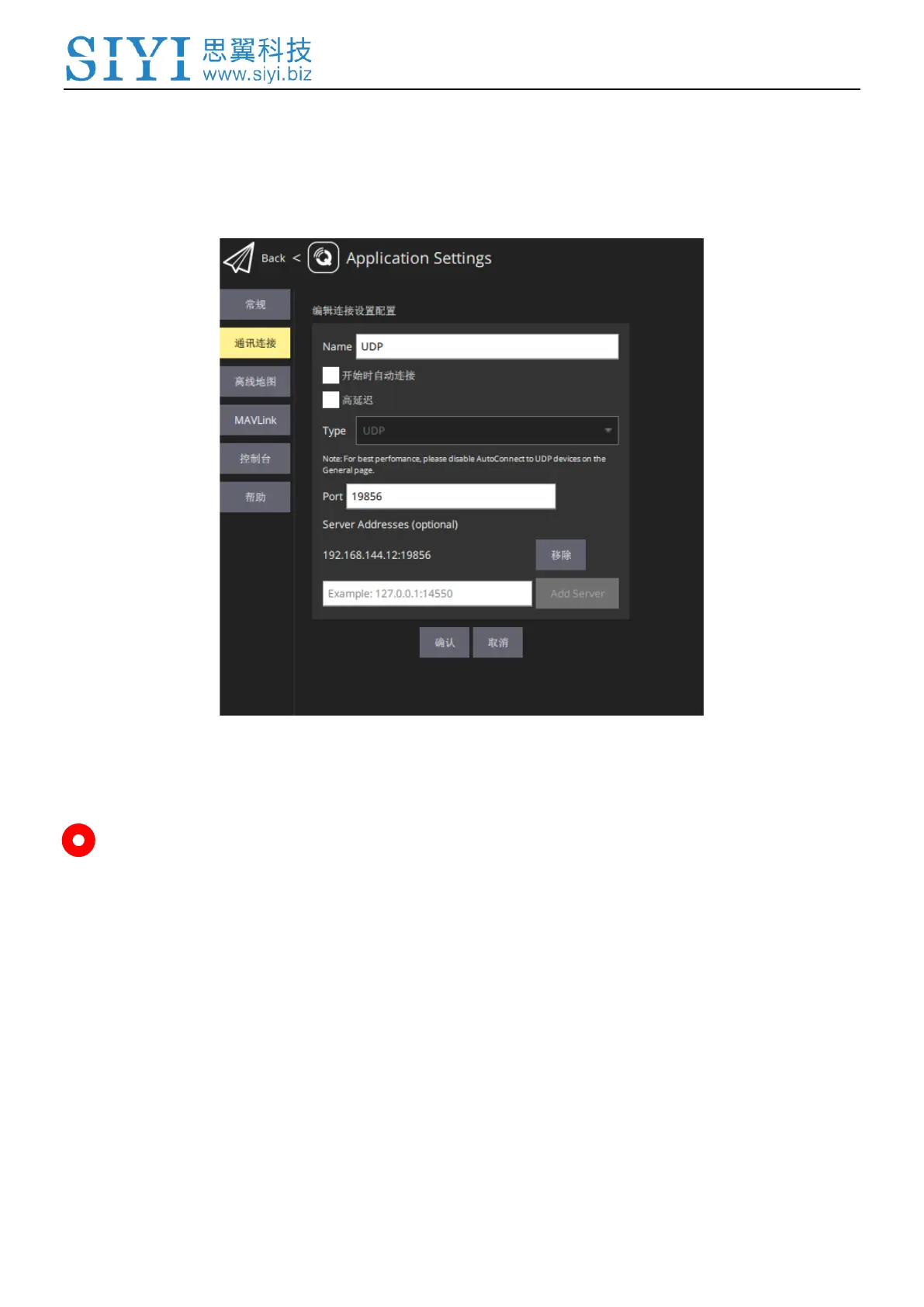
5. Name the connection as “UDP”, set the type as “UDP”, the port as “19856”, the
server address as “192.168.144.12” and “Add Server”, then click “OK” to return
to the Comm Links page.
6. UDP connection is established.
Mark
MK32E ground unit can also output video stream to PC GCS through the LAN port. That
is to say, the MK32E link can also work as a transparent link to establish communication
between a ground computer and an onboard computer.
If it is your first time adding a new connection in QGC, please do not check the option
“Automatically Connect on Start”. It can be checked later when you confirm that the
datalink is connected successfully.



 To Next Page