MK32E User Manual V1.1
86
2023 SIYI Technology, All Rights Reserved
5.1 Settings
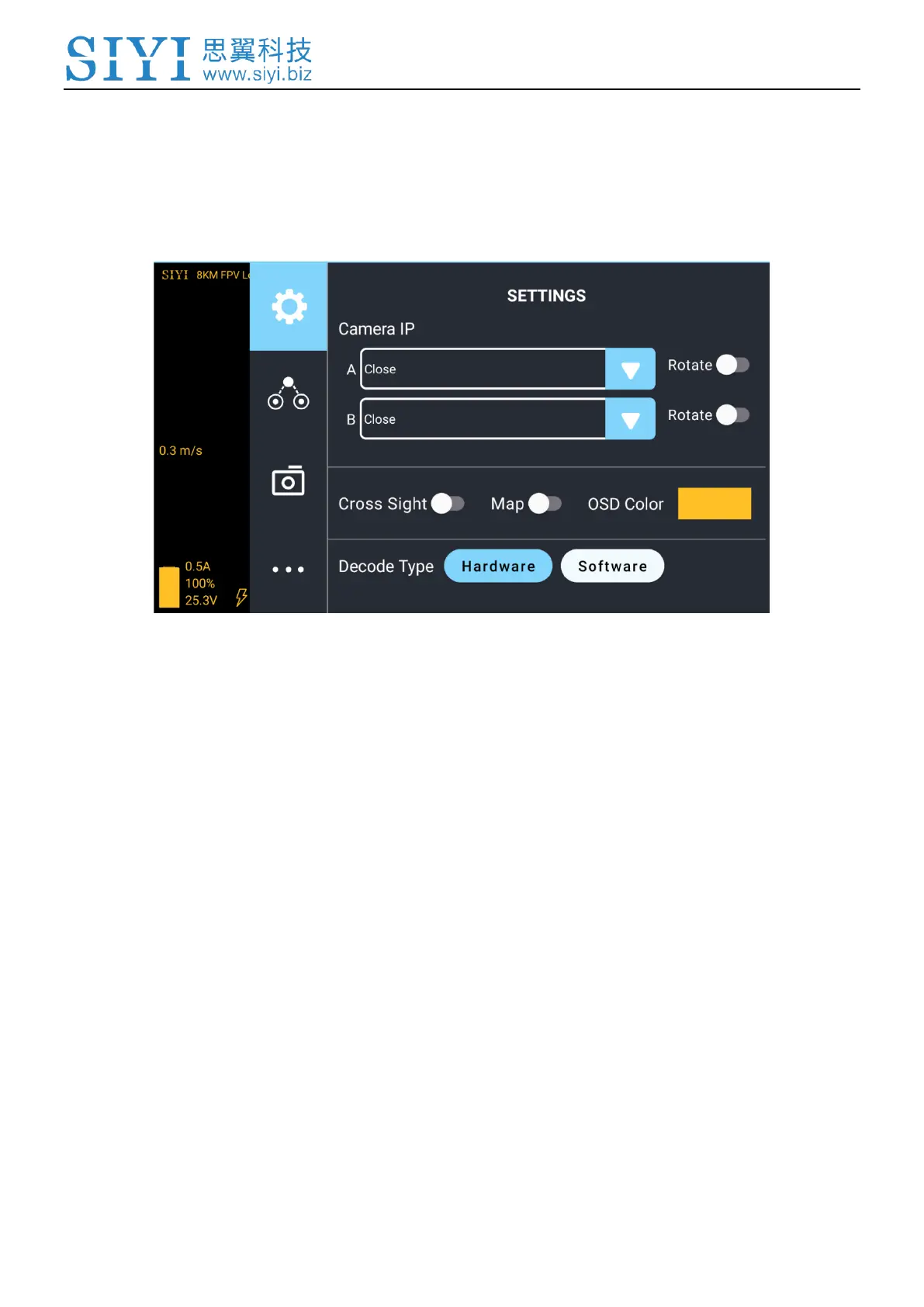
In the “Settings” page, you can configure camera IP Addresses, configure
application interface, switch decoding type.
About Settings
Camera IP: Select SIYI Camera 1 and SIYI Camera 2, or input camera RTSP addresses
manually, or disable image. The “Rotate” buttons can rotate the image in 180 degrees.
Cross Sight: Display a cross sight in the center of the image.
Map: Display the flight map at the left-bottom corner of the app.
OSD Color: Adjust the color of all OSD information.
Decoding Type: Switch between “Hardware Decoding” and “Software Decoding”. Please
refer to your video input device to choose the decoding type with the best performance.



 To Next Page