VD32 Remote Controller User Manual v1.2
- 18 -
2020 SIYI Technology Copyright
Mark: Self-locking button stays in the position you press them to; Self-resetting button
rebound to original position after a press.
Mark: VD32 transmitter supports customized channel definitions as well. Please refer
to the chapter “SIYI TX APP” in this manual for detail.
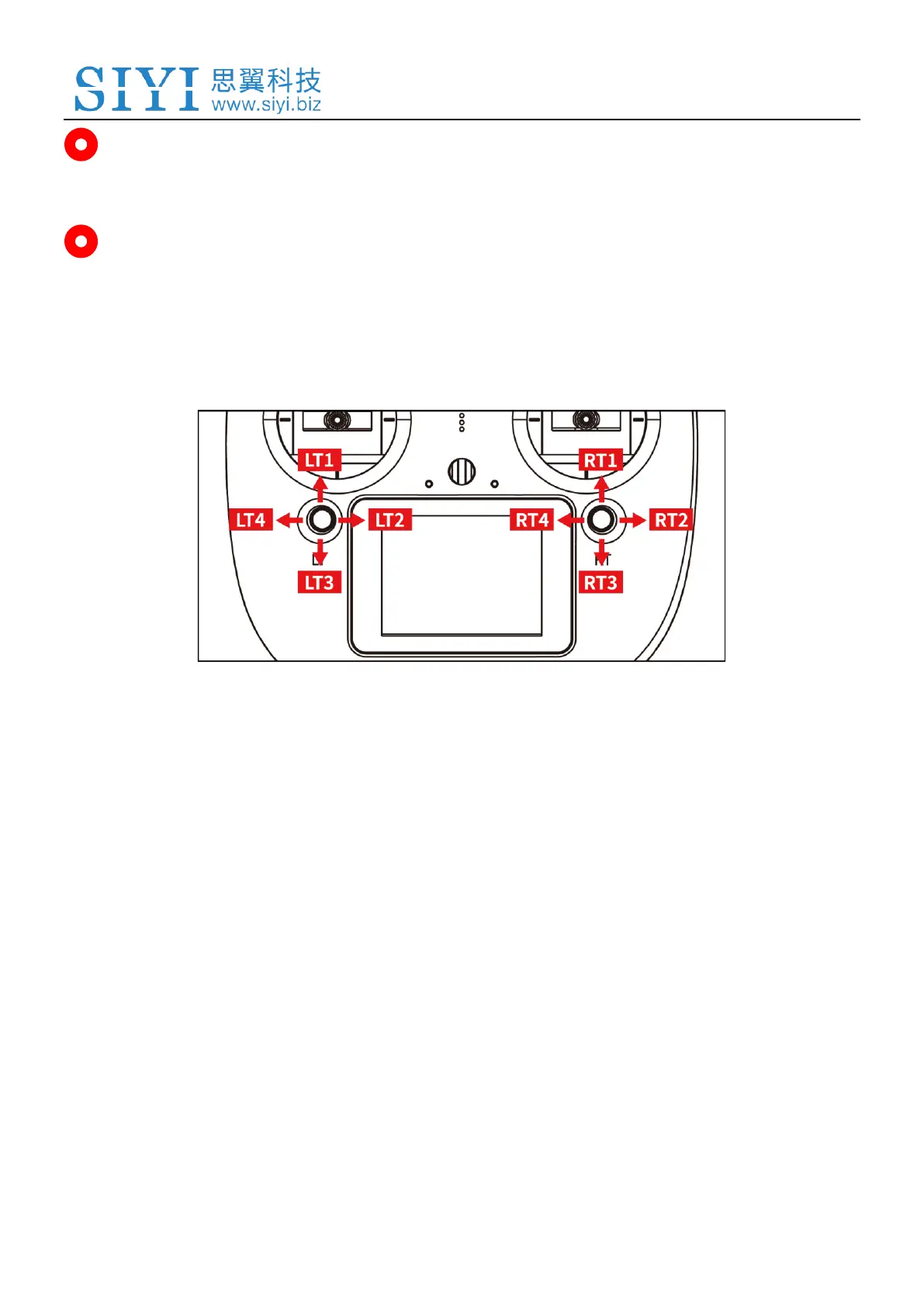
2.2.3 Sub-trim Button
⚫ VD32 transmitter comes with two Sub-Trim buttons, which support continuous
trimming to 4 channels.
⚫ Each sub-trim button goes to 2 dimensions (up-down, left-right).
⚫ Pushing on a sub-trim button, it leads to movement from former position at the
default stepping value. Continuously pushing speed up the movement. The
alerts sound different when the button is at middle.
⚫ Sub-trim position shows as dynamic changes in system menu.



 To Next Page