VD32 Remote Controller User Manual v1.2
- 70 -
2020 SIYI Technology Copyright
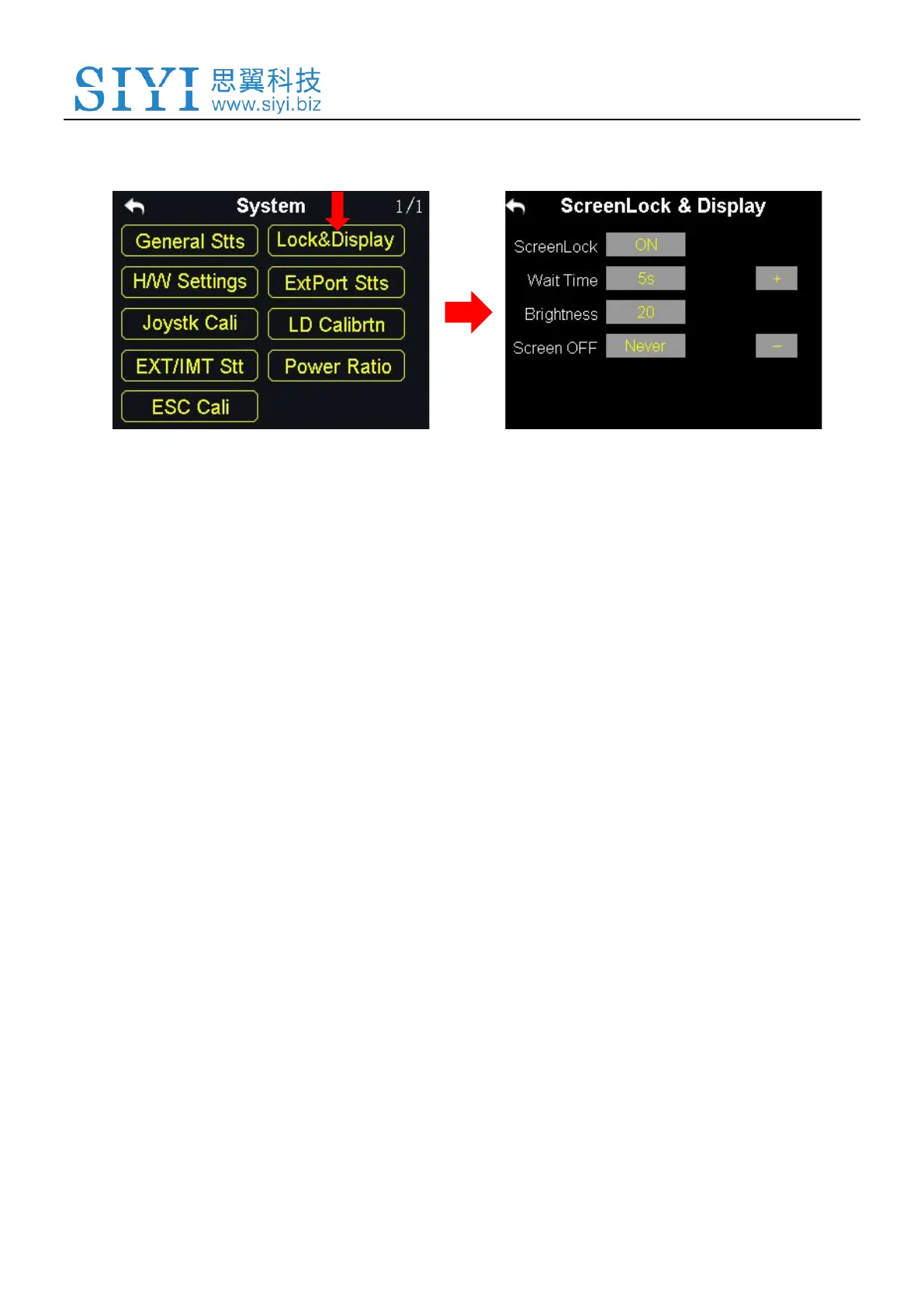
6.2 Screen Lock & Display
Users can turn on / off the screen lock, set the waiting time, adjust the screen
brightness and the screen sleep waiting time of VD32 transmitter.
Screen Lock and Display Introduction
Screen Lock: The touchscreen lock is disabled when the screen lock is enabled.
Screen Lock Waiting Time: Set the waiting time before locking transmitter screen.
Screen Brightness: Adjust the screen brightness (range 1 - 20).
Screen Sleeping Time: Turn on / off the sleeping function (screen display turns off
automatically after waiting time) of the transmitter screen and set waiting time. When you
set “Never”, the transmitter screen stays on.



 To Next Page