VD32 Remote Controller User Manual v1.2
- 82 -
2020 SIYI Technology Copyright
2 meters.
6.9 ESC Cali
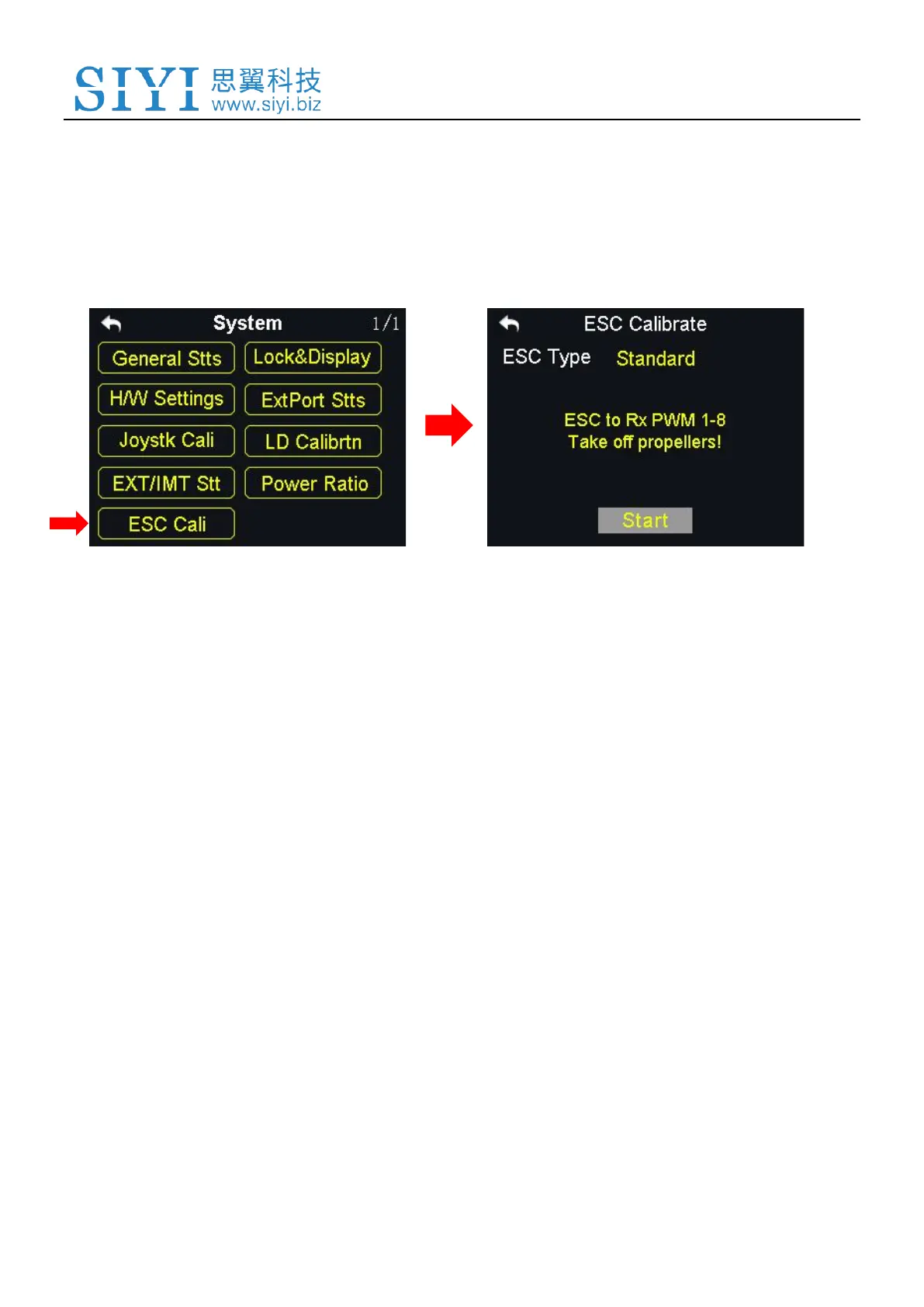
VD32 transmitter simplified the ESC calibration a lot. Users just connect their ESC
to VD32 receiver’s PWM port 1 to 8, then follow the tips in the screen menu or the
steps below to finish calibration.
Steps to Calibrate the ESC
1. In the system settings menu, tap on “ESC Cali”, in the screen it shows the ESC
calibration menu;
2. According to the tips in the screen, connect your ESC signal wires to the sky
station’s PWM port 1-8, then tap on “Start”;
3. In this circumstances, the channel value of transmitter throttle stick reaches to
the maximum position automatically (do not push any joysticks); Supply power
to the aircraft, and wait for the confirming sound from aircraft motors; Then tap



 To Next Page