VD32 Remote Controller User Manual v1.2
- 81 -
2020 SIYI Technology Copyright
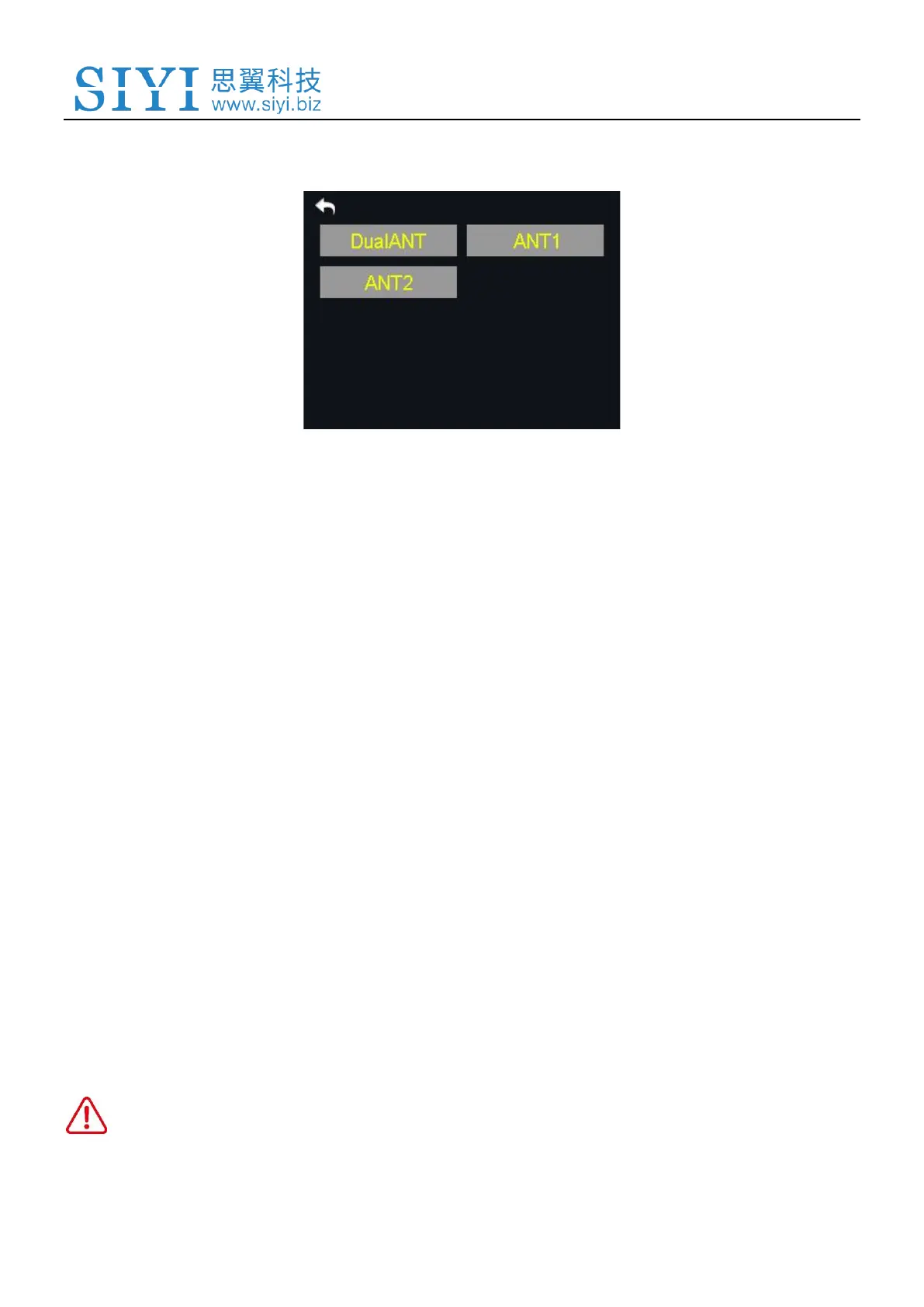
6.8.2 Transmitter/Sky Station Antenna
Both the transmitter and the sky station have two antennas. Users can decide which
antenna to use, the antenna 1, the antenna 2 or both according to their requirement.
Steps to Choose the Antenna(s)
1. Power on the transmitter and the sky station, make sure that they are linked with
each other;
2. In the system settings menu, tap on “Power Ratio”, in the screen it shows the
power ratio menu;
3. Tap on “Tx/Rx ANT” to choose “ANT1/2” or “DualATN” for transmitter/sky station
antenna;
4. Tap on “Return” to finish.
CAUTION
Please make sure that the distance between your transmitter and sky station does not exceed


 To Next Page