VD32 Remote Controller User Manual v1.2
- 48 -
2020 SIYI Technology Copyright
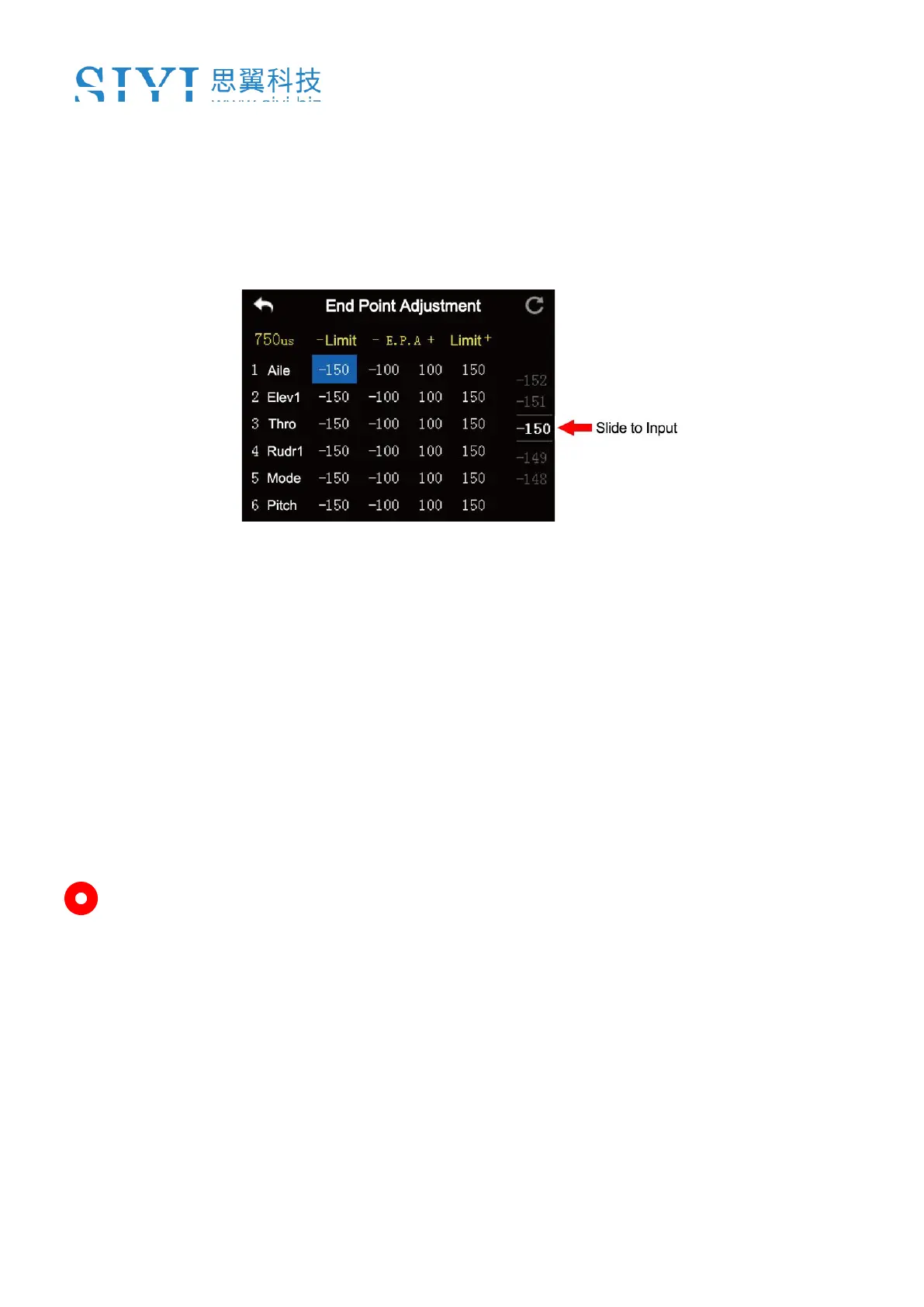
1. Please refer to the picture below. In “Model Settings” menu, tap on “End Point”,
in the screen it shows “End Point” menu (“-E.P.A+” stands for the channel
value, “-limit / limit+” stands for the minimum/maximum limit value);
2. When the channel output is normal, tap on the left/right box to input value of the
minimum/maximum limit, the range is between -150 and 150.
3. After setting, output value of the channel will not exceed the limit even under
“Program Mix*” function in order to protect the servo and some other external
device.
Mark: In “End Point” menu, tap on “Reset” at upper right corner screen to reset all
channel values.



 To Next Page