VD32 Remote Controller User Manual v1.2
- 53 -
2020 SIYI Technology Copyright
Before doing Sub-Trim settings, please make sure that the target Sub-Trim channel
is in its middle position.
CAUTION
It is not a good idea to use Sub-Trim function when you are flying an agricultural drone.
Steps
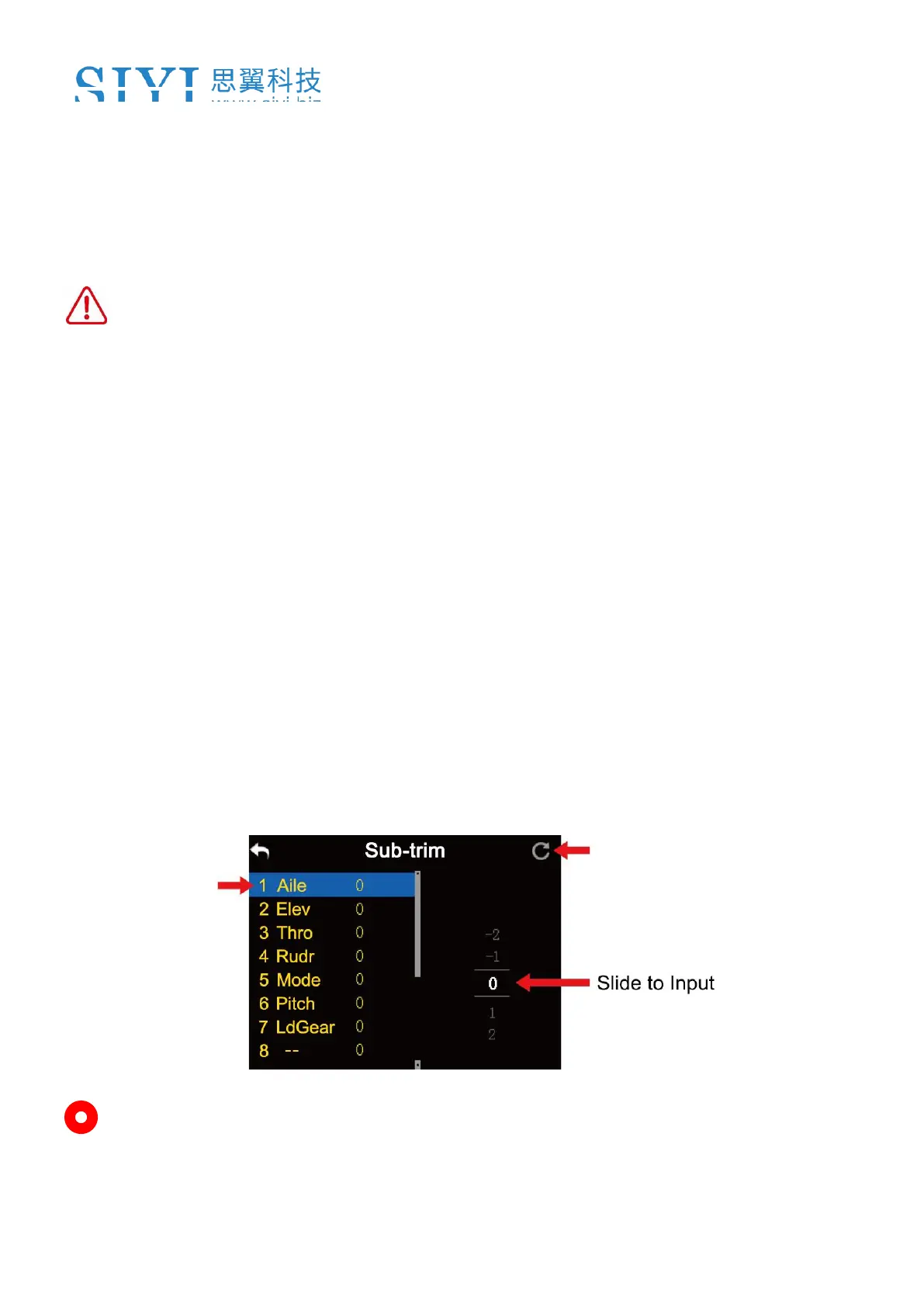
1. In “Model settings” menu, tap on “Sub-Trim”, in the screen it shows “Sub-Trim
menu;
2. Select a channel according to your requirement; use the virtual turntable to
select a target middle channel value;
3. Repeat step 2 if you are to adjust any other channels.
Mark: In Sub-Trim menu, tap on “Reset” to reset all channels.



 To Next Page