VD32 Remote Controller User Manual v1.2
- 79 -
2020 SIYI Technology Copyright
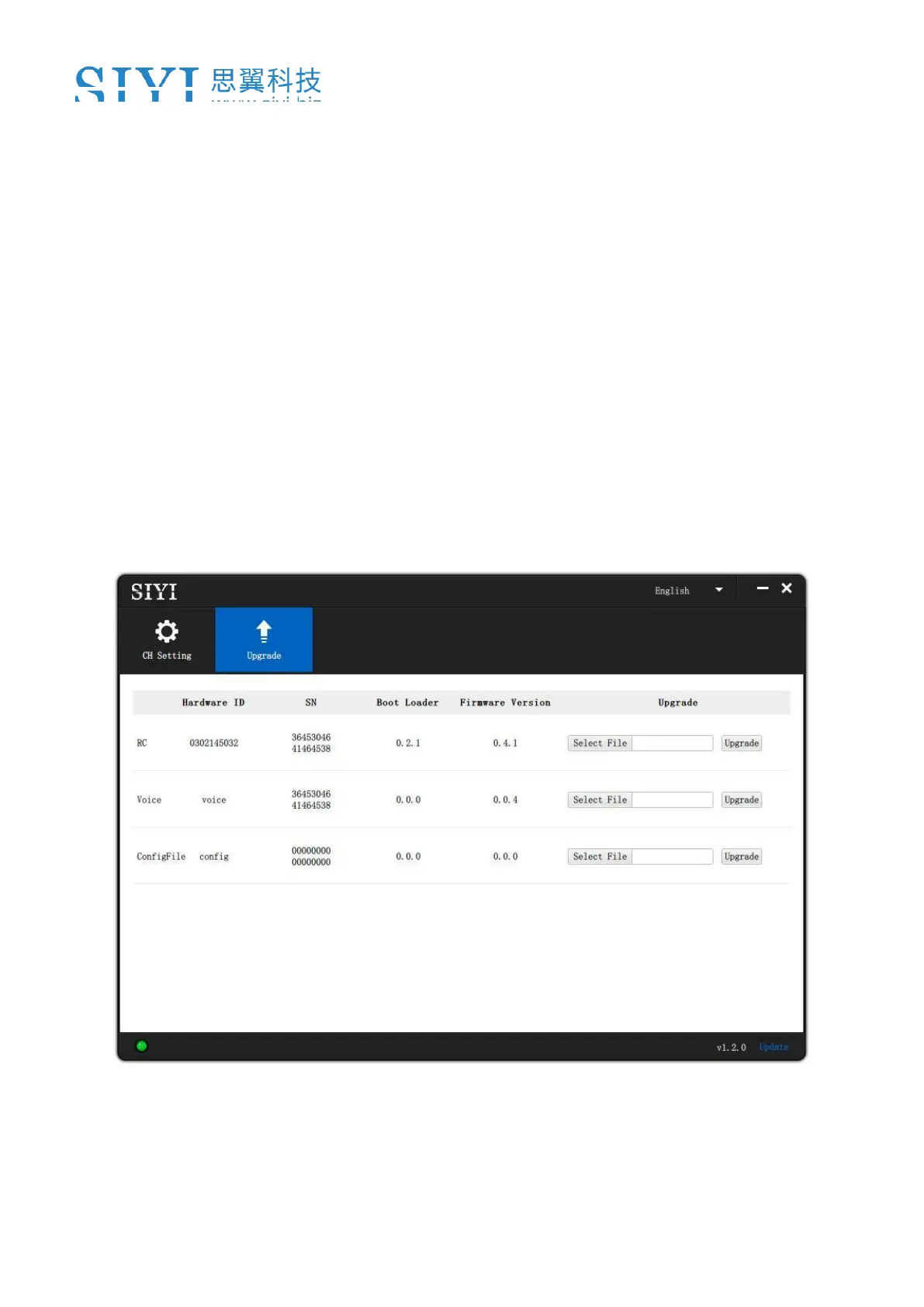
1. Connect VD32 transmitter to the computer via USB cable, and open the “SIYI
Assistant” software;
2. Import the setting data saved in the SD card to the computer through a SD card
reader, the files are in format “.CFG”. The data of the system settings is named
as “SYS.CFG”, the data of all model settings is named as “ALL.CFG”; the data
of the current model settings is named as “MODEL+X(model number).CFG”;
3. In the “SIYI Assistant” software, tap on “Upgrade”; in “Setting Files”, tap on
“Select File” to load setting files;
4. Tap on “Upgrade” to finish.



 To Next Page