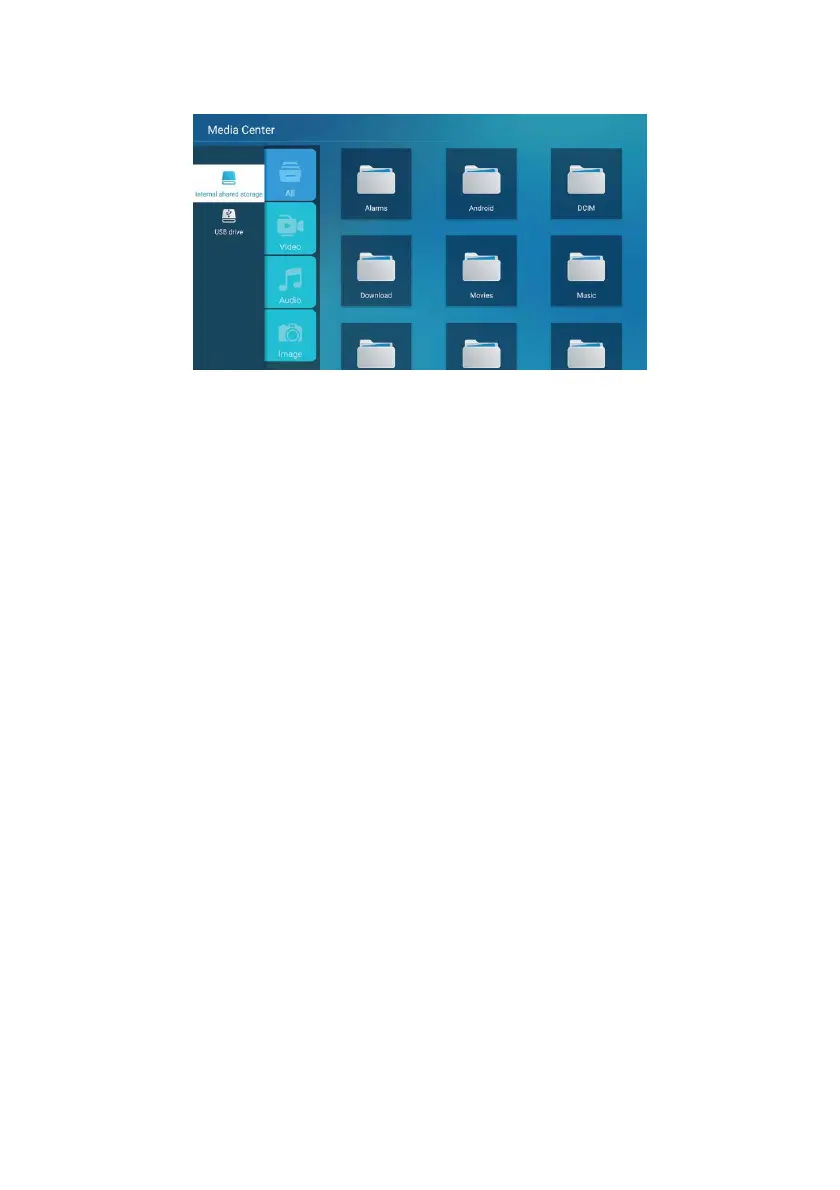
Video
Use the up and down arrow keys to select the "Video" icon. Press the ENTER button to
confirm, and then navigate right to the folder by pressing the ENTER button to open
the corresponding folder. After selecting the file, press ENTER to open it. You can
operate with the left and right buttons.
Sound
Select the "Audio" icon with the up and down arrow keys, press ENTER to confirm, and
then press right towards the folder, pressing ENTER to open the appropriate folder.
After selecting the audio file, press ENTER to
open it. You can operate with the left
and right buttons.
Picture
Select the "Picture" icon with the up and down arrow keys, press ENTER to confirm,
and then press right towards the folder, pressing ENTER to open the appropriate
folder. After selecting the image, press ENTER to open it, and then use the left and
right keys to operate.
MEDIA PLAYER FUNCTIONS
35



 To Next Page