37
38
Arm (Away arm)
In arm state, the system will trigger an alarm when detecting intrusion.
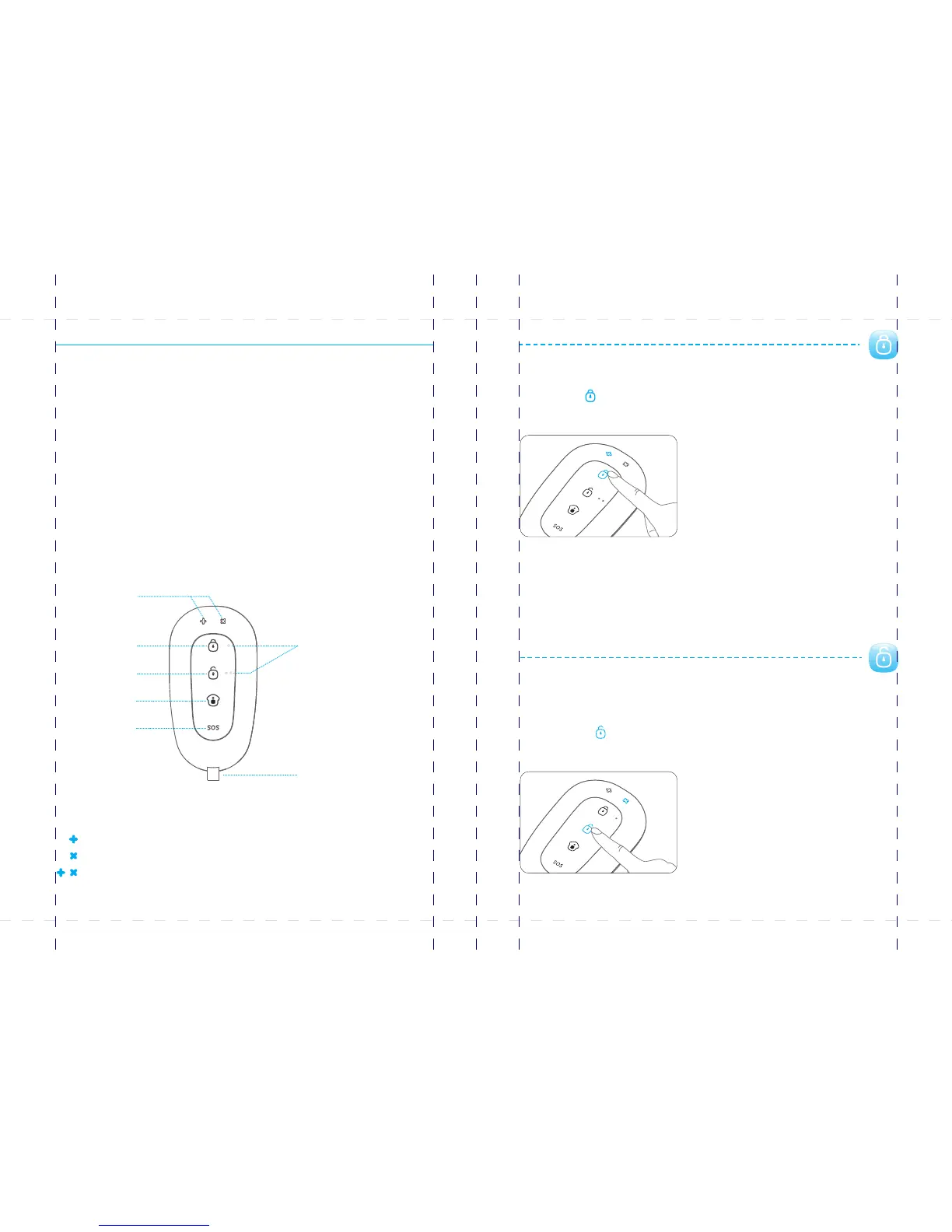
Press the button. The control panel beeps once and the mode LED is on, [Arm ]
indicating the system is in the arm state.
Note: If you do not want to take the remote control, entry and exit delay can be set. For related
definition and setting, please refer to page 26.
If a wireless keypad is used, you only need to enter the password on the keypad without using the
remote control.
Disarm
In disarm state, the detectors (except those sensors in the 24-hour zone) will not
trigger an alarm when detecting intrusion.
Press the button. The control panel beeps twice and the mode LED is on, [Disarm ]
indicating the system is in disarm state.
Note: If entry and exit delay is set, you can enter your home directly in the arm state, then disarm
the system within the delay time. No alarm will be triggered in this case. If you disarm the system
after the delay time, the system will trigger an alarm.
Accessories
Accessories in this kit can work only with its own control panels.
Remote Control
RE2300 can be attached to your key ring, or just put into your pockets or purses.
When you are about to exit or entry the house, you can use it to arm or disarm the
system. In case of any emergency, just press the button, the alarm will be [SOS]
activated immediately.
Overview
Armed or in home modeLED flashes once:
DisarmedLED flashes once:
SOSLEDs flashes once:
LED indication
LED Indicator
Arm
Disarm
Stay
SOS
Guide Point for the Blind
Metal Ring
PIR-900 Wireless PIR Motion Detector
IMPORTANT: WHEN SINGLE DELAY ZONE IS SELECTED, THE SENSOR
WILL ALWAYS BE IN THE NORMAL ZONE. IT IS NOT POSSIBLE TO PLACE IT IN
THE HOME GROUP.
5
TIP: Always start the SIM card telephone number with the area code of your
country (eg. 0031 for the Netherlands). This will allow you to operate the alarm
system abroad.
8
17
18
19
20
24
X500 Alarm
X500 Alarm
smanos holding...



 To Next Page