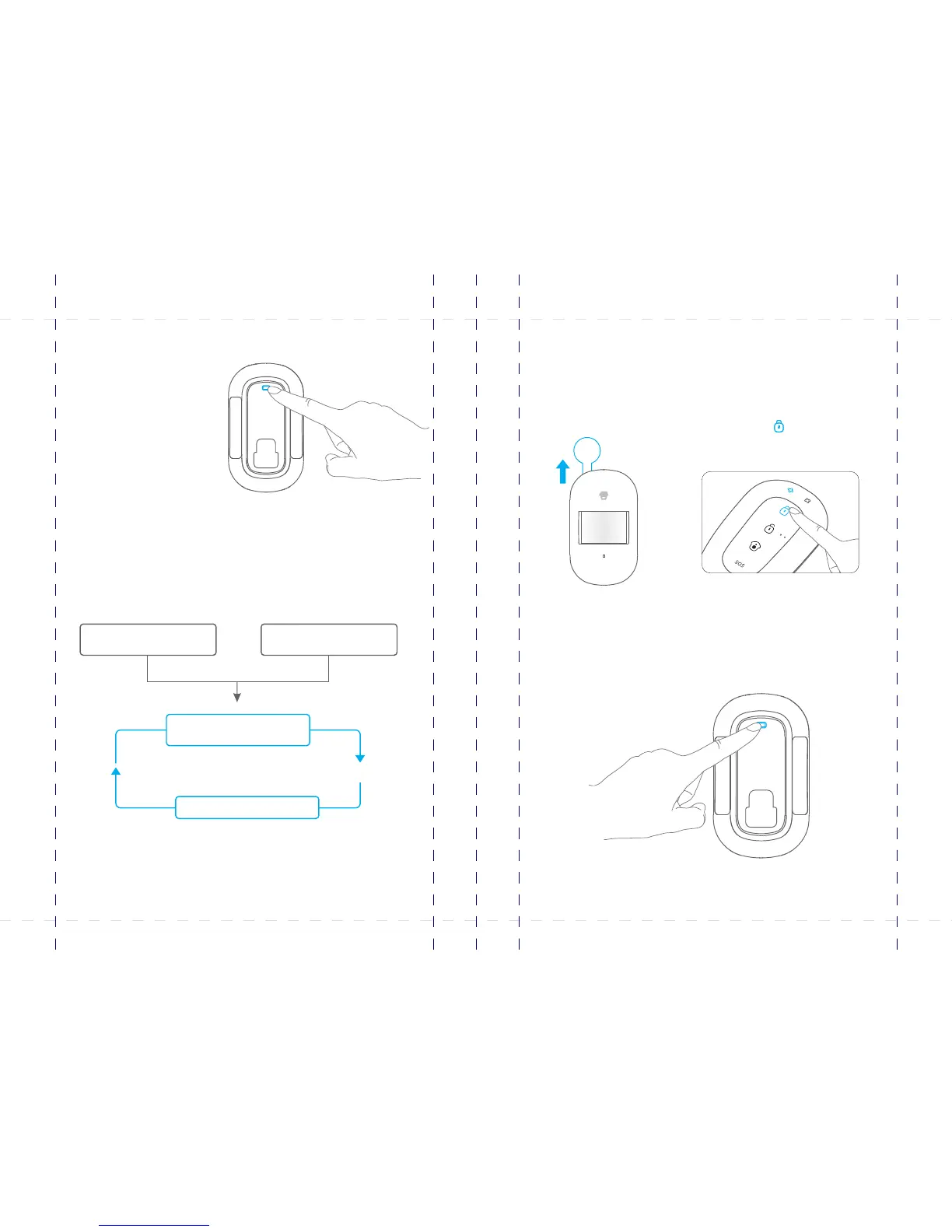
The product features power-saving design. If the detector detects human movement
twice in 3 minutes, it will switch to the sleeping state to save power. At this time, the LED
will not flash and no alarm. After no movement within the next 3 minutes, the detector
switches back to the working state automatically.
Working mode
Testing mode
After self-testing, press the test
button, the detector switches to the
testing mode and detects once
every 10 seconds. It triggers an
alarm. After 3 minutes, the LED
flashes twice, and the detector
switches to the power saving mode.
Power Saving mode
Note: After the detector is in the sleeping state, ensure no human movement within 3 minutes;
otherwise, the detector remains sleeping.
In the sleeping state, it is recommended that you leave the room after arming the system. Ensure no
human movement in 3 minutes. Then, go into the room, the system alarms immediately.
Sleep after detecting human
movement twice
Case 2:
Press the test button and then arm.
Case 1:
Initial start and then arm.
3 minutes later
No human movement
within 3 minutes
Switch from sleep to arm.
1. Remove the insulating strip
Remove the insulating strip.
2. Arm the system
Press the button on the remote [Arm ]
control. The system is armed.
3. Trigger an alarm
Keep pressing the test button at the back until the control panel sounds. It indicates
that the PIR motion detector is connected to the control panel.
Test the PIR motion detector
This is to test whether the PIR detector works normally.
45
46
PIR-900 Wireless PIR Motion Detector
IMPORTANT: WHEN SINGLE DELAY ZONE IS SELECTED, THE SENSOR
WILL ALWAYS BE IN THE NORMAL ZONE. IT IS NOT POSSIBLE TO PLACE IT IN
THE HOME GROUP.
5
TIP: Always start the SIM card telephone number with the area code of your
country (eg. 0031 for the Netherlands). This will allow you to operate the alarm
system abroad.
8
17
18
19
20
24
X500 Alarm
X500 Alarm
smanos holding...



 To Next Page